Generate captions, optimize content, and enhance with custom images for maximum engagement.
46M visits/mo-10%#3 Image & Design

A self-hosted WordPress plugin that automates content, research, chatbots, and workflows using 300+ AI models without external middleware.
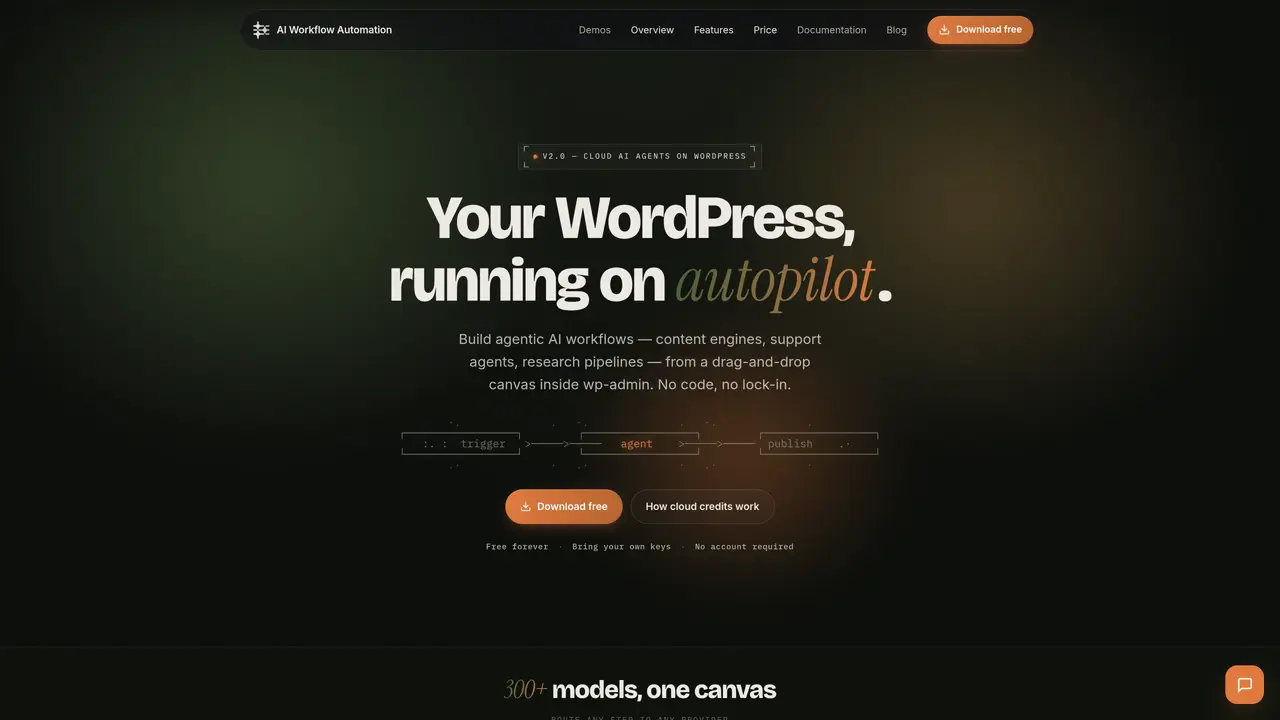
AI Workflow Automation is a self-hosted WordPress plugin designed for site owners, businesses, and agencies seeking to automate content creation, customer support, research, and operational workflows directly within WordPress. The tool provides a visual drag-and-drop workflow builder that enables users to create multi-step automations with detailed logs, an execution queue, scheduled runs, and conditional branching. It integrates with over 300 AI models from major providers such as Claude, GPT-4, Gemini, Grok, and Mistral, allowing users to connect multiple models within a single workflow. The platform includes an AI Workflow Generator that creates automations from natural language prompts, along with import/export functionality and a library of pre-built templates for reuse. It supports a variety of triggers and integrations, including popular WordPress form plugins (Gravity Forms, WPForms, Ninja Forms, Contact Form 7), AI chatbots trained on site data, Google Sheets and Google Drive, webhooks, and custom API calls. By running workflows on the WordPress server, the tool eliminates the need for external middleware, positioning WordPress as a central hub for AI-driven automation. It is listed on WordPress.org and has received positive reviews from WPBeginner, highlighting its reliability and ease of use for non-technical users and teams alike.
Yes, the entire plugin is free forever, including unlimited workflows and runs. In free mode, users bring their own API keys and everything runs locally on their WordPress server.
No account is required for the free, local mode. An account is only needed if you choose to run a workflow on the hosted cloud engine, as credits are metered there.
BYOK (Bring Your Own Keys) means you pay model providers directly and workflows run locally on your server. Cloud credits are for the hosted engine, where the provider manages keys and meters usage by outcome.
In local mode, data and API keys never leave your WordPress site. In cloud mode, only the data required for a workflow is processed on the hosted engine, and you choose which workflows run where.
The free plugin runs on unlimited sites. Cloud credits are tied to your plan, with Business plans including a 50-site cloud allowance.
Cloud plans add hosted credits, billed per outcome rather than tokens or time. You can cancel or top up credits at any time, with one-time top-ups available.
wpaiworkflowautomation.com · third-party estimates from Similarweb
Last 4 months · grows by one month every month
Share of visits · estimated visits
Automation & Agents · Sep 2026
Traffic figures are third-party estimates, good for scale and trends; they can differ from a company's own numbers. Updated monthly.
We use essential cookies to run aitoolnavio™, and optional cookies to analyze traffic and measure our marketing. You choose what we use — optional cookies stay off unless you turn them on. See our Privacy Policy.
One short email a week: fresh tools worth trying, honest takes and the updates that actually matter. No spam, unsubscribe any time.
Generate captions, optimize content, and enhance with custom images for maximum engagement.
Build conversational forms, capture rich responses, and automate follow-ups with AI-powered surveys and workflows.
Automate code, research, and documents using agents.
AI-powered IDE for autonomous coding tasks and agentic development workflows
Source, match, and manage talent with predictive analytics for effortless recruiting.
Automate workflow, optimize operations, and detect potential issues with this efficient AI-driven solution.
Transforms thoughts into actions, enhancing productivity and efficiency.
AI Recruitment engine to hire top global talent
All-in-one team productivity platform combining chat, docs, video meetings, workflows, and AI tools in one place.
Personal assistant that coordinates tasks across apps and devices via text or call
AI automation and agent-building platform with 3,000+ app integrations
AI job search copilot that matches roles to skills, optimizes resumes for ATS, generates cover letters, and autofills applications with real-time insights.
Matched on what this tool does — grouped by the job you would be replacing.
matches Self-hosted WordPress plugin with no external middleware required · Visual drag-and-drop workflow builder with logs and execution queue · Triggers for WordPress forms, AI chatbots, Google Sheets, webhooks, and APIs
A WordPress plugin that lets freelancers, SMEs, and agencies build no-code AI workflow automations with conditional logic, scheduling, and 200+ integrations.
A no-code WordPress automation platform that connects apps, AI tools, and plugins to streamline workflows and reduce manual tasks.
matches Visual drag-and-drop workflow builder with logs and execution queue · AI Workflow Generator for creating automations from natural language · Pre-built workflow templates with import/export functionality
Open-source platform to visually build, deploy, and manage LLM apps, agents, and RAG pipelines with drag-and-drop workflows and APIs.
Open-source workflow automation platform that connects apps and automates tasks with AI, no coding required.
No-code AI workflow automation platform to build chatbots, AI agents, and internal tools with drag-and-drop workflows and real-time research.
A visual low-code backend builder for creating AI workflows, APIs, automations, and cloud functions with full code access.