

Generate captions, optimize content, and enhance with custom images for maximum engagement.
46M visits/mo-10%#3 Image & Design
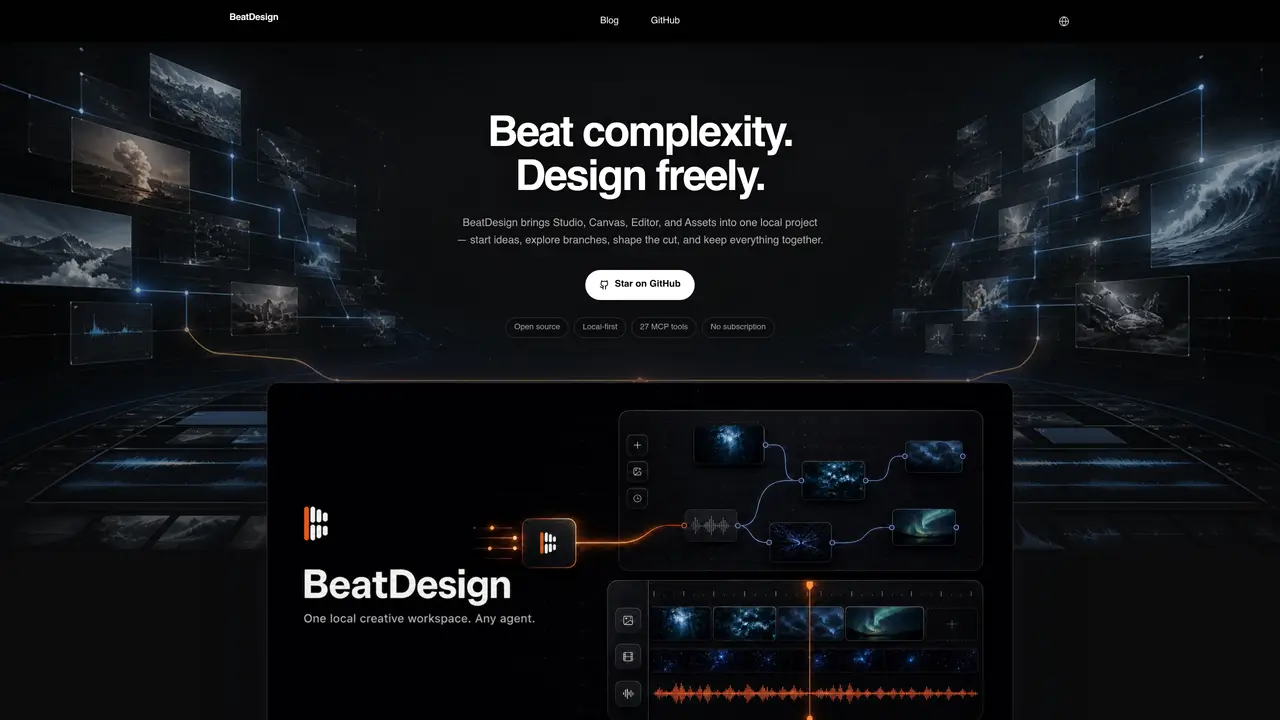
BeatDesign is a local-first creative workspace designed for AI-assisted media production. It integrates Studio, Canvas, Editor, and Assets into a single local project, allowing users to start ideas, explore branches, and shape media from initial prompts to final exports. The browser serves as the studio, with all views operating on the same local project, eliminating the need for vendor-locked cloud storage. The workflow progresses through five stages: starting from a prompt or local media in Studio, branching ideas and attaching references in Canvas, managing a shared local library of images, video, audio, and clips in Assets, and trimming, splitting, mixing, and redoing content in the Editor. The tool supports timeline-based editing with AI-assisted operations, including drag-to-trim, split, move, ripple delete, and non-destructive audio adjustments. Projects are stored locally in a SQLite database, with media residing on disk, ensuring privacy and offline functionality. Generation, video analysis, and AI redo require a BeatAPI key, while editing, previewing, and exporting MP4 files can be done offline.
Yes, BeatDesign is an Apache-2.0 open-source tool with no account system, subscription, or local credit ledger. Users only pay for generations run via BeatAPI.
No, a BeatAPI key is not required for editing, importing, canvas work, previewing, or MP4 export. It is only needed for generation, video analysis, or AI redo operations.
Any MCP host such as Claude Code, Codex, or Cursor can connect via local stdio, while QwenWork and Doubao Work use the local HTTP endpoint to interact with BeatDesign.
Media resides on your local disk. Each project is stored as a local folder containing a SQLite database, ensuring privacy and offline functionality.
BeatDesign supports browser-side H.264/AAC MP4 exports without requiring system FFmpeg. Finished renders are returned to the project's asset library.
As of the latest information, BeatDesign v0.2.2 is available as a GitHub Release and can also be run from source using pnpm dev. There is no desktop installer or hosted editor.
We use essential cookies to run aitoolnavio™, and optional cookies to analyze traffic and measure our marketing. You choose what we use — optional cookies stay off unless you turn them on. See our Privacy Policy.
One short email a week: fresh tools worth trying, honest takes and the updates that actually matter. No spam, unsubscribe any time.
Generate captions, optimize content, and enhance with custom images for maximum engagement.
Build conversational forms, capture rich responses, and automate follow-ups with AI-powered surveys and workflows.
Automate code, research, and documents using agents.
AI-powered IDE for autonomous coding tasks and agentic development workflows
Source, match, and manage talent with predictive analytics for effortless recruiting.
Automate workflow, optimize operations, and detect potential issues with this efficient AI-driven solution.
Transforms thoughts into actions, enhancing productivity and efficiency.
AI Recruitment engine to hire top global talent
All-in-one team productivity platform combining chat, docs, video meetings, workflows, and AI tools in one place.
Personal assistant that coordinates tasks across apps and devices via text or call
AI automation and agent-building platform with 3,000+ app integrations
AI job search copilot that matches roles to skills, optimizes resumes for ATS, generates cover letters, and autofills applications with real-time insights.
Matched on what this tool does — grouped by the job you would be replacing.
matches Local project storage with SQLite database · Browser-based H.264/AAC MP4 export without system FFmpeg · Drag-and-drop timeline editing with AI-assisted operations
AI-powered multi-track video editor with agent-driven and manual workflows
Agent-native video editor for local editing with WebMCP agents
AI-assisted video editor for local multi-track editing and motion graphics
Professional video editor with an infinite canvas and AI agent integration for direct footage analysis, editing, and export.
matches Shared local asset library for images, video, audio, and clips · Model and parameter selection from BeatAPI catalog
Intelligent canvas for AI creative studios to generate, compare, edit, and connect image, video, audio, and 3D models in one collaborative workspace.
AI suite for generating images, video, audio and 3D assets in one workspace
All-in-one AI platform for generating and composing images, video, music and 3D assets
All-in-one creative platform that generates and refines 2D images, 3D meshes, videos, animations, and audio using multiple AI models.