

AI-powered video messaging tool that records, shares, and manages video messages with AI-generated titles, summaries, and tasks.
16M visits/mo-3.4%#5 Chatbots & Assistants
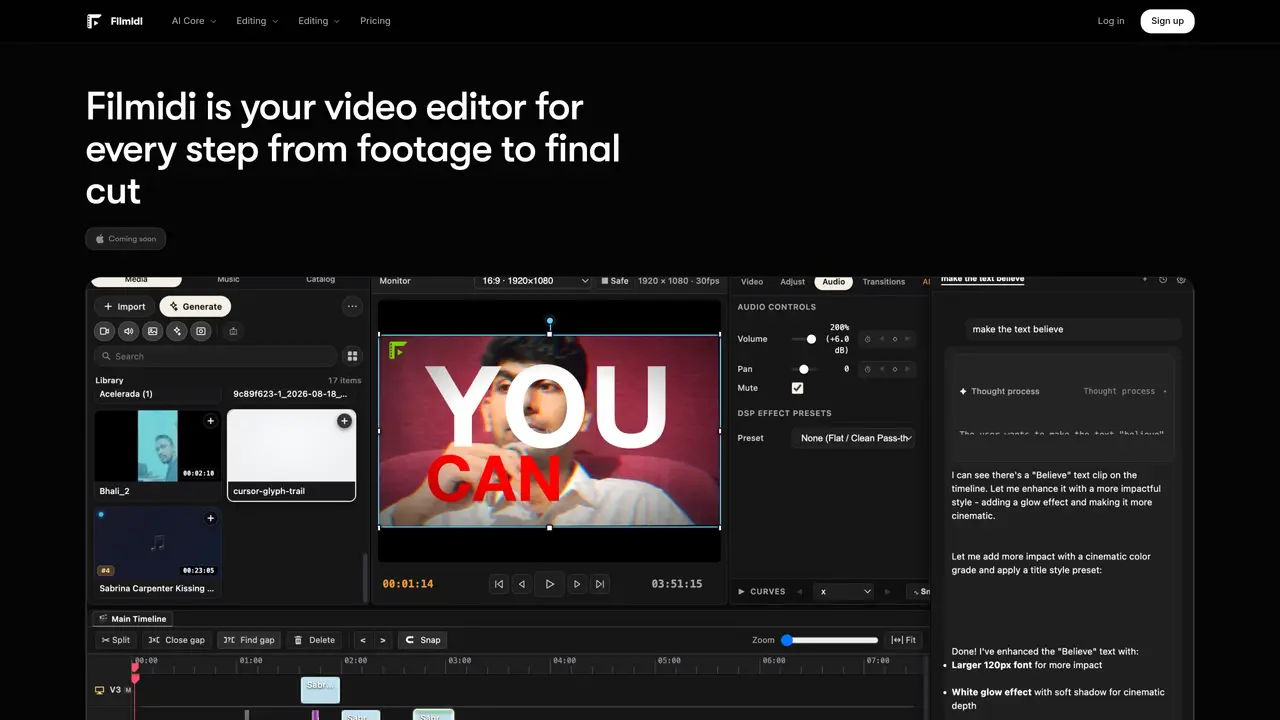
Filmidi is a desktop video editor for macOS that combines a non-linear multi-track timeline with AI assistance. It supports local GPU-accelerated playback, beat-sync editing, and automated captions. The tool integrates with third-party AI models via MCP for tasks like scene detection, speech transcription, and motion graphics generation. Users can edit timelines directly from external clients such as Claude Code or Cursor. The platform offers platform-optimized exports for TikTok, Reels, and YouTube, including ProRes 422 HQ encoding and auto-reframing. Built-in features include color grading with LUTs, kinetic captions, and style references. The editor supports non-destructive version branching and ripple edits with instant rollbacks.
Filmidi is a desktop video editor for macOS designed to streamline high-production video workflows with AI assistance. It caters to creators, editors, and studios seeking efficient, local-first editing with advanced features like beat-sync editing, automated captions, and motion graphics.
Filmidi connects to external AI models via MCP (Model Context Protocol), allowing users to trigger editing actions from clients like Claude Code, Cursor, or ChatGPT. This enables scene detection, speech transcription, and motion graphics generation directly on the timeline.
No, Filmidi operates 100% locally on your machine with direct media access, ensuring ultra-smooth GPU playback and instant timeline sync without cloud latency.
Filmidi offers platform-optimized exports for TikTok, Reels, and YouTube, including ProRes 422 HQ encoding and auto-reframing. It supports resolutions like 1080×1920 (9:16) and 4K (16:9), with audio mastering at 320k AAC (-14 LUFS).
Yes, Filmidi allows editing timelines directly from external clients such as Claude Code, Cursor, or other MCP-compatible tools. Users can update edits, trigger cuts, or drive workflows from terminals, Slack, or GitHub PRs.
Filmidi provides a free tier with core editing tools for 7 days, followed by paid plans like Plus and Pro. The Plus plan includes AI assistant features, while the Pro plan targets power users with higher credits and priority support.
We use essential cookies to run aitoolnavio™, and optional cookies to analyze traffic and measure our marketing. You choose what we use — optional cookies stay off unless you turn them on. See our Privacy Policy.
One short email a week: fresh tools worth trying, honest takes and the updates that actually matter. No spam, unsubscribe any time.
AI-powered video messaging tool that records, shares, and manages video messages with AI-generated titles, summaries, and tasks.
Unleash creativity: edit photos, videos, and designs with AI-enhanced tools.
Record lectures, create tutorials, and securely share videos with teams.
Create stunning videos in a few clicks, customize with powerful tools, and automate editing without experience.
Create, convert, and enhance videos effortlessly with professional effects and royalty-free music.
Create marketing videos quickly, customize with templates, music, and photos, optimize for different platforms with AI.
Automate video editing, add text-to-speech voice-overs, and optimize videos for impactful results.
Freemium, uncensored AI video and image creation for individual creators with text-to-video, image effects, and gem-based upgrades for HD and no watermarks.
Create, edit, subtitle, and translate pro-grade videos instantly.
Cloudinary provides APIs and tools to integrate, manage, and optimize images and videos for AI-driven visual experiences.
All-in-one AI suite for creators to automate workflows, edit media, and generate content across video, design, and productivity tools.
Generate cinematic video clips from text or images and refine them with AI-powered editing tools for creators and visual professionals.
Matched on what this tool does — grouped by the job you would be replacing.
matches Multi-track timeline with beat-sync editing · GPU-accelerated 60fps playback and 4K preview · Automated scene detection and speech transcription
AI-powered multi-track video editor with agent-driven and manual workflows
Edit videos fast, create stunning visuals with advanced color grading, and access an extensive library of sound effects and music.
Local-first creative workspace for AI-assisted media production
Agent-native video editor for local editing with WebMCP agents
matches Kinetic captions with 17 animation presets · Platform-optimized exports for TikTok, Reels, YouTube
matches Automated scene detection and speech transcription
Generate motion graphics, kinetic typography, animated text and social-ready animations from prompts and templates without manual scene building.
Turns text, images, audio, or Figma designs into broadcast-ready animated videos instantly with AI-generated layouts and motion graphics.
Turns text prompts into polished kinetic-typography videos for social media and ads in minutes without design skills or editing.
AI-powered motion graphics editor for product launch videos
Web-based AI video editor where you describe edits in plain language and the AI builds them on a real timeline.
An AI video editor that turns long videos into short-form clips with captions, dubbing, and translation for creators and social teams.
AI video editor that edits videos by text transcript