AI-powered video messaging tool that records, shares, and manages video messages with AI-generated titles, summaries, and tasks.
16M visits/mo-3.4%#5 Chatbots & Assistants
AI-operated video editor for Windows driven by natural language prompts
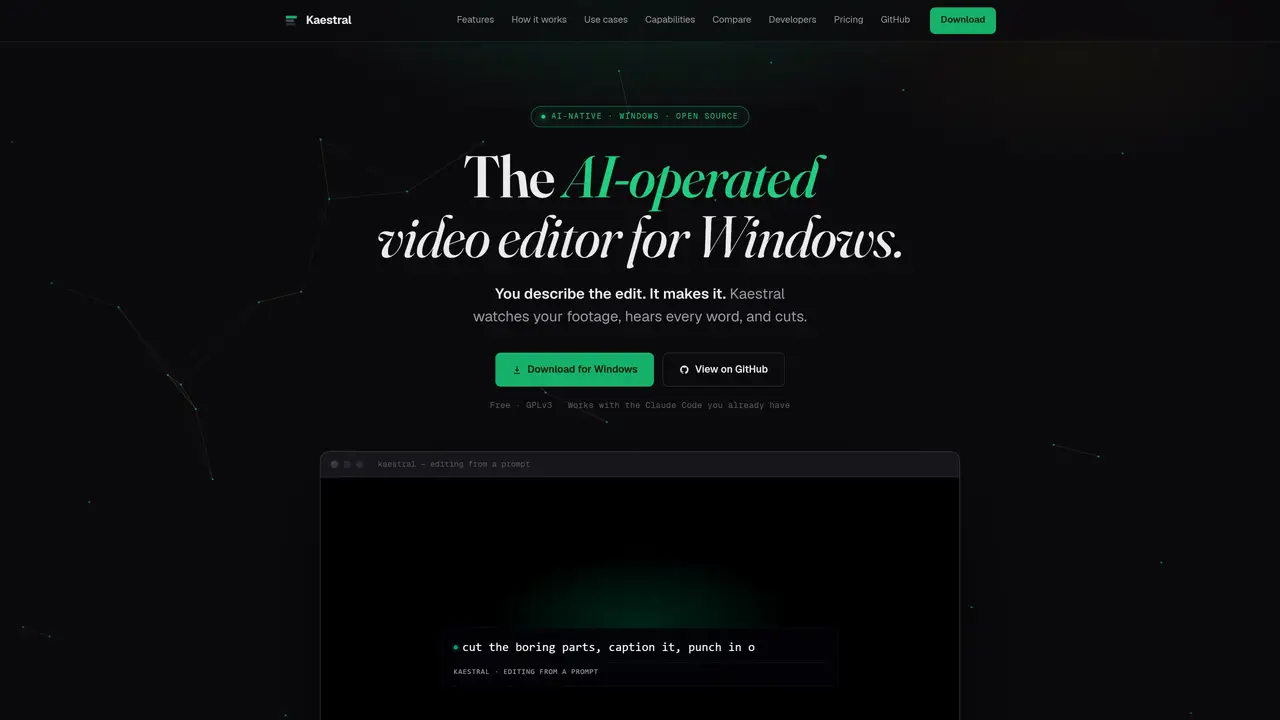
Kaestral is an AI-operated video editor designed for Windows that translates natural language instructions into video edits. Users describe desired changes such as cutting filler words, adding captions, or restructuring footage, and the tool executes these edits on a real, editable timeline rather than producing a black-box render. The editor supports multi-track timelines with standard NLE features like trimming, keyframing, transitions, and color grading. It includes on-device transcription, beat and silence detection, and palette extraction for automated color matching. Kaestral can condense long recordings into publish-ready reels, generate motion graphics from text prompts, and create platform-specific deliverables for social media or product videos. The software operates entirely locally, ensuring footage and projects remain on the user’s machine without cloud uploads or account requirements. It integrates with LLMs like Claude Code via an MCP server for scriptable, agentic editing workflows.
Kaestral is an AI-operated video editor for Windows that converts natural language instructions into video edits. It allows users to describe edits such as cutting filler words, adding captions, or restructuring footage, which the tool then executes on a real, editable timeline.
Kaestral is designed for creators, SaaS/product teams, startups, and developers who need to automate video editing tasks. It suits users who want to turn raw footage into publish-ready content without hiring an editor or learning complex software.
Kaestral integrates with LLMs such as Claude Code via an MCP server, enabling scriptable and agentic editing workflows. Users can connect Kaestral to their existing Claude Code setup with a single command and describe edits in plain language for the AI to execute.
No, Kaestral operates entirely locally. All transcription, rendering, and project files remain on the user’s machine, with no cloud uploads or account requirements necessary.
Kaestral supports multi-track timelines with standard NLE features like trimming, keyframing, transitions, and color grading. It can also condense long recordings into short reels, generate motion graphics from text prompts, and create platform-specific deliverables for social media or product videos.
Yes, Kaestral exposes 51 MCP tools to any LLM, allowing users to script and automate video editing pipelines. This includes batch processing, CI/CD workflows, and repeatable renders for scalable video production.
We use essential cookies to run aitoolnavio™, and optional cookies to analyze traffic and measure our marketing. You choose what we use — optional cookies stay off unless you turn them on. See our Privacy Policy.
One short email a week: fresh tools worth trying, honest takes and the updates that actually matter. No spam, unsubscribe any time.
AI-powered video messaging tool that records, shares, and manages video messages with AI-generated titles, summaries, and tasks.
Unleash creativity: edit photos, videos, and designs with AI-enhanced tools.
Record lectures, create tutorials, and securely share videos with teams.
Create stunning videos in a few clicks, customize with powerful tools, and automate editing without experience.
Create, convert, and enhance videos effortlessly with professional effects and royalty-free music.
Create marketing videos quickly, customize with templates, music, and photos, optimize for different platforms with AI.
Automate video editing, add text-to-speech voice-overs, and optimize videos for impactful results.
Freemium, uncensored AI video and image creation for individual creators with text-to-video, image effects, and gem-based upgrades for HD and no watermarks.
Create, edit, subtitle, and translate pro-grade videos instantly.
Cloudinary provides APIs and tools to integrate, manage, and optimize images and videos for AI-driven visual experiences.
All-in-one AI suite for creators to automate workflows, edit media, and generate content across video, design, and productivity tools.
Generate cinematic video clips from text or images and refine them with AI-powered editing tools for creators and visual professionals.
Matched on what this tool does — grouped by the job you would be replacing.
matches Natural language prompt-based editing · Word-level transcription and silence detection · Beat-synced cutting and captioning
Web-based AI video editor where you describe edits in plain language and the AI builds them on a real timeline.
AI video editor that edits videos by text transcript
AI-assisted video editor for local multi-track editing and motion graphics
Local AI video editor for Windows that turns long footage into publish-ready shorts
matches Palette extraction and color grading
AI-powered multi-track video editor with agent-driven and manual workflows
Edit videos fast, create stunning visuals with advanced color grading, and access an extensive library of sound effects and music.