
AI-powered video messaging tool that records, shares, and manages video messages with AI-generated titles, summaries, and tasks.
16M visits/mo-3.4%#6 Chatbots & Assistants
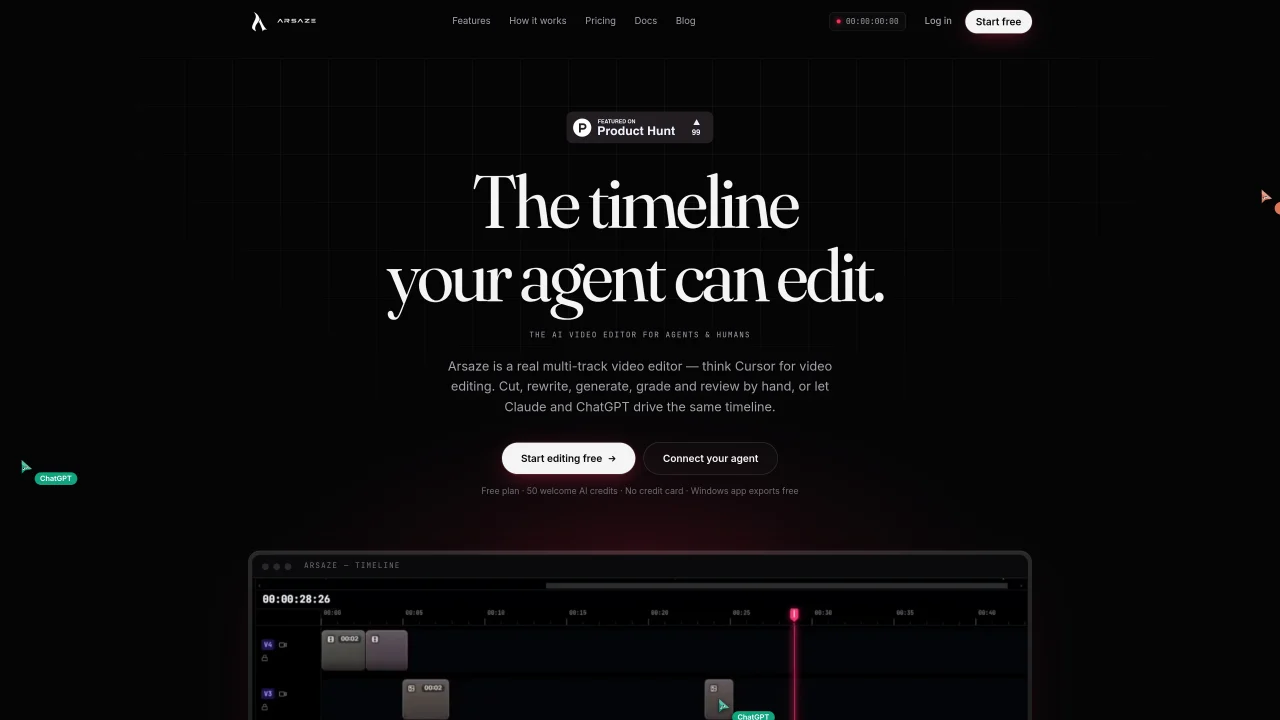
Arsaze is a multi-track video editor that supports both manual editing and AI agent operation. The tool provides a real-time timeline with unlimited video and audio tracks, frame-accurate trims, keyframes, transitions, and live preview. Users can edit video like a document by selecting and cutting text in a transcript, removing filler words, retakes, and silences. The Playground feature allows chaining AI image and video models into reusable graphs for generating transitions or effects directly on the timeline. A full grading stack includes wheels, curves, HSL qualifiers, film-stock LUTs, and shot matching, with non-destructive adjustments rendered on export. Frame-accurate client review links enable pinned comments, threaded discussions, and ratings tied to specific frames and versions. The editor supports two renderers: a real-time multi-track timeline and a code-to-video renderer for motion graphics written as code. AI generation tools include video, image, voiceover, music, and sound effects, all accessible within a single credit balance on paid plans.
No, Arsaze functions as a full manual non-linear editor (NLE) with a real-time timeline, color wheels, keyframes, and other traditional editing tools. The AI agent is an optional operator you can choose to use, but it is not required.
Every edit made by the AI agent is automatically versioned as it occurs, allowing you to step back to any earlier state of the project. This ensures that no action by the agent is irreversible.
Arsaze supports integration with Claude, ChatGPT, and Grok through the Model Context Protocol (MCP). You can add Arsaze as a custom connector in these platforms to enable AI-driven editing.
No, your uploaded footage, generated video, and voice models remain tied to your account and are not used to train AI models without your explicit consent, as outlined in the privacy policy.
No, exports are rendered on Arsaze's servers by default, so the editor can run in a browser tab without requiring a fast local machine. Alternatively, the Windows app allows local exports on your PC.
Yes, Arsaze supports exporting projects as MP4 files from the cloud or locally on Windows. It also allows exporting FCPXML for use in DaVinci Resolve and Adobe Premiere Pro.
We use essential cookies to run aitoolnavio™, and optional cookies to analyze traffic and measure our marketing. You choose what we use — optional cookies stay off unless you turn them on. See our Privacy Policy.
One short email a week: fresh tools worth trying, honest takes and the updates that actually matter. No spam, unsubscribe any time.
AI-powered video messaging tool that records, shares, and manages video messages with AI-generated titles, summaries, and tasks.
Unleash creativity: edit photos, videos, and designs with AI-enhanced tools.
Record lectures, create tutorials, and securely share videos with teams.
Create stunning videos in a few clicks, customize with powerful tools, and automate editing without experience.
Create, convert, and enhance videos effortlessly with professional effects and royalty-free music.
Create marketing videos quickly, customize with templates, music, and photos, optimize for different platforms with AI.
Automate video editing, add text-to-speech voice-overs, and optimize videos for impactful results.
Freemium, uncensored AI video and image creation for individual creators with text-to-video, image effects, and gem-based upgrades for HD and no watermarks.
Create, edit, subtitle, and translate pro-grade videos instantly.
Cloudinary provides APIs and tools to integrate, manage, and optimize images and videos for AI-driven visual experiences.
All-in-one AI suite for creators to automate workflows, edit media, and generate content across video, design, and productivity tools.
Generate cinematic video clips from text or images and refine them with AI-powered editing tools for creators and visual professionals.
Matched on what this tool does — grouped by the job you would be replacing.
matches Real-time multi-track timeline with live preview · Text-based editing with transcript alignment · Frame-accurate client review with threaded comments
Mobile video editor that trims, merges, adds effects, transitions, and exports in 4K resolution.
AI-assisted video editor for local multi-track editing and motion graphics
Local-first creative workspace for AI-assisted media production
Browser-based AI video editor with multilingual voiceover and captioning
matches Full color grading stack with LUTs and shot matching
matches AI generation for video, images, voiceover, music, and SFX · Code-to-video rendering for motion graphics

Edit videos fast, create stunning visuals with advanced color grading, and access an extensive library of sound effects and music.
An AI video platform for marketing teams and creators to generate storyboards, AI footage, edit clips, and export promotional videos.
MiniMax H3 is a multimodal AI video generator that turns text, images, audio, and clips into cinematic videos with native stereo sound.
AI-powered tool that generates and edits product launch videos from text prompts
AI video generator that turns text prompts or recordings into polished reels