Generate captions, optimize content, and enhance with custom images for maximum engagement.
46M visits/mo-10%#3 Image & Design

Autonomous AI agent that performs deep online research, aggregates findings, and generates structured reports with a web interface and PDF export.
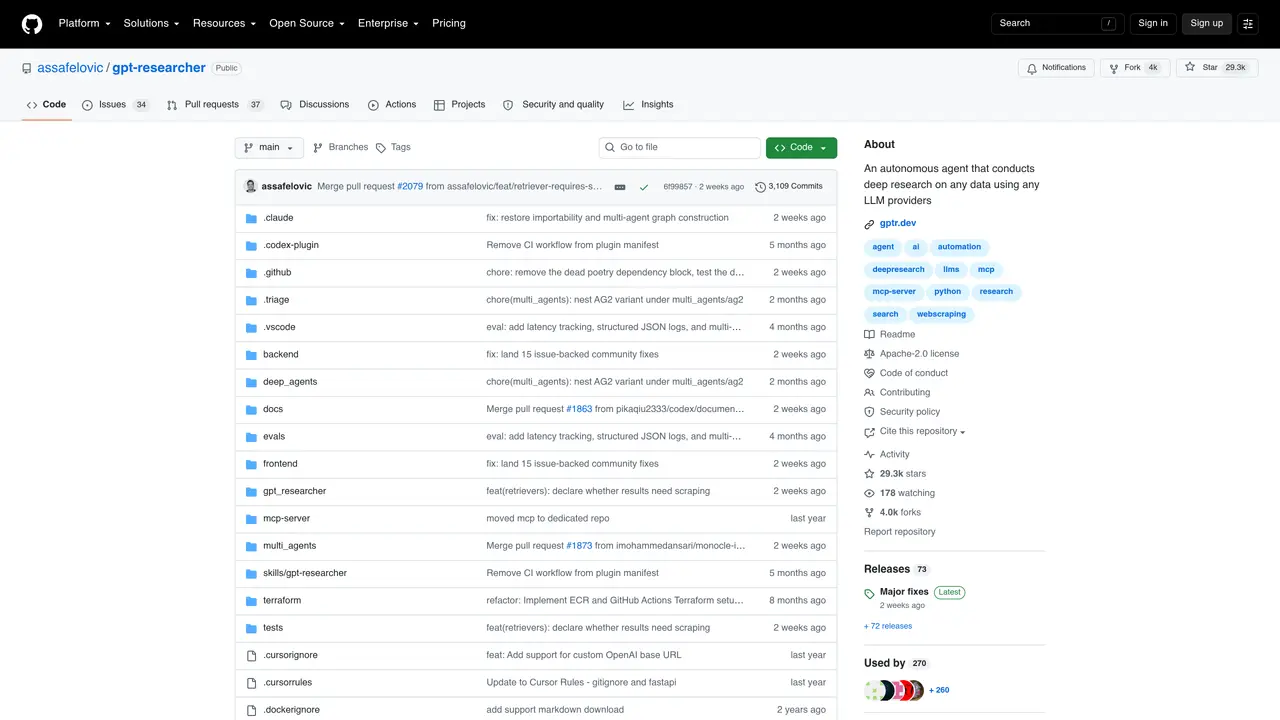
GPT Researcher is an open-source autonomous agent designed to conduct deep research on any given task, supporting both web and local data sources. It generates detailed, factual, and unbiased research reports with proper citations, addressing common issues such as misinformation and hallucinations through a structured plan-and-solve approach. The tool leverages planner and execution agents to decompose research tasks into targeted questions, gather relevant information, and synthesize findings into a comprehensive report. Users can customize agents for domain-specific needs, ensuring tailored research outputs. Inspired by recent advancements in AI research, GPT Researcher emphasizes reliability, speed, and determinism by parallelizing agent workflows. It is particularly useful for individuals and organizations requiring thorough, evidence-based research without manual effort, such as market analysis, academic research, or competitive intelligence gathering. The system also offers integration options, including deployment as a Claude Skill for seamless use within conversations.
GitHub, Inc.
San Francisco, California, US · Founded 2008
GPT Researcher is an autonomous agent that conducts deep research on any given task by generating targeted research questions, deploying crawler agents to gather information, summarizing sources, and producing structured research reports with citations.
The tool is designed for individuals and organizations that require thorough, evidence-based research without manual effort, such as researchers, analysts, journalists, and businesses conducting market or competitive analysis.
It addresses misinformation and hallucinations by using a plan-and-solve approach, parallelized agent workflows, and sourcing information from diverse online resources, while providing citations for all findings.
Yes, the tool offers full customization options to create tailor-made, domain-specific research agents based on user-defined tasks and requirements.
GPT Researcher can be installed as a Claude Skill to extend Claude's deep research capabilities, and it supports integration with various LLM providers for research tasks.
Users can install GPT Researcher as a Claude Skill using a provided command or deploy it locally by following the setup instructions in the project's repository, including configuring LLM providers and research parameters.
We use essential cookies to run aitoolnavio™, and optional cookies to analyze traffic and measure our marketing. You choose what we use — optional cookies stay off unless you turn them on. See our Privacy Policy.
One short email a week: fresh tools worth trying, honest takes and the updates that actually matter. No spam, unsubscribe any time.
Generate captions, optimize content, and enhance with custom images for maximum engagement.
Build conversational forms, capture rich responses, and automate follow-ups with AI-powered surveys and workflows.
Automate code, research, and documents using agents.
AI-powered IDE for autonomous coding tasks and agentic development workflows
Source, match, and manage talent with predictive analytics for effortless recruiting.
Automate workflow, optimize operations, and detect potential issues with this efficient AI-driven solution.
Transforms thoughts into actions, enhancing productivity and efficiency.
AI Recruitment engine to hire top global talent
All-in-one team productivity platform combining chat, docs, video meetings, workflows, and AI tools in one place.
Personal assistant that coordinates tasks across apps and devices via text or call
AI automation and agent-building platform with 3,000+ app integrations
AI job search copilot that matches roles to skills, optimizes resumes for ATS, generates cover letters, and autofills applications with real-time insights.
Matched on what this tool does — grouped by the job you would be replacing.
matches Autonomous research agent with GPT-4 integration · Generates research questions automatically · Deploys crawler agents to scrape online resources
Automates web research, coordinates AI agents, and delivers detailed reports with actionable insights in minutes.
An AI cofounder web app that guides founders through product research, validation, and planning with cited deep research and structured phases.
Automates research by gathering and summarizing information into concise, Wikipedia-like reports on user-specified topics.
Open-source RAG engine that builds production-grade agents from documents with deep understanding and grounded citations.
matches Deploys crawler agents to scrape online resources · Aggregates data from multiple sources
matches Summarizes and filters collected information · Aggregates data from multiple sources
Automate tasks on websites with Browser-Use's AI browser control.
Governed AI web crawler that extracts structured data from permitted public pages
Summarizes, extracts, and rewrites content from files.
AI research assistant that finds trusted sources, summarizes documents and videos, and generates cited answers with a browser extension for capturing findings.
Summarize texts, classify data, and answer questions accurately and quickly.