

Generate captions, optimize content, and enhance with custom images for maximum engagement.
46M visits/mo-10%#3 Image & Design
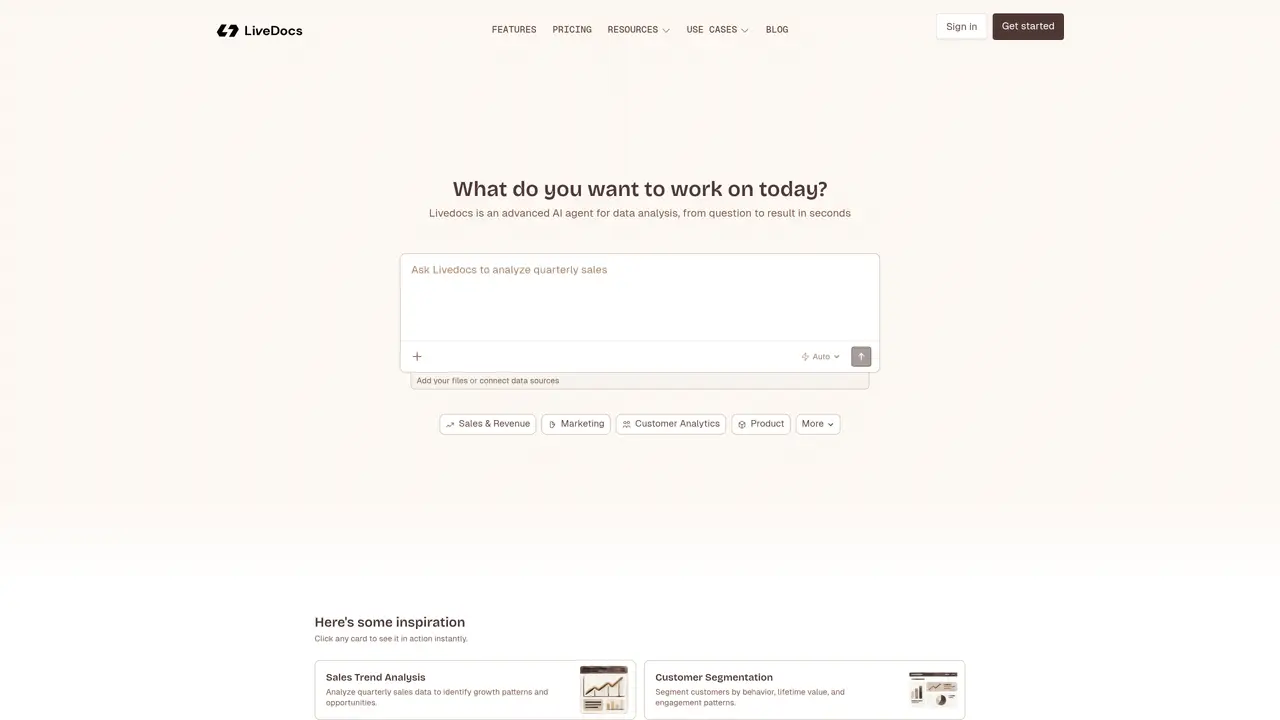
LiveDocs is an AI native data workspace that combines a notebook style IDE, a general data agent, and lightweight app building in a single browser based tool. Users upload files or connect databases, then ask questions in natural language, SQL, or Python to get answers, charts, and shareable interactive reports without wrestling with infrastructure. The key features of LiveDocs include an AI data agent that can answer questions, transform data, and explain results in plain language, as well as a notebook style IDE where users can write SQL and Python side by side, call AI to fix or generate code, and pass data between cells for exploratory analysis, modeling, and visualization. Additionally, LiveDocs has a high performance data engine that uses fast technologies like Polars DataFrames and DuckDB queries, giving noticeably quick feedback on large datasets compared with many browser based BI tools. Users can also turn any notebook into an interactive app where stakeholders see inputs, filters, and charts while the code stays hidden, making it easier to ship live dashboards instead of static screenshots. LiveDocs is suitable for data analysts, data scientists, product teams, growth teams, marketing teams, founders, and executives who need to analyze and visualize data quickly and easily.
LiveDocs is an AI-powered data workspace that allows users to upload files or connect databases, then ask questions in natural language, SQL, or Python to generate answers, charts, and interactive reports without requiring complex infrastructure.
LiveDocs is designed for data analysts, data scientists, product teams, growth teams, marketing teams, founders, and executives who need to analyze and visualize data quickly and collaboratively.
Users can ask questions or use commands to analyze data, and LiveDocs provides results in seconds. It supports natural language queries, SQL, and Python, with an AI agent that explains results in plain language.
Yes, users can turn any notebook into an interactive app where stakeholders can view inputs, filters, and charts while the underlying code remains hidden, enabling the creation of live dashboards.
LiveDocs allows users to upload files or connect databases, enabling analysis across various data sources without requiring complex setup or infrastructure.
Users can start analyzing data in minutes by signing up for free, uploading data, and immediately generating charts, answers, and insights without needing a credit card.
livedocs.com · third-party estimates from Similarweb
Last 4 months · grows by one month every month
Share of visits · estimated visits
Automation & Agents · Sep 2026
Traffic figures are third-party estimates, good for scale and trends; they can differ from a company's own numbers. Updated monthly.
We use essential cookies to run aitoolnavio™, and optional cookies to analyze traffic and measure our marketing. You choose what we use — optional cookies stay off unless you turn them on. See our Privacy Policy.
One short email a week: fresh tools worth trying, honest takes and the updates that actually matter. No spam, unsubscribe any time.
Generate captions, optimize content, and enhance with custom images for maximum engagement.
Build conversational forms, capture rich responses, and automate follow-ups with AI-powered surveys and workflows.
Automate code, research, and documents using agents.
AI-powered IDE for autonomous coding tasks and agentic development workflows
Source, match, and manage talent with predictive analytics for effortless recruiting.
Automate workflow, optimize operations, and detect potential issues with this efficient AI-driven solution.
Transforms thoughts into actions, enhancing productivity and efficiency.
AI Recruitment engine to hire top global talent
All-in-one team productivity platform combining chat, docs, video meetings, workflows, and AI tools in one place.
Personal assistant that coordinates tasks across apps and devices via text or call
AI automation and agent-building platform with 3,000+ app integrations
AI job search copilot that matches roles to skills, optimizes resumes for ATS, generates cover letters, and autofills applications with real-time insights.
Matched on what this tool does — grouped by the job you would be replacing.
matches AI data agent for 'ask then analyze' · Interactive apps and sharing · Unified workflow for analysis, visualization, AI assistance, and app sharing
AI-powered data analyst that turns plain-English questions into charts, tables, code, and automated reports.
All-in-one analytics platform for connecting data, building dashboards and automating reports
An agentic AI data platform that lets business teams analyze and visualize data through natural language chat, with automated dashboards and reports.
A platform for exploring, querying, and sharing structured data with integrated AI and community datasets.
matches Integrated notebook style IDE · High performance data engine
Collaborative data analytics platform for teams to explore, analyze, and publish insights using SQL, Python, R, and AI agents in a governed workspace.
Revolutionize data analysis with AI-driven notebook automation and security.
An AI-native data workspace for analysts and data scientists to explore datasets, run notebooks, collaborate, and deploy analyses as apps or APIs.