

Generate captions, optimize content, and enhance with custom images for maximum engagement.
46M visits/mo-10%#3 Image & Design
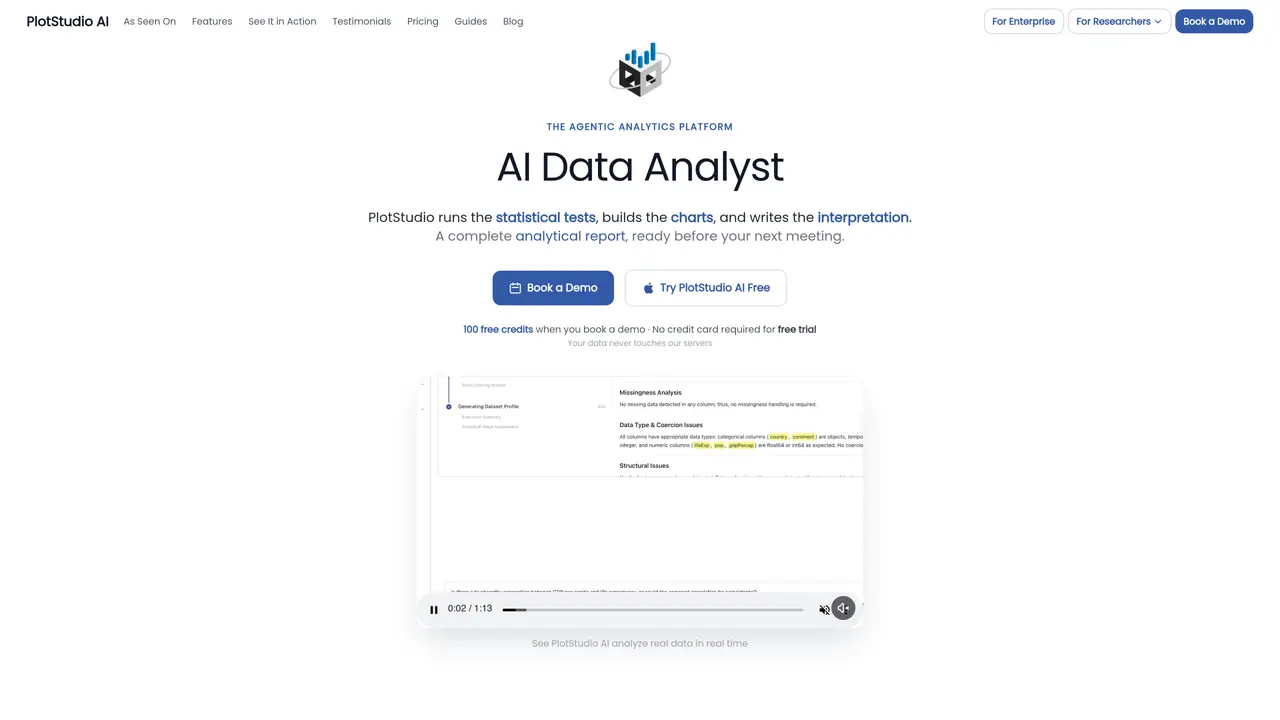
PlotStudio AI is a desktop agentic analytics tool that behaves like a hands-on data analyst rather than a chat window. Users upload CSV or Excel files, ask questions in plain language, and a team of coordinated AI agents plans the methodology, writes Python, runs the code, and narrates results. It targets analyst-grade work such as profiling, statistical testing, modeling, and report writing, while keeping data on the local machine so sensitive datasets never sit in a vendor cloud. Key Features: Agentic Multi-Agent Workflow: Separate AI agents handle planning, coding, execution, and narrative synthesis, enabling multi-step analyses that look much closer to what a senior analyst would produce than a one-off chart. Automated Data Profiling and Cleaning Plans: New datasets are profiled on upload, with quality scores and a proposed cleaning plan that explains what to drop or preserve and why, reducing tedious setup work. Analysis Pages and Exports: Each question becomes a persistent analysis page containing tables, charts, tests, and narrative, all exportable as a polished PDF or a fully reproducible Jupyter notebook. Domain Intelligence and Verification Mode: The system auto-detects relevant domains (for example econometrics or finance) and can pick specialized methods such as IV/2SLS or Cox models, while Verification Mode lets experts review and edit the entire plan before any code runs.
PlotStudio AI is a desktop agentic analytics platform that acts like a hands-on data analyst. Users upload CSV or Excel files and ask questions in plain language. The system coordinates multiple AI agents to plan the methodology, write Python code, execute analyses, and narrate results, all while keeping data on the local machine.
The tool is designed for analysts, researchers, and data professionals who need to perform complex analytical tasks such as profiling, statistical testing, modeling, and report writing. It is also suitable for academics and enterprise teams handling sensitive datasets.
Yes, PlotStudio AI auto-detects relevant domains such as econometrics, finance, healthcare, or real estate, and applies specialized methods like IV/2SLS for causal inference or Cox models for survival analysis. Users can also manually select up to two relevant domains.
PlotStudio AI ensures data privacy by never storing or accessing user data. AI calls are made directly from the user's machine to the model provider's API, which is SOC 2 certified and does not train on user data. Enterprise teams can also connect their own Azure OpenAI instance for full data sovereignty.
Yes, each analysis page can be exported as a polished PDF report or a fully reproducible Jupyter notebook, including the planning sequence, code, and reasoning chain for auditing and reuse.
Unlike other tools that provide a single chart and paragraph, PlotStudio AI offers a multi-agent workflow that plans investigations, writes and executes Python code, and provides chain-of-thought transparency at every step. It also creates permanent analysis pages that retain knowledge for future work.
plotstudio.ai · third-party estimates from Similarweb
Last 4 months · grows by one month every month
Share of visits · estimated visits
Automation & Agents · Sep 2026
Traffic figures are third-party estimates, good for scale and trends; they can differ from a company's own numbers. Updated monthly.
We use essential cookies to run aitoolnavio™, and optional cookies to analyze traffic and measure our marketing. You choose what we use — optional cookies stay off unless you turn them on. See our Privacy Policy.
One short email a week: fresh tools worth trying, honest takes and the updates that actually matter. No spam, unsubscribe any time.
Generate captions, optimize content, and enhance with custom images for maximum engagement.
Build conversational forms, capture rich responses, and automate follow-ups with AI-powered surveys and workflows.
Automate code, research, and documents using agents.
AI-powered IDE for autonomous coding tasks and agentic development workflows
Source, match, and manage talent with predictive analytics for effortless recruiting.
Automate workflow, optimize operations, and detect potential issues with this efficient AI-driven solution.
Transforms thoughts into actions, enhancing productivity and efficiency.
AI Recruitment engine to hire top global talent
All-in-one team productivity platform combining chat, docs, video meetings, workflows, and AI tools in one place.
Personal assistant that coordinates tasks across apps and devices via text or call
AI automation and agent-building platform with 3,000+ app integrations
AI job search copilot that matches roles to skills, optimizes resumes for ATS, generates cover letters, and autofills applications with real-time insights.
Matched on what this tool does — grouped by the job you would be replacing.
matches Ask about local data, get analyst-grade reports · Plain-English Questions · Analysis Pages and Exports
AI-assisted data exploration tool that uncovers insights, generates charts and dashboards, and cleans data automatically.
AI-powered data analyst that turns plain-English questions into charts, tables, code, and automated reports.
Ask data questions, get charts and shareable apps.
An AI data analytics platform that turns spreadsheets and databases into instant analyses, visualizations, forecasts, and shareable reports.
matches Agentic Multi-Agent Workflow
Enterprise AI agent platform with on-premises and private deployment options
AI agent runtimes, persistent memory, and provenance infrastructure for R&D teams and enterprises.
Industrial AI platform for governed, auditable automation that scales from pilot to enterprise within your tenant.