

Generate captions, optimize content, and enhance with custom images for maximum engagement.
46M visits/mo-10%#3 Image & Design
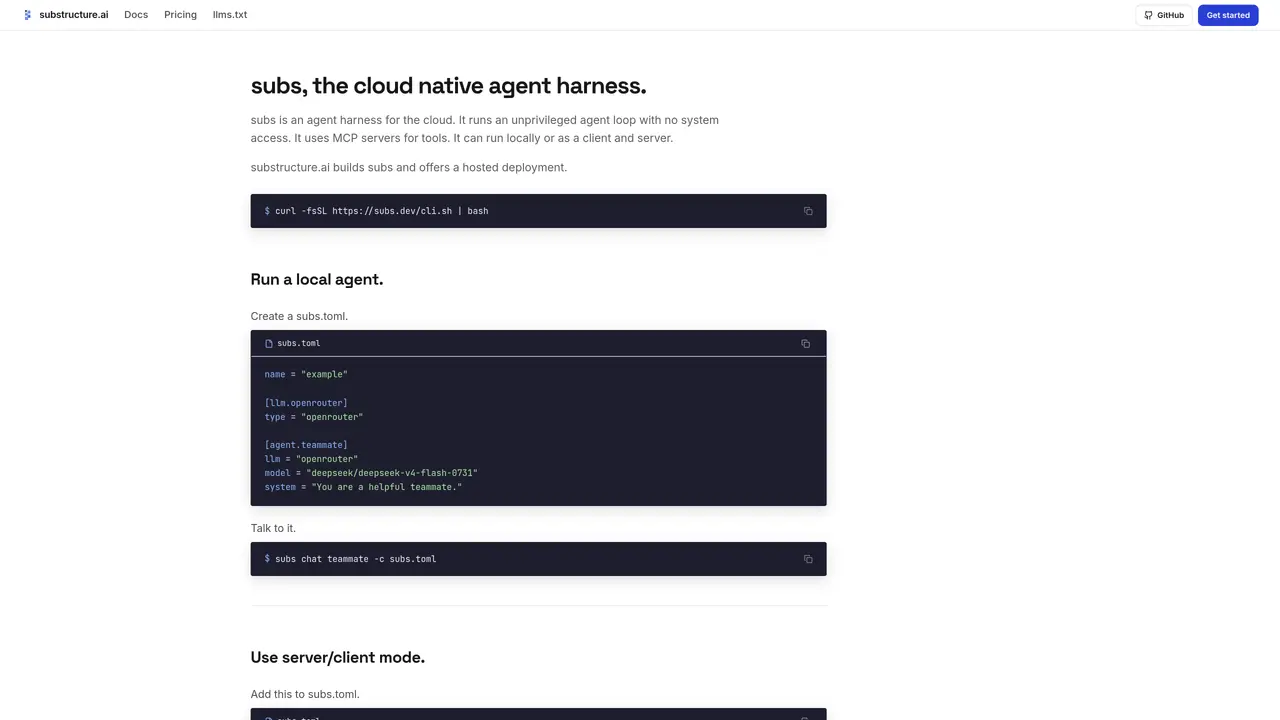
subs is a cloud-native agent harness designed to run unprivileged agent loops without system access. It operates either locally or as a client-server system, using MCP servers for tool integration. The tool supports local development via a CLI and can be deployed in hosted or self-hosted modes. Users configure agents through a TOML file specifying LLM providers, system prompts, and MCP connections. The engine executes agent turns, handling model calls, tool invocations, and sub-agents within a single turn. It integrates with Slack for direct messaging or channel mentions, supports MCP connectors for external tools, and allows customization via webhook workers. The system enables durable sessions with full event logging and AG-UI streaming to compatible clients.
subs is a cloud-native agent harness designed to run unprivileged agent loops without system access. It supports local and client-server modes, integrates with MCP servers for tool access, and enables durable agent sessions with full event logging.
subs is designed for developers and teams who need to deploy AI agents in production environments, whether locally, self-hosted, or via a hosted service. It suits users who require flexible agent configuration and integration with external tools.
To get started, install the subs CLI, create a configuration file (e.g., subs.toml), and define your agent’s LLM provider, system prompt, and tools. You can then run the agent locally or deploy it using the hosted service.
Yes, subs supports MCP servers for tool integration, Slack for messaging, and webhook workers for customizing agent behavior. It also allows scoping MCP connections per user for personalized interactions.
Yes, subs allows you to bring your own LLM provider by configuring it in the subs.toml file. It supports various LLM providers through standardized interfaces.
subs can be deployed locally, self-hosted, or via the hosted service provided by substructure.ai. The hosted option allows you to run agents on their infrastructure while maintaining control through configuration files.
substructure.ai · third-party estimates from Similarweb
Share of visits by channel
Share of visits · estimated visits
Automation & Agents · Sep 2026
Traffic figures are third-party estimates, good for scale and trends; they can differ from a company's own numbers. Updated monthly.
We use essential cookies to run aitoolnavio™, and optional cookies to analyze traffic and measure our marketing. You choose what we use — optional cookies stay off unless you turn them on. See our Privacy Policy.
One short email a week: fresh tools worth trying, honest takes and the updates that actually matter. No spam, unsubscribe any time.
Generate captions, optimize content, and enhance with custom images for maximum engagement.
Build conversational forms, capture rich responses, and automate follow-ups with AI-powered surveys and workflows.
Automate code, research, and documents using agents.
AI-powered IDE for autonomous coding tasks and agentic development workflows
Source, match, and manage talent with predictive analytics for effortless recruiting.
Automate workflow, optimize operations, and detect potential issues with this efficient AI-driven solution.
Transforms thoughts into actions, enhancing productivity and efficiency.
AI Recruitment engine to hire top global talent
All-in-one team productivity platform combining chat, docs, video meetings, workflows, and AI tools in one place.
Personal assistant that coordinates tasks across apps and devices via text or call
AI automation and agent-building platform with 3,000+ app integrations
AI job search copilot that matches roles to skills, optimizes resumes for ATS, generates cover letters, and autofills applications with real-time insights.
Matched on what this tool does — grouped by the job you would be replacing.
matches Unprivileged agent loop execution · MCP server integration for tools · Local and client-server deployment
Deploy AI agents as TypeScript functions on isolated Linux microVM sandboxes with hardware-level security.
Cloud harness for running isolated coding agents with dedicated environments per task
Cloud-hosted agent harnesses exposed via a single HTTP endpoint
matches Slack integration for DMs and mentions · Webhook worker customization
Automate Slack tasks, track metrics, update tools with Viktor AI coworker.