Unify customer data, automate workflows, and scale experiences with Einstein AI, Copilot, and Data Cloud in one CRM platform.

FlowProof
FreeStarting price
0Popularity
About FlowProof
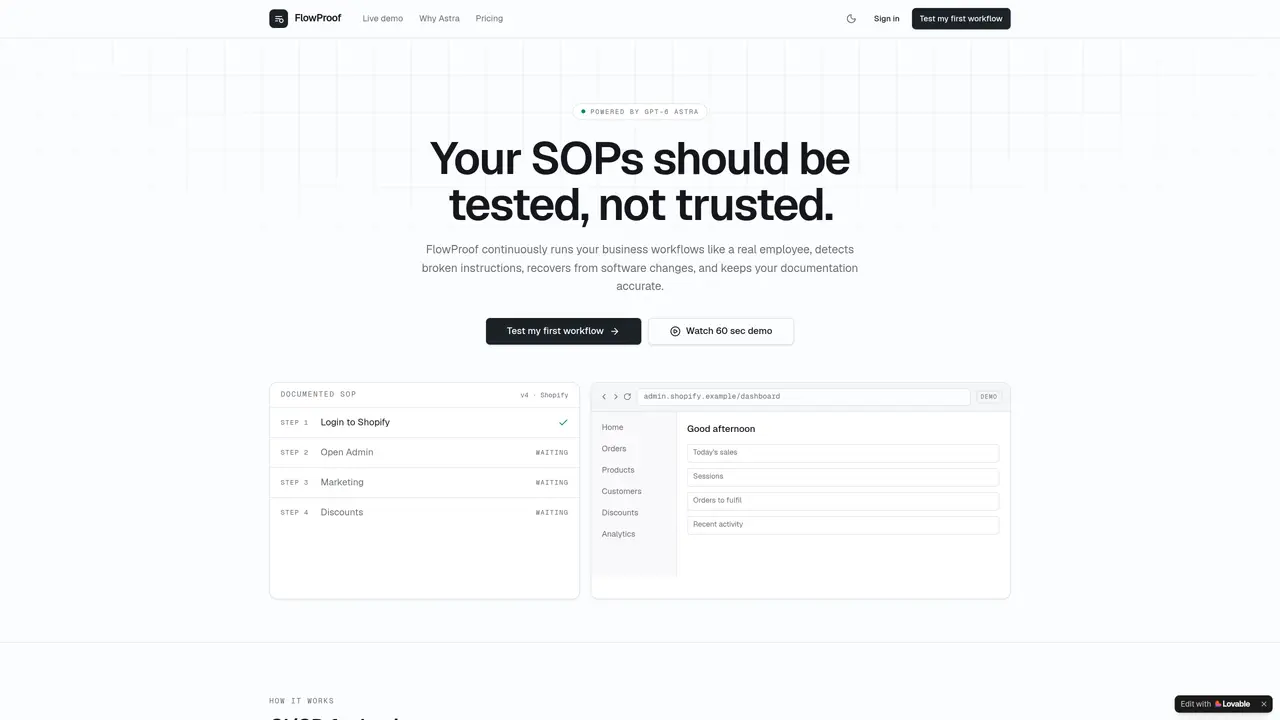
FlowProof executes documented standard operating procedures as automated tests, running them in isolated browsers to verify outcomes. It detects when instructions no longer match live software interfaces and proposes minimal documentation updates for approval. The tool monitors critical processes on a schedule rather than waiting for human failure, providing evidence-backed verification through page states, URLs, records and screenshots. Workflows are scored for health and mapped for process blast radius when applications change. Safe Mode prevents irreversible actions or runs them in dry mode, while change history tracks every drift, patch and approval. Integrations connect documentation sources like Notion, Confluence and Google Docs with target applications such as Shopify, Stripe and Salesforce, plus alerting via Slack.
Key features
- Import SOPs from PDF, Word, Markdown or raw text
- Execute workflows step-by-step in isolated browsers
- Independent verification of outcomes
- Automatic recovery from UI changes
- Proposed documentation patches for approval
- Continuous re-testing of critical processes
- SOP health scores (0–100)
- Process blast radius analysis
Use cases
- Validating Shopify marketing discount workflows
- Testing order fulfillment SOPs in e-commerce
- Monitoring customer support ticket handling
Pros
- Continuous testing of SOPs instead of one-time validation
- Evidence-backed verification using page states and screenshots
- Semantic recovery that adapts to UI changes
- Health scoring and blast radius mapping for processes
- Safe Mode with dry-run and approval controls
Cons
- Paid plans not yet live
- Limited to three workflows on the free plan
- No scheduled verification on the free plan
Frequently asked questions about FlowProof
What does FlowProof do?
FlowProof continuously executes documented standard operating procedures as automated tests in isolated browsers to verify outcomes. It detects when instructions no longer match live software interfaces and proposes minimal documentation updates for approval.
Who is FlowProof designed for?
FlowProof is designed for operations teams and businesses that rely on documented workflows but lack automated verification. It suits teams using applications like Shopify, Stripe, or Salesforce where process accuracy is critical.
How does FlowProof handle software changes?
When an application changes, FlowProof uses semantic recovery to reason about business intent rather than brittle click coordinates. It recovers from UI changes, detects documentation drift, and proposes minimal updates for human approval.
What kind of evidence does FlowProof provide?
FlowProof provides evidence-backed verification through page states, URLs, records, and screenshots. This ensures outcomes are verified independently, not based on the executor's word alone.
Does FlowProof integrate with documentation tools like Notion or Confluence?
Yes, FlowProof integrates with documentation sources such as Notion, Confluence, and Google Docs. It also connects with target applications like Shopify, Stripe, and Salesforce, as well as alerting via Slack.
How do I get started with FlowProof?
Users can start by testing their first workflow for free, which includes Demo Mode and full Safe Mode controls. Paid plans are not yet live, but the Free plan allows manual testing and scheduled verification.