Summarizes, extracts, and rewrites content from files.
89M visits/mo+8.7%#2 Productivity & Office

Records web workflows and turns them into shareable step-by-step guides and exportable documentation with AI assistance.
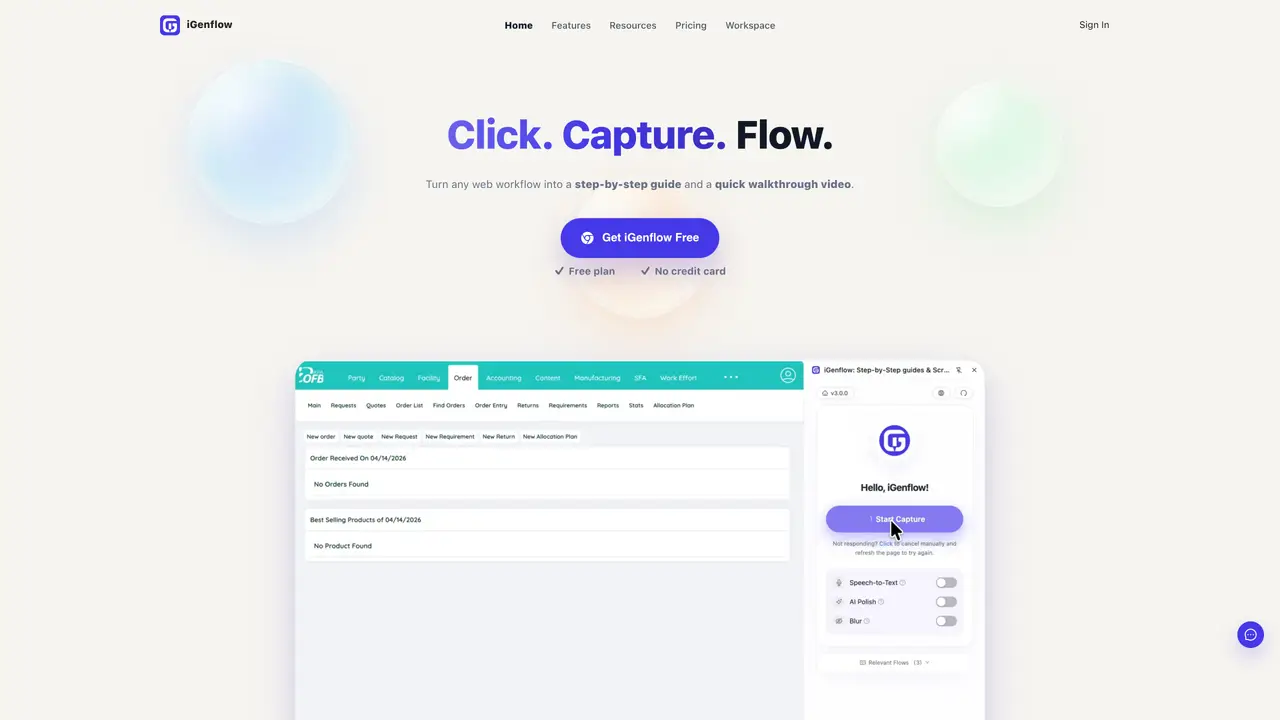
iGenflow is a Chrome/Edge browser extension that captures web-based workflows by recording clicks, keystrokes, cursor movements, screenshots, and optional voice notes. The tool uses AI to transform these recordings into structured step-by-step guides, standard operating procedures (SOPs), and visual tutorials. The output can be exported in multiple formats, including PDF, Word, Markdown, and images, or shared via direct links. Sensitive data is automatically blurred to protect privacy, and descriptions are polished for clarity. Teams in product development, customer support, operations, onboarding, and training rely on iGenflow to standardize documentation, reduce repetitive questions, and keep procedures current by documenting tasks in real time as they are performed. This approach eliminates the need for manual note-taking and ensures consistency across teams and projects.
iGenflow is a browser extension that records web workflows and converts them into step-by-step guides, SOPs, and visual tutorials. It captures clicks, keystrokes, cursor movements, screenshots, and optional voice notes to document processes in real time.
The tool is designed for teams in product development, customer support, operations, onboarding, training, finance, sales, HR, and IT. It helps standardize documentation, reduce repetitive questions, and streamline training and handoffs.
Yes, iGenflow provides a free plan with no credit card required. This allows users to capture workflows and generate basic guides without cost.
iGenflow primarily operates as a standalone browser extension. It exports workflows in formats like PDF, Word, Markdown, and images, which can be integrated into other documentation systems or shared via direct links.
Sensitive data is automatically blurred during the recording process to ensure privacy. Users can also manually blur additional elements if needed.
Install the Chrome or Edge extension from the official website, then start recording workflows by clicking the extension icon. Once recorded, the tool generates a structured guide that can be edited, exported, or shared.
We use essential cookies to run aitoolnavio™, and optional cookies to analyze traffic and measure our marketing. You choose what we use — optional cookies stay off unless you turn them on. See our Privacy Policy.
One short email a week: fresh tools worth trying, honest takes and the updates that actually matter. No spam, unsubscribe any time.
Summarizes, extracts, and rewrites content from files.
Automate citation and reference management, aid research with text and data mining, and securely store and share documents.
Capture, organize, and share ideas, notes, and documents effortlessly.
Headless CMS that lets developers manage structured content and deliver it anywhere via flexible APIs and real-time collaboration tools.
Efficiently create and manage cases, streamline workflows, securely store and share documents, and collaborate with colleagues.
Access files, collaborate, and secure your data with unbeatable customizable system.
An AI-powered PDF editor and converter for editing, OCR, signing, annotating, merging, and chatting with documents across devices.
Browser-based PDF editor that edits, signs, converts, merges, compresses, and shares files, with AI for form filling, document chat, and PDF creation.
Securely store, access, and search documents from any device with ease.
Create and customize legal documents, consult lawyers, and access legal guides all in one platform.
Centralize brand assets, automate approvals, and collaborate with external partners in a single digital asset management platform.
AI diagramming and documentation tool for engineering teams to create and update cloud architecture, ERDs, and flowcharts from prompts, code, and CI/CD workflows.
Matched on what this tool does — grouped by the job you would be replacing.
matches Records clicks, keystrokes, cursor movement, and screenshots · AI-generated step-by-step guides and SOPs · Exports to PDF, Word, Markdown, and images
AI-powered process documentation tool that captures workflows into visual step-by-step guides with screenshots, editing, and exports.
Turn a single screen recording into interactive demos, videos, and guides with AI, then brand and embed them anywhere to educate buyers, onboard users, and drive feature adoption.
AI-powered Chrome extension that records browser workflows and turns them into editable step-by-step guides and SOPs.
Records browser workflows and generates shareable guides in HTML, PDF and video