Automate job postings, track applicants, and streamline hiring with an intuitive HCM platform for talent acquisition.
32M visits/mo+3.9%#5 Business & Marketing

CLI tool that lets AI agents create, read, and edit Word, Excel, and PowerPoint files without Microsoft Office installed.
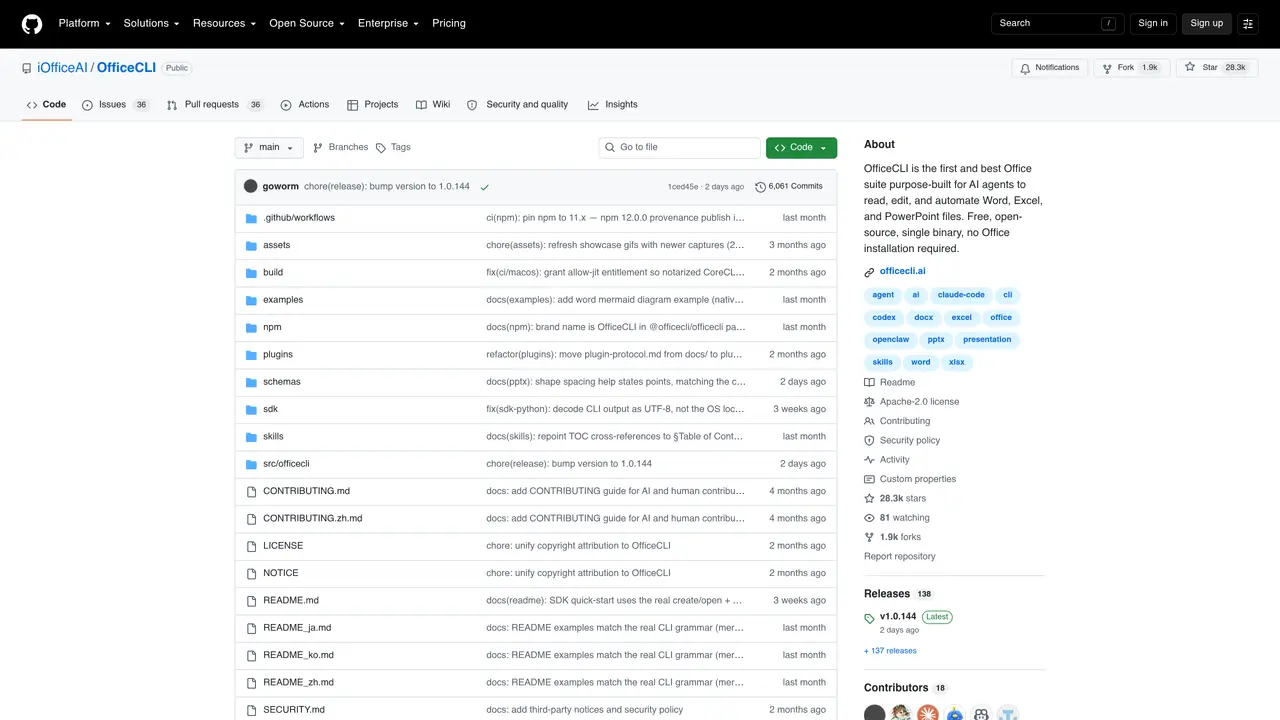
OfficeCLI is an open-source command-line tool that bridges AI agents with Office document workflows. It enables AI agents to generate, read, edit, and transform .docx, .xlsx, and .pptx files using simple commands, without requiring Microsoft Office or external dependencies. The tool renders documents to HTML or PNG for visual feedback, supports complex features like Excel pivot tables, PowerPoint animations, Word equations via LaTeX, and mermaid diagrams converted to native editable shapes. It integrates seamlessly with AI coding agents such as Claude Code, Cursor, or GitHub Copilot to automate document-related tasks. A companion desktop application called AionUi provides a graphical interface for natural language document creation. OfficeCLI is designed for developers, data analysts, business analysts, and automation engineers who need to programmatically manage Office files as part of AI-driven workflows.
OfficeCLI is an open-source command-line tool designed for AI agents to read, edit, and automate Microsoft Office files such as Word, Excel, and PowerPoint. It operates without requiring Microsoft Office or external dependencies, using a single binary that works across platforms.
OfficeCLI is intended for developers, data analysts, business analysts, and automation engineers who need to programmatically manage Office files within AI-driven workflows. It also suits users who want to automate document tasks using AI coding agents like Claude Code or GitHub Copilot.
To get started, install the tool using a one-line command tailored to your platform, then use simple commands to create, edit, or preview Office documents. AI agents can install the skill file automatically, while humans can use the AionUi desktop app for natural language document creation.
No, OfficeCLI does not require Microsoft Office or any external dependencies. It functions as a standalone, single binary that can be installed and used anywhere.
Yes, OfficeCLI integrates seamlessly with AI coding agents such as Claude Code, Cursor, Windsurf, and GitHub Copilot. Once installed, agents can use OfficeCLI commands to automate document-related tasks without additional configuration.
OfficeCLI supports a wide range of features, including creating and editing Word, Excel, and PowerPoint files, rendering documents to HTML or PNG for visual feedback, handling Excel pivot tables, PowerPoint animations, Word equations via LaTeX, and converting mermaid diagrams to native editable shapes.
officecli.ai · third-party estimates from Similarweb
Last 2 months · grows by one month every month
Traffic figures are third-party estimates, good for scale and trends; they can differ from a company's own numbers. Updated monthly.
We use essential cookies to run aitoolnavio™, and optional cookies to analyze traffic and measure our marketing. You choose what we use — optional cookies stay off unless you turn them on. See our Privacy Policy.
One short email a week: fresh tools worth trying, honest takes and the updates that actually matter. No spam, unsubscribe any time.
Automate job postings, track applicants, and streamline hiring with an intuitive HCM platform for talent acquisition.
Automate workflow, optimize operations, and detect potential issues with this efficient AI-driven solution.
AI automation and agent-building platform with 3,000+ app integrations
Automate email sending, save leads to CRMs, and create complex workflows for customer support tickets.
Open-source workflow automation platform to build, run, and monitor agentic and traditional workflows with 500+ integrations and AI governance.
AI-powered platform streamlining workflows with no-code automation.
With Accio, manufactures/ products/ suppliers/ inspirations will come to you, any time, any where.
Create & deploy AI apps, access real-time insights, and easily build models with an intuitive user interface.
Automate outreach campaigns, create personalized emails with AI, and monitor results with detailed analytics.
AI-powered fleet management platform for trucking, delivery, and field service teams, combining GPS tracking, ELD compliance, dash cams, maintenance, and spend management.
Automate tasks, streamline workflows, and create powerful automation flows effortlessly.
Control your computer and apps from any chat.
Matched on what this tool does — grouped by the job you would be replacing.
Paid placement · similar tools from listings that support aitoolnavio™
Instant lead response for home-service pros: your phone rings on every new lead, plus 14 days of follow-up
matches Create, read, and edit Word, Excel, and PowerPoint files via CLI · No Microsoft Office installation required · Works with any AI coding agent (Claude Code, Cursor, GitHub Copilot)
matches Renders documents to HTML or PNG for visual feedback · Converts mermaid diagrams to native editable shapes
Converts screenshots, PDFs, and AI slide images into editable PowerPoint files
Generates editable PowerPoint presentations from topics, documents, or itineraries
Visual RAG system that indexes and retrieves documents as screenshot tiles, preserving layout, tables, and visual context for AI agents and RAG pipelines.
Open-source document parsing library that converts PDFs, DOCX, PPTX, EPUB, and more into structured data for generative AI workflows.