

Automate job postings, track applicants, and streamline hiring with an intuitive HCM platform for talent acquisition.
32M visits/mo+3.9%#5 Business & Marketing
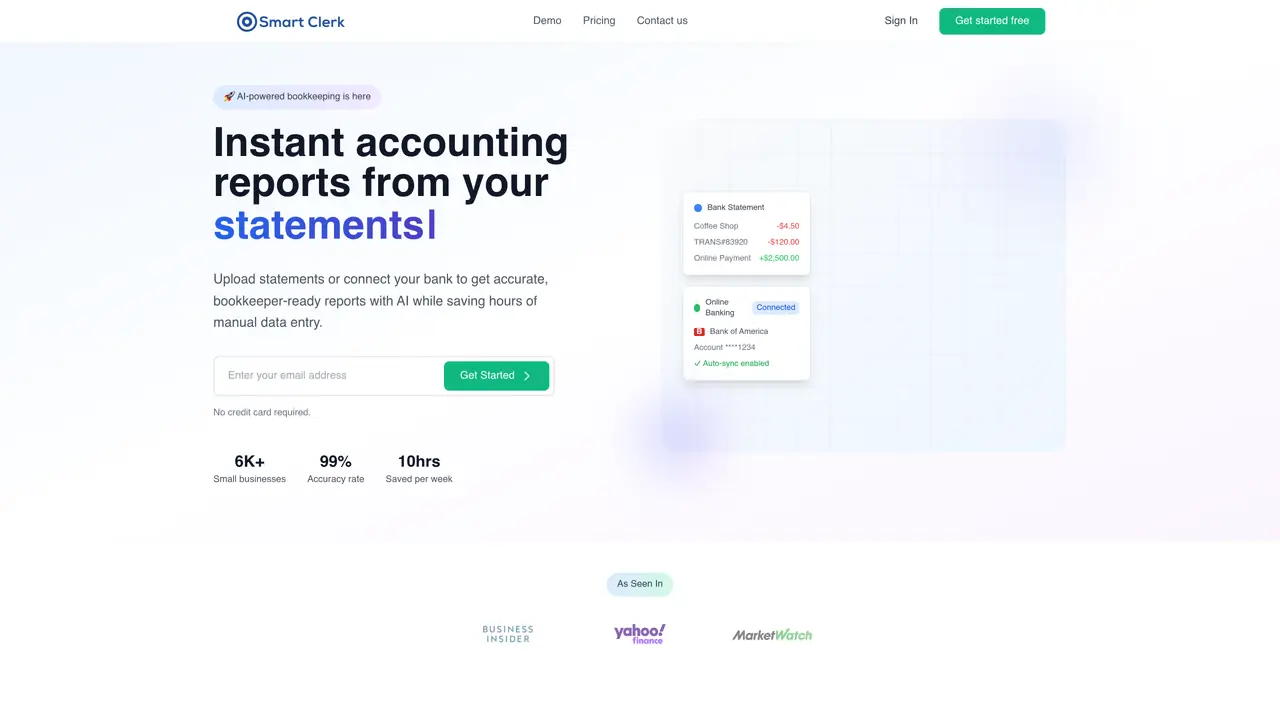
Smart Clerk is a cutting-edge AI tool designed to transform financial data into actionable insights, revolutionizing the way businesses handle accounting and bookkeeping. With its primary focus on automating the processing of financial documents such as bank statements and invoices, Smart Clerk offers features that simplify the accounting workflow for professionals and small business owners alike. By leveraging AI, it streamlines the entire process, from data entry to report generation, ensuring accuracy and efficiency. Key Features: AI-Generated Financial Reports: Automatically creates comprehensive, bookkeeper-ready financial reports from uploaded documents, eliminating the need for manual data entry. Tailored Transaction Categorization: Customizes transaction categories based on business needs, ensuring accurate and relevant financial tracking. Streamlined Vendor Management: Matches vendors automatically, providing a clear view of balances and transactions without manual updates. No-Code Integrations: Offers seamless integrations with partner platforms, allowing users to start processing financial data immediately without the need for setup or customization. Smart Clerk is ideal for accounting firms, small business owners, freelancers, and financial advisors who want to simplify their bookkeeping and financial reporting processes. It can also be used by educational institutions for teaching accounting practices and non-profit organizations for donor fund tracking.
Smart Clerk is an AI-powered bookkeeping and accounting automation tool that transforms financial data into accurate, bookkeeper-ready reports. It automates the processing of bank statements, invoices, and transactions, streamlining data entry, categorization, and report generation for small businesses and accounting professionals.
Smart Clerk is ideal for small business owners, freelancers, accounting firms, financial advisors, educational institutions, and non-profit organizations. It simplifies bookkeeping, financial reporting, and tax preparation for users who want to save time and reduce manual data entry.
Smart Clerk uses end-to-end encryption, access controls, and read-only bank connections to protect data. User data is never stored permanently or used for AI training, and all connections comply with strict security standards to ensure privacy.
Yes, Smart Clerk securely connects to over 10,000 banks across the US and Canada, enabling automatic live transaction feeds and real-time bookkeeping updates. Users can also upload past bank statements for historical data processing.
Smart Clerk supports bank statements from any country and in any format, though live bank connections are currently available for US and Canadian banks. Transaction categorization and reporting are designed to handle international financial data.
Users can start by uploading a bank statement or connecting their bank account directly through the dashboard. No credit card is required to try the platform, and setup takes only a few minutes. Advanced features unlock after creating a free account.
smartclerk.ai · third-party estimates from Similarweb
Last 4 months · grows by one month every month
Share of visits · estimated visits
Automation & Agents · Sep 2026
Traffic figures are third-party estimates, good for scale and trends; they can differ from a company's own numbers. Updated monthly.
We use essential cookies to run aitoolnavio™, and optional cookies to analyze traffic and measure our marketing. You choose what we use — optional cookies stay off unless you turn them on. See our Privacy Policy.
One short email a week: fresh tools worth trying, honest takes and the updates that actually matter. No spam, unsubscribe any time.
Automate job postings, track applicants, and streamline hiring with an intuitive HCM platform for talent acquisition.
Automate workflow, optimize operations, and detect potential issues with this efficient AI-driven solution.
AI automation and agent-building platform with 3,000+ app integrations
Automate email sending, save leads to CRMs, and create complex workflows for customer support tickets.
Open-source workflow automation platform to build, run, and monitor agentic and traditional workflows with 500+ integrations and AI governance.
AI-powered platform streamlining workflows with no-code automation.
With Accio, manufactures/ products/ suppliers/ inspirations will come to you, any time, any where.
Create & deploy AI apps, access real-time insights, and easily build models with an intuitive user interface.
Automate outreach campaigns, create personalized emails with AI, and monitor results with detailed analytics.
AI-powered fleet management platform for trucking, delivery, and field service teams, combining GPS tracking, ELD compliance, dash cams, maintenance, and spend management.
Automate tasks, streamline workflows, and create powerful automation flows effortlessly.
Control your computer and apps from any chat.
Matched on what this tool does — grouped by the job you would be replacing.
Paid placement · similar tools from listings that support aitoolnavio™
Instant lead response for home-service pros: your phone rings on every new lead, plus 14 days of follow-up
matches AI-Generated Financial Reports · Tailored Transaction Categorization · Streamlined Vendor Management
matches Tailored Transaction Categorization · Time Efficiency · High Accuracy
AI-powered bookkeeping and finance assistant for startups, automating accounting, expense tracking, and tax support with real-time insights.
Handle bookkeeping, LLC setup, and taxes via chat.
AI accounting tool that automates bookkeeping and delivers financial insights to streamline business decisions.
AI-powered bookkeeping automation that turns receipts and invoices into tax-ready financial reports in minutes.
AI receipt scanner and expense tracker that extracts receipt data, auto-categorizes spend, matches bank transactions, and exports tax-ready reports.
Streamline receipt management with AI: Extract, categorize, analyze expenses effortlessly.
AI-powered expense tracking via WhatsApp with automated receipt capture and categorization