
Design, distribute, and analyze surveys online or via email with real-time insights using Survey Monkey.
38M visits/mo-3.9%#2 Business & Marketing

Self-hosted AI analytics for PostgreSQL, MySQL, MariaDB, or MongoDB with natural language queries
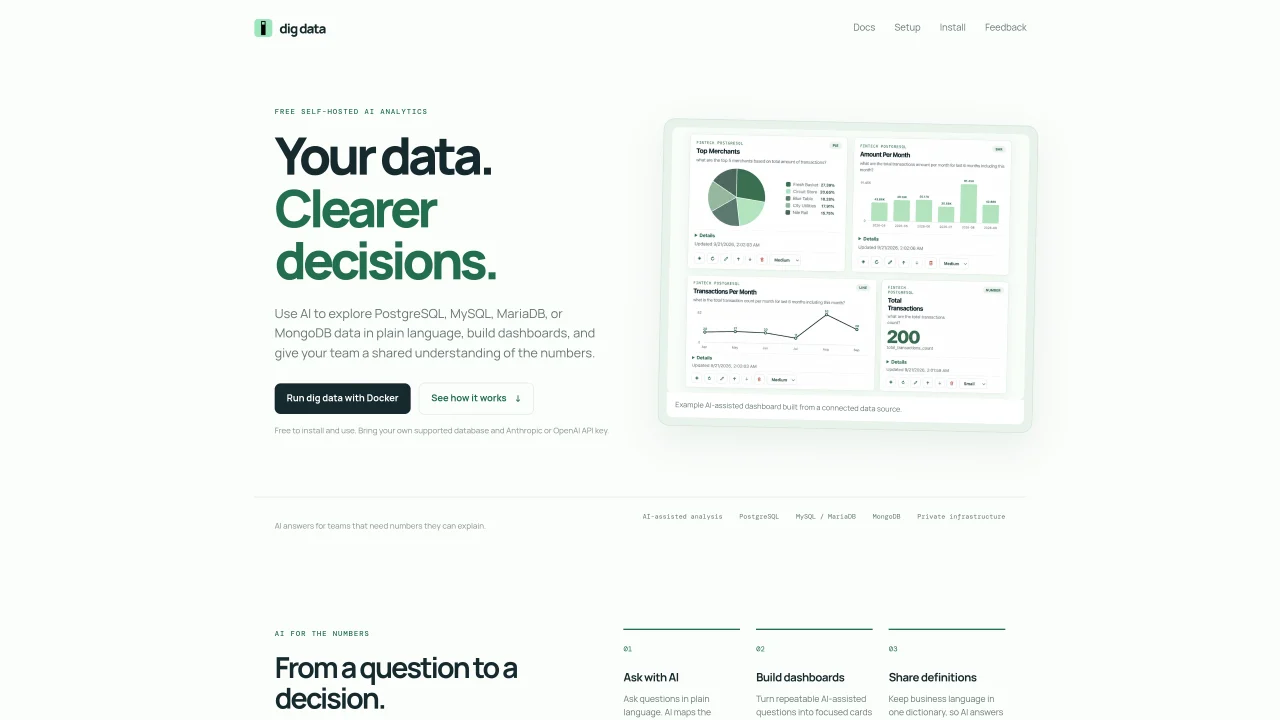
dig data is a self-hosted analytics tool that uses AI to interpret plain-language questions about data stored in PostgreSQL, MySQL, MariaDB, or MongoDB. It connects to an existing database and allows users to ask questions without writing SQL, returning answers with the underlying data and business definitions. Teams can build AI-assisted dashboards from repeatable queries and maintain a shared dictionary of agreed-upon terms to ensure consistent interpretations. The tool runs locally via Docker on Linux amd64 or arm64 systems and requires an Anthropic or OpenAI API key for AI processing. All data, accounts, dashboards, and audit records remain on the user’s infrastructure, with only schema and bounded query results sent to the external AI provider. Installation is free and does not require an email address.
dig data supports PostgreSQL, MySQL, MariaDB, and MongoDB as data sources for AI-assisted analysis and dashboard creation.
dig data is installed and run locally via Docker on Linux amd64 or arm64 systems. Users can choose between cloud AI providers (Anthropic or OpenAI) or run a local model using Ollama.
An internet connection is required during initial setup for model downloads or API key validation, but local AI inference via Ollama operates entirely offline after setup.
Yes, dig data allows users to run a local AI model with Ollama, ensuring prompts and database context remain on the user's private local network without external transmission.
dig data is free to install and use, though costs may apply for cloud AI provider usage or local hardware resources when running models.
dig data includes a shared dictionary feature where teams can agree on business definitions for terms, ensuring AI answers align with agreed-upon meanings.
We use essential cookies to run aitoolnavio™, and optional cookies to analyze traffic and measure our marketing. You choose what we use — optional cookies stay off unless you turn them on. See our Privacy Policy.
One short email a week: fresh tools worth trying, honest takes and the updates that actually matter. No spam, unsubscribe any time.
Design, distribute, and analyze surveys online or via email with real-time insights using Survey Monkey.
Create targeted campaigns, automate email campaigns, and analyze performance for maximum ROI.
Discover keywords, analyze competitors' SEO strategies, and make data-driven decisions for website performance.
Analyze website performance, track competitors' tactics, and access comprehensive analytics and optimization features.
YouTube and Instagram growth toolkit with AI-powered optimization and analytics
Develop, run data jobs, transform datasets, leverage ML algorithms for actionable insights.
Streamline hiring, monitor job performance, and choose flexible pricing plans.
Unified AI-powered platform for real-time monitoring, analytics, and security across cloud infrastructure, applications, and services.
Securely store, analyze, and scale data while enhancing security and performance with encryption and automated backups.
AI-powered customer feedback platform for mid-market businesses to run conversational surveys and extract insights.
Automate review requests, analyze sentiment, and monitor ratings with a streamlined dashboard for improved customer feedback.
Monitor brand performance, create content for social media, and gain insights with deep analytics.
Matched on what this tool does — grouped by the job you would be replacing.
matches Natural language data queries · Schema inspection for query generation · Result tables with business definitions
AI-powered admin panel generator that turns databases into intuitive, interactive interfaces for data management and exploration.
No SQL, Connect your database and chat with your data in ChatGPT.
Write SQL queries in natural language, convert SQL to code, and generate data visualizations effortlessly.
An AI database assistant that lets business teams query live data, build dashboards, and trigger alerts without writing SQL.
matches AI-assisted dashboard creation · Result tables with business definitions
AI-powered analytics layer that turns natural language into governed business insights across tools
An AI data analysis and visualization tool that lets users query CSV and databases via chat to generate tables, charts, and dashboards without SQL.