Generate content, correct spelling, suggest synonyms to enhance writing.
173M visits/mo+0.1%#1 Productivity & Office

An AI database assistant that lets business teams query live data, build dashboards, and trigger alerts without writing SQL.
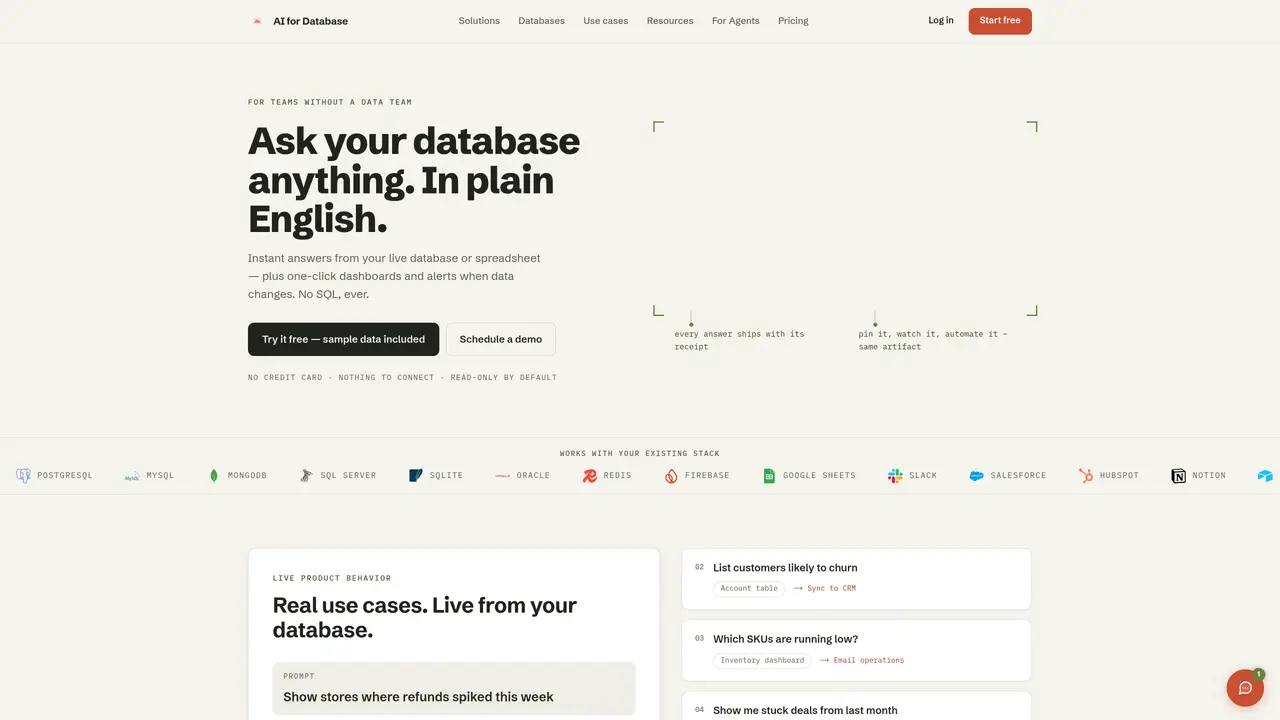
AI for Database is a web-based intelligent assistant that helps business teams outside engineering get answers, build dashboards, and automate workflows directly from live database data. It replaces ad hoc SQL requests by allowing users to ask questions in plain language, follow up with additional queries, and export results to Sheets or CSV. Teams can generate one-click dashboards with auto-charts, schedule recurring reports, and share links with stakeholders. The tool also supports database-driven workflows that post alerts to Slack, send email notifications, or trigger webhooks when data changes, reducing manual monitoring tasks. It supports a wide range of databases including PostgreSQL, MySQL, MongoDB, SQL Server, SQLite, and Google Sheets, with options for cloud-hosted (AWS, Azure, GCP) or self-hosted deployment. Role-based access control ensures secure collaboration across teams without per-seat fees. The platform emphasizes SOC 2 and GDPR readiness, with AES-256 encryption and full audit logging for compliance and security. It offers a free tier with open-source models and a Pro tier for advanced features, alongside custom Enterprise plans for self-hosted deployments and enterprise-grade requirements.
AI for Database is a web-based intelligent assistant that allows users to ask questions about their live database in plain English, generate dashboards, and automate workflows without writing SQL. It supports multiple databases and provides instant answers, one-click dashboards, and alerts when data changes.
The tool is designed for teams without a dedicated data team, such as sales managers, operations teams, product managers, and founders who need to access and act on database data without relying on engineering or SQL knowledge.
No setup or connection is required to start. Users can begin with sample data immediately, and the tool integrates seamlessly with existing databases and workflows like Slack, Google Sheets, and CRMs.
AI for Database supports a wide range of databases including PostgreSQL, MySQL, MongoDB, SQL Server, SQLite, Oracle, Redis, Firebase, Google Sheets, and more. It also offers cloud-hosted and self-hosted deployment options.
Yes, the tool allows users to automate workflows by triggering actions such as Slack alerts, email notifications, webhook calls, or CRM updates when specific data conditions are met, all described in plain language.
Yes, the platform emphasizes security and compliance with features like AES-256 encryption, SOC 2 and GDPR readiness, audit logging, and role-based access control. Users can also choose self-hosted deployment for full data control.
aifordatabase.com · third-party estimates from Similarweb
Last 4 months · grows by one month every month
Share of visits · estimated visits
Productivity & Office · Sep 2026
Traffic figures are third-party estimates, good for scale and trends; they can differ from a company's own numbers. Updated monthly.
We use essential cookies to run aitoolnavio™, and optional cookies to analyze traffic and measure our marketing. You choose what we use — optional cookies stay off unless you turn them on. See our Privacy Policy.
One short email a week: fresh tools worth trying, honest takes and the updates that actually matter. No spam, unsubscribe any time.
Generate content, correct spelling, suggest synonyms to enhance writing.
Turn messy team ideas into actionable plans with Miro's visual workspace.
Leverage analytics, automate tasks, share documents, and coordinate projects.
Integrates AI into Airtable to analyze data, summarize insights, draft content, and automate workflows without prior AI experience.
Cloud accounting software that automates bookkeeping, invoicing, and financial reporting for small and growing businesses.
Streamline teamwork, manage projects, automate tasks efficiently.
Automate code, research, and documents using agents.
AI assistant for safe, reliable productivity with code, collaboration, and integrations.
Create customizable tables, databases, and spreadsheets, share data securely with team members.
Easy-to-use CRM platform that automates lead capturing, prioritizes tasks, and provides sales pipeline analytics for businesses of all sizes.
Transforms thoughts into actions, enhancing productivity and efficiency.
Write & run code in 50+ languages, auto-complete with AI, and code faster with an intuitive interface.
Matched on what this tool does — grouped by the job you would be replacing.
Paid placement · similar tools from listings that support aitoolnavio™
Instant lead response for home-service pros: your phone rings on every new lead, plus 14 days of follow-up
matches Natural language queries on live data with follow-up support · One-click dashboard creation with auto-generated charts · Scheduled reports and shareable dashboard links
matches Natural language queries on live data with follow-up support
matches One-click dashboard creation with auto-generated charts · Scheduled reports and shareable dashboard links
An AI data analysis and visualization tool that lets users query CSV and databases via chat to generate tables, charts, and dashboards without SQL.
Analyze databases and spreadsheets by typing natural-language prompts to extract insights without technical skills.
Self-hosted AI analytics for PostgreSQL, MySQL, MariaDB, or MongoDB with natural language queries
AI tool that turns database queries into plain-English insights for SMEs
Generate SQL queries effortlessly with drag-and-drop, auto-correct, auto-format, and auto-complete features.
Quickly access data, transform English language input into SQL code, and query various databases with ease.
Create, store, and edit SQL queries, access data from databases, and explore and collaborate with an intuitive UI.
Converts plain-English questions into SQL queries for PostgreSQL, MySQL, or SQLite
Cloud-based business intelligence platform that turns raw data into real-time insights with drag-and-drop dashboards and team collaboration tools.
Open-source analytics platform to build interactive dashboards, automate data prep, and enforce enterprise-grade security.
Turn plain-English requests into live, production-ready dashboards without writing SQL or managing BI plumbing.