Generate content, correct spelling, suggest synonyms to enhance writing.
173M visits/mo+0.1%#1 Productivity & Office

Analyze databases and spreadsheets by typing natural-language prompts to extract insights without technical skills.
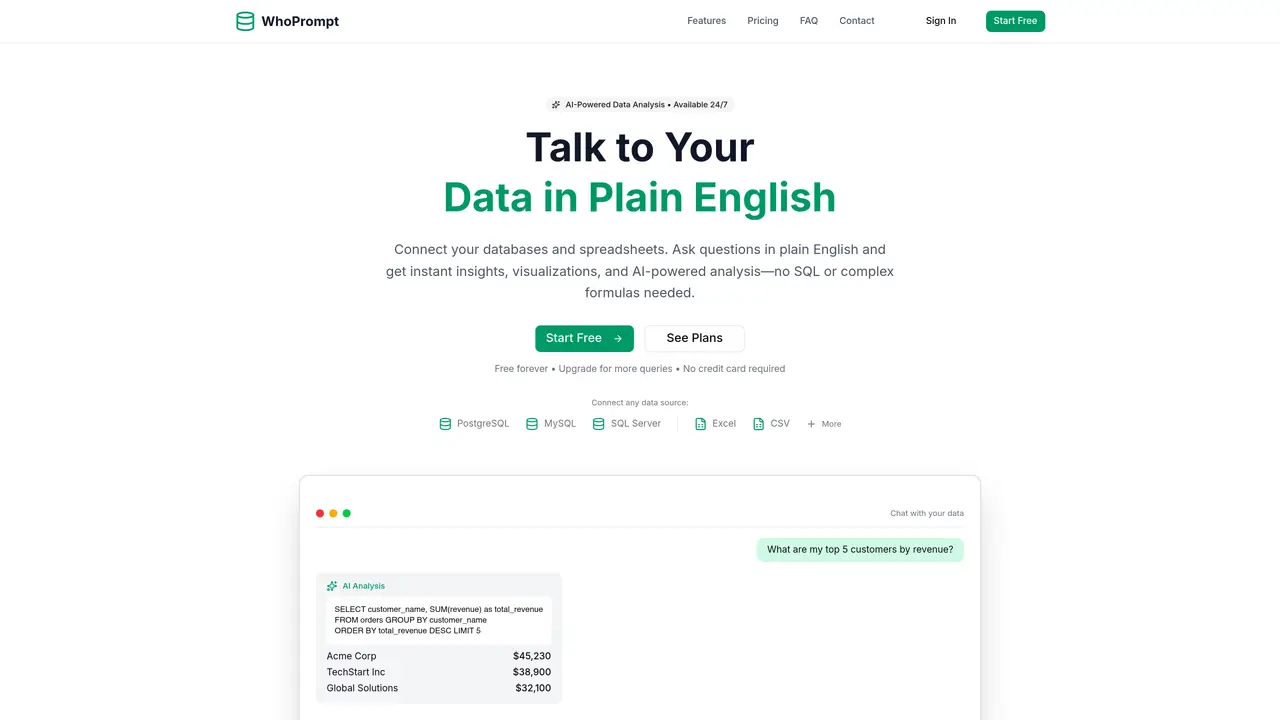
WhoPrompt lets users analyze data from databases and spreadsheets by entering natural-language prompts. The tool connects to multiple database types and spreadsheets, allowing users to ask for specific data or insights without writing code or SQL queries. It is designed for professionals who need quick answers from their data but lack technical expertise in querying or analysis. WhoPrompt returns the requested data in a straightforward format, making it useful for routine data extraction tasks. The platform supports common database systems and spreadsheet formats, enabling integration with existing workflows. By removing the need for manual data retrieval or complex queries, WhoPrompt streamlines workflows for roles that rely on frequent data access. Its focus is on accessibility, allowing non-technical users to interact with data efficiently.
WhoPrompt supports databases such as PostgreSQL, MySQL, SQL Server, and SQLite, as well as spreadsheets including Excel, CSV, and Google Sheets. Connections are established using encrypted credentials for databases or by uploading files for spreadsheets.
Yes. WhoPrompt uses bank-level encryption for credentials and does not store or share actual data. For spreadsheets, files are processed securely and remain accessible only to the user. The platform adheres to strict privacy and security standards.
No prior knowledge of SQL or Excel formulas is required. Users can ask questions in plain English, such as 'Show my top 10 customers' or 'What's my revenue trend?' and the AI generates the necessary queries or performs the analysis automatically.
Yes. WhoPrompt allows users to connect multiple data sources, including a mix of databases and spreadsheets. This enables combining production databases with Excel reports or CSV exports for comprehensive analysis.
The free plan is available indefinitely with basic features. Users can upgrade to paid plans for additional queries, data source connections, or advanced features like Deep Analysis. Plans can be canceled or downgraded at any time without long-term contracts.
For databases, the AI reads the schema, including table and column names and relationships. For spreadsheets, it analyzes headers and data types. This enables the AI to generate accurate queries and insights tailored to the user's specific data structure.
We use essential cookies to run aitoolnavio™, and optional cookies to analyze traffic and measure our marketing. You choose what we use — optional cookies stay off unless you turn them on. See our Privacy Policy.
One short email a week: fresh tools worth trying, honest takes and the updates that actually matter. No spam, unsubscribe any time.
Generate content, correct spelling, suggest synonyms to enhance writing.
Turn messy team ideas into actionable plans with Miro's visual workspace.
Leverage analytics, automate tasks, share documents, and coordinate projects.
Integrates AI into Airtable to analyze data, summarize insights, draft content, and automate workflows without prior AI experience.
Cloud accounting software that automates bookkeeping, invoicing, and financial reporting for small and growing businesses.
Streamline teamwork, manage projects, automate tasks efficiently.
Automate code, research, and documents using agents.
AI assistant for safe, reliable productivity with code, collaboration, and integrations.
Create customizable tables, databases, and spreadsheets, share data securely with team members.
Easy-to-use CRM platform that automates lead capturing, prioritizes tasks, and provides sales pipeline analytics for businesses of all sizes.
Transforms thoughts into actions, enhancing productivity and efficiency.
Write & run code in 50+ languages, auto-complete with AI, and code faster with an intuitive interface.
Matched on what this tool does — grouped by the job you would be replacing.
Paid placement · similar tools from listings that support aitoolnavio™
Instant lead response for home-service pros: your phone rings on every new lead, plus 14 days of follow-up
matches Connects to multiple database types and spreadsheets · Natural-language prompts for data extraction · No technical skills required
An AI database assistant that lets business teams query live data, build dashboards, and trigger alerts without writing SQL.
An AI data analytics platform that turns spreadsheets and databases into instant analyses, visualizations, forecasts, and shareable reports.
Natural-language interface for querying databases and spreadsheets without SQL
Extract insights from PDFs, Word docs, CSVs, Excel files, and SQL databases by chatting with them in natural language.