

AI chatbot for conversation, work, research, coding, and content creation.
5.9B visits/mo+5%#1 Chatbots & Assistants
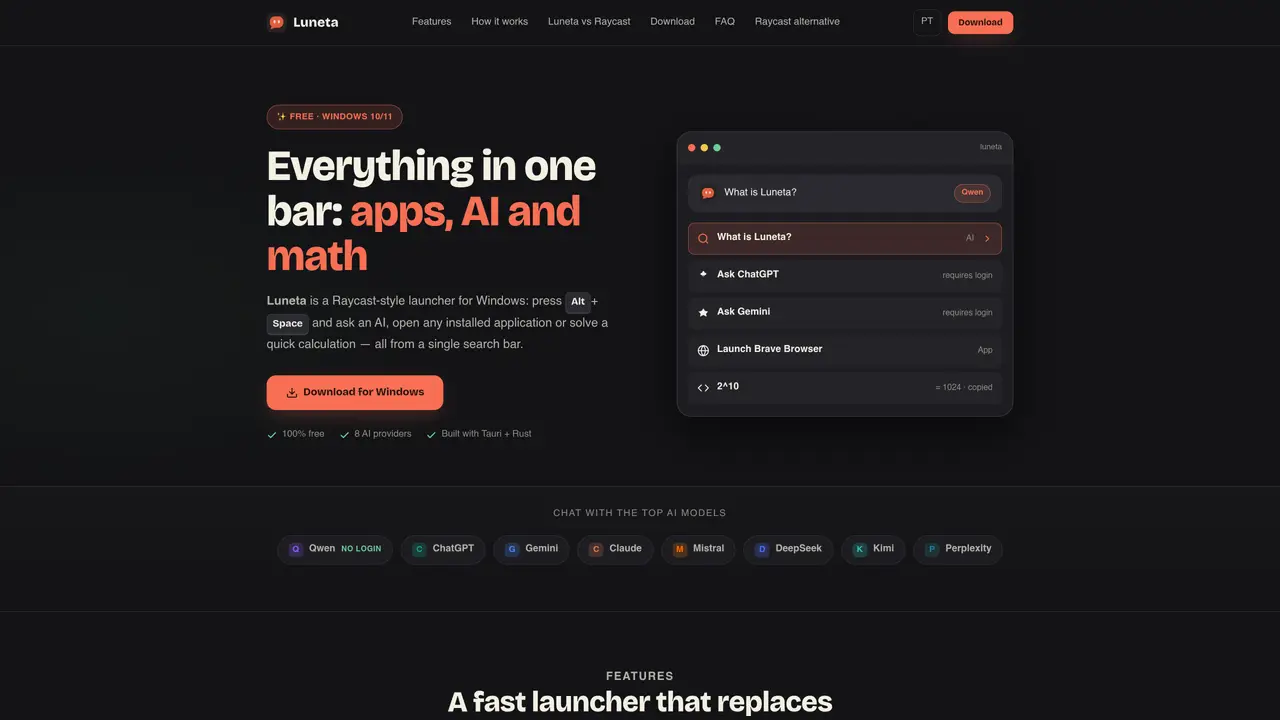
Luneta is a compact launcher for Windows that consolidates app launching, AI chat and calculations into a single search bar. It replaces multiple tools by allowing users to open installed applications, query AI models or perform arithmetic operations from one interface. The launcher is triggered by a configurable global shortcut and displays results inline, including copying calculation outputs to the clipboard. It integrates eight AI providers, with Qwen available without login, while others require authentication. The application runs locally, does not collect personal data and uses the Microsoft Edge WebView2 Runtime for rendering. Installation is straightforward via an NSIS installer with built-in auto-update, and the tool targets Windows 10 and 11 64-bit systems.
Yes, Luneta is 100% free with no subscription, account requirements, or paid features. It includes all core functionalities such as app launching, AI chat, and calculations without any cost.
Luneta runs on Windows 10 and Windows 11 (64-bit). It uses the Microsoft Edge WebView2 Runtime, which is included in Windows 11 by default and typically installed on Windows 10.
No account is required for Qwen, the default AI provider, which works without login. Other providers like ChatGPT, Gemini, and Claude require authentication inside the chat interface.
Type the name of the application in the search bar and press Enter. Luneta reads the Windows Start Menu shortcuts and opens the matching application directly.
No, Luneta does not collect personal data. All operations run locally on your machine, and your question history remains on your device. The only exception is a non-personal ad banner in the chat footer, which can be disabled.
Luneta includes built-in auto-update functionality. New versions are downloaded and installed automatically from GitHub Releases. You can also manually download the latest installer from the releases page.
We use essential cookies to run aitoolnavio™, and optional cookies to analyze traffic and measure our marketing. You choose what we use — optional cookies stay off unless you turn them on. See our Privacy Policy.
One short email a week: fresh tools worth trying, honest takes and the updates that actually matter. No spam, unsubscribe any time.
AI chatbot for conversation, work, research, coding, and content creation.
Efficiently answer research queries, translate natural language to SQL, and utilize OpenAI WebGPT and larger language models.
Search privately, customize interface, track search history, and stay in control of online activities.
Transforms queries into real-time, customized pages with expert insights.
Search scientific papers, discover relevant publications, and enhance understanding of academic literature.
Access research, sort data, and get insights with predictive analytics.
Access hundreds of millions of answers powered by AI technology.
Create research report with references
Search a large knowledge base for verified articles, facts, opinions, and multimedia to answer questions across any topic.
Chat with many top models for everyday tasks.
Centralized AI industry news aggregator with curated daily selections, model rankings, and trending topics.
A free AI platform that answers questions, searches across languages, and generates slides, mind maps, docs, images, and webpages.
Matched on what this tool does — grouped by the job you would be replacing.
matches Global shortcut for instant access · Start Menu shortcut integration for apps · Tray icon for background operation
Automate mundane tasks, access AI assistance, and streamline daily tasks to maximize productivity.
Windows-based private AI learning companion that teaches via live drawing and screen pointing
matches Eight integrated AI providers · Configurable AI provider switching
matches Built-in calculator with clipboard copy
Unified AI chat client that connects to multiple AI services in one interface.
Open-source desktop AI chat app that runs local LLMs offline or connects to cloud providers via API keys.
Free AI chat interface with multiple third-party models, no signup required
Mac menu bar app showing AI plan usage limits
A macOS menu-bar app that displays ChatGPT and Codex usage limits in real time