Enhance learning with AI-driven flashcards, tests, and games.
72M visits/mo+70.8%#1 Lifestyle & Education

Windows-based private AI learning companion that teaches via live drawing and screen pointing
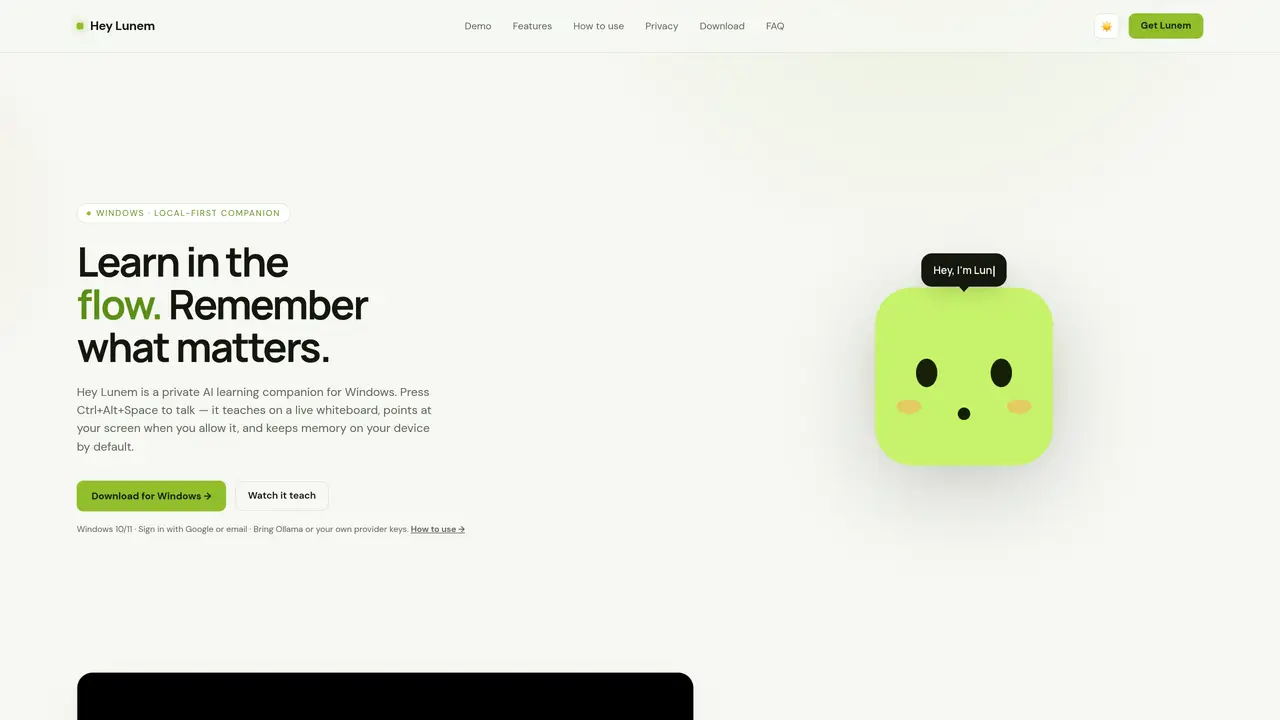
Hey Lunem is a local-first AI learning companion for Windows that responds to voice commands and teaches through animated drawings on a live whiteboard. It can point at specific areas of the user’s screen with temporary annotations when permitted, and stores memories locally by default. The tool integrates a global voice shortcut for hands-free operation and includes built-in productivity features such as a task board, calendar, and Pomodoro timer. Users can bring their own AI provider keys or run Ollama locally, with cloud reasoning available but not required. Screen access is opt-in and includes a kill switch, visible capture indicators, and metadata-only logging. Memories are visible and deletable, and all model calls log only metadata without exposing prompt text or screenshots.
Hey Lunem is a private, voice-first AI learning companion for Windows that teaches through animated drawings on a live whiteboard, responds to voice commands, and remembers what matters locally by default.
Yes, Hey Lunem is free to download for Windows 10 and 11. Users can bring their own AI provider keys, run Ollama locally, or use the free Lunem Cloud tier with fair-use limits.
Press Ctrl+Alt+Space (or Ctrl+Shift+Space) from any app, say 'Hey!', and Lunem replies. You can also type in the companion window.
Yes. Memories, lessons, and settings stay on your device by default. Screen access is opt-in with sensitive-window blocking, and all model calls log only metadata without exposing prompt text or screenshots.
Download the installer from heylunem.com/download, run it (no admin needed), and sign in. Updates install automatically afterward.
No. The voice shortcut works without one, though optional advanced transcription keys can be added later in the Mic test settings.
We use essential cookies to run aitoolnavio™, and optional cookies to analyze traffic and measure our marketing. You choose what we use — optional cookies stay off unless you turn them on. See our Privacy Policy.
One short email a week: fresh tools worth trying, honest takes and the updates that actually matter. No spam, unsubscribe any time.
Enhance learning with AI-driven flashcards, tests, and games.
Automatically check student papers for plagiarism, generate originality reports, and offer powerful grading tools.
Create interactive lessons, track student progress, deliver assessments for personalized learning.
Practice coding challenges, improve technical skills, get detailed explanations, compare performance with peers.
AI-powered homework help with step-by-step textbook solutions, expert Q&A, writing tools, and exam prep.
Easily create and track training courses, design learning environments, and access from any device with an intuitive interface.
AI-generated text detector with 99.98% verified accuracy, supporting 20+ languages and integrations with LMS platforms.
Solve math problems, learn topics from basic to advanced, and get hints and insights for difficult problems.
Revolutionize education with AI: lesson planning, IEPs, assessments, enhanced communication.
Online language-learning platform offering interactive courses, progress tracking, rewards, and personalized feedback for all skill levels.
IB and MYP exam prep platform with 35k+ practice questions, AI grading, flashcards, and study tools for students and schools.
AI-powered learning app that helps students and pupils organize study materials, stay motivated, and improve grades with smart tools and features.
Matched on what this tool does — grouped by the job you would be replacing.
matches Live animated whiteboard teaching · Screen tutor with temporary annotations
AI-powered aviation ground school tutor with RTR voice simulator for DGCA CPL and ATPL students in India
AI tutor that guides students to solve problems through dialogue without giving direct answers
All-in-one homework app with an AI tutor for students with ADHD, autism or dyslexia
AI-powered learning companion for personalized lessons and study organization
matches Screen tutor with temporary annotations · Privacy-first screen access controls
matches Focus threads for context tracking · Pomodoro timer integration · Built-in task board and calendar
Turns screen recordings into agent-ready prompts for AI coding tools
Local-first AI assistant for Mac that captures notes, transcribes meetings, and provides context-aware chat
Annotated screenshot tool for AI coding agents with Markdown handoff
macOS voice assistant for dictation, screen queries and AI meeting notes
Boost productivity with macOS and AI integration.
Unified platform combining tasks, calendar, habits, finance and AI insights
Local-first workspace with AI assistant Noor for habits, tasks, notes, and projects