

AI-powered video messaging tool that records, shares, and manages video messages with AI-generated titles, summaries, and tasks.
16M visits/mo-3.4%#5 Chatbots & Assistants
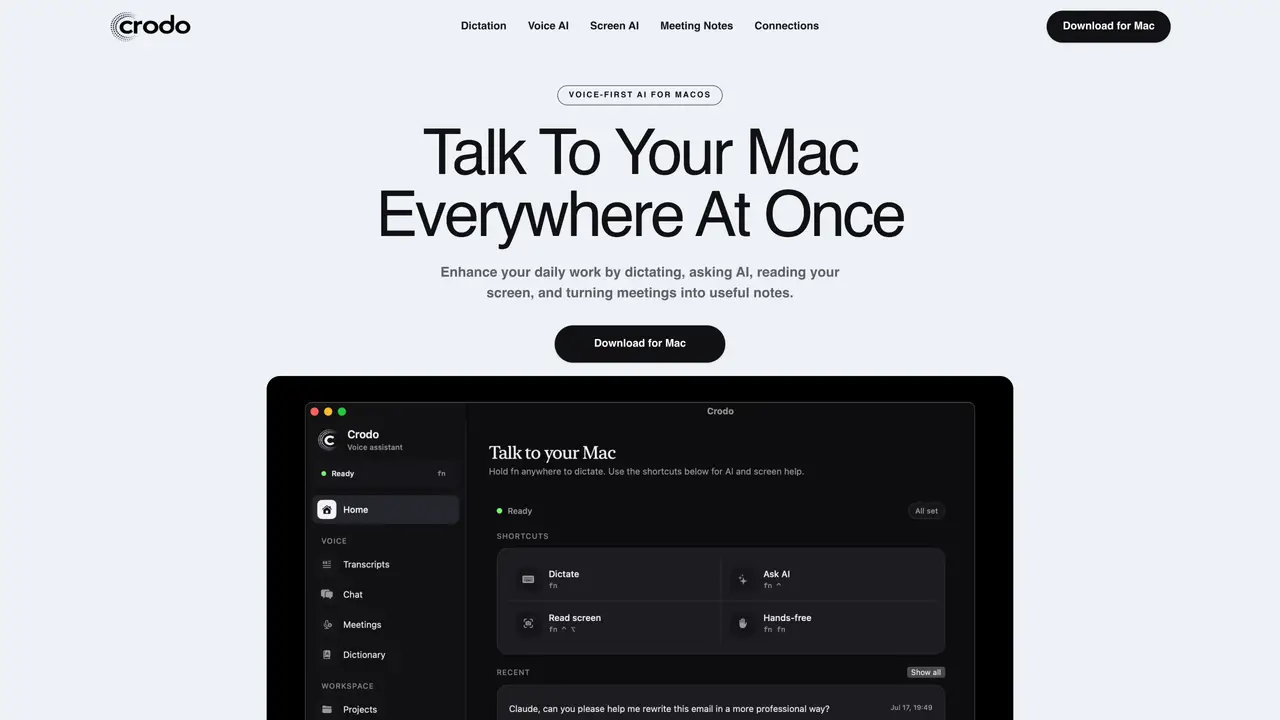
Crodo AI is a macOS application that provides voice-first assistance through global hotkeys. It transcribes spoken input into text in any active application, allowing users to dictate emails, documents, or messages without switching context. The tool can read the contents of the current screen and answer questions based on what it sees, enabling screen-aware assistance. It records meetings via the Mac’s microphone, generates transcripts, and produces structured summaries with decisions and action items. Crodo also supports voice-based queries for web search, app launching, and information retrieval from connected services. Users can connect Gmail, Google Calendar, and Slack to access real-time data such as unread emails, calendar events, or draft replies. The assistant remembers projects, people, and preferences, and can set reminders in the user’s local timezone. Custom dictionaries, microphone selection, and hotkey customization are included.
Crodo AI is a macOS voice assistant that enables dictation, voice-based queries, screen-aware assistance, and AI-powered meeting notes through global hotkeys.
Yes. Crodo uses global hotkeys to transcribe speech into text in any active application without requiring users to switch contexts.
Yes. The app records conversations via the Mac’s microphone, generates transcripts, and produces structured summaries with decisions and action items.
Only if you connect them. Crodo can access real-time data from Gmail, Google Calendar, or Slack after approving access through the provider’s sign-in screen.
It captures the active display and answers spoken questions based on the visible content, enabling contextual AI support for tasks like summarizing or rewriting text.
Yes. Users can set reminders in their local timezone by speaking commands, and Crodo will store and trigger them at the specified time.
We use essential cookies to run aitoolnavio™, and optional cookies to analyze traffic and measure our marketing. You choose what we use — optional cookies stay off unless you turn them on. See our Privacy Policy.
One short email a week: fresh tools worth trying, honest takes and the updates that actually matter. No spam, unsubscribe any time.
AI-powered video messaging tool that records, shares, and manages video messages with AI-generated titles, summaries, and tasks.
Hardware device that records conversations and converts them into searchable transcripts, summaries, and notes.
Automate transcription, generate summaries, identify speakers, and timestamps for video-conferencing conversations.
AI-powered meeting recorder and summarizer that captures, transcribes, and generates actionable insights from conversations.
Automatically record, transcribe, take notes, and create summaries with key insights during meetings.
Transforms audio/video to summarized text, instantly, across platforms.
Automatically transcribe meetings, create summaries, and securely store audio files in a searchable format.
Automatically turn meetings into searchable notes and tasks.
Wearable AI device that captures conversations and meetings, then auto-generates transcripts, summaries, action items, mind maps, and searchable notes.
Record, transcribe, and share key insights from virtual trainings, online meetings, and content creation.
Record, transcribe, and summarize online meetings from Google Meet and Zoom with AI, then share insights across collaboration tools.
Transform audio/video to text with precision, supporting 1500+ platforms, enriched by AI features.
Matched on what this tool does — grouped by the job you would be replacing.
matches Meeting recording and transcription · Meeting recording and transcription
Automate meeting transcription, keyword search, and AI-based notes for efficient retrieval and summary distribution.
A desktop AI assistant that captures meeting notes, summarizes context across apps, supports AI writing with memory, and tracks tasks.
Sticky notes docked to the edge of the screen with local AI assistance
matches Dictation into any app · Screen-aware assistance
matches Voice-based AI chat · Web search with source attribution
Mac-based AI assistant that watches your screen to provide context-aware help without manual copy-pasting.
A macOS AI assistant that lets users control their computer with natural language commands across applications.
Offline voice assistant and dictation tool for desktop
On-device voice dictation for macOS with push-to-talk
AI chatbot for conversation, work, research, coding, and content creation.
Efficiently answer research queries, translate natural language to SQL, and utilize OpenAI WebGPT and larger language models.
All-in-one AI assistant and workspace for managing tasks, agents and workflows in one platform
AI agent for macOS that integrates with apps and automates tasks