
Generate content, correct spelling, suggest synonyms to enhance writing.
173M visits/mo+0.1%#1 Productivity & Office
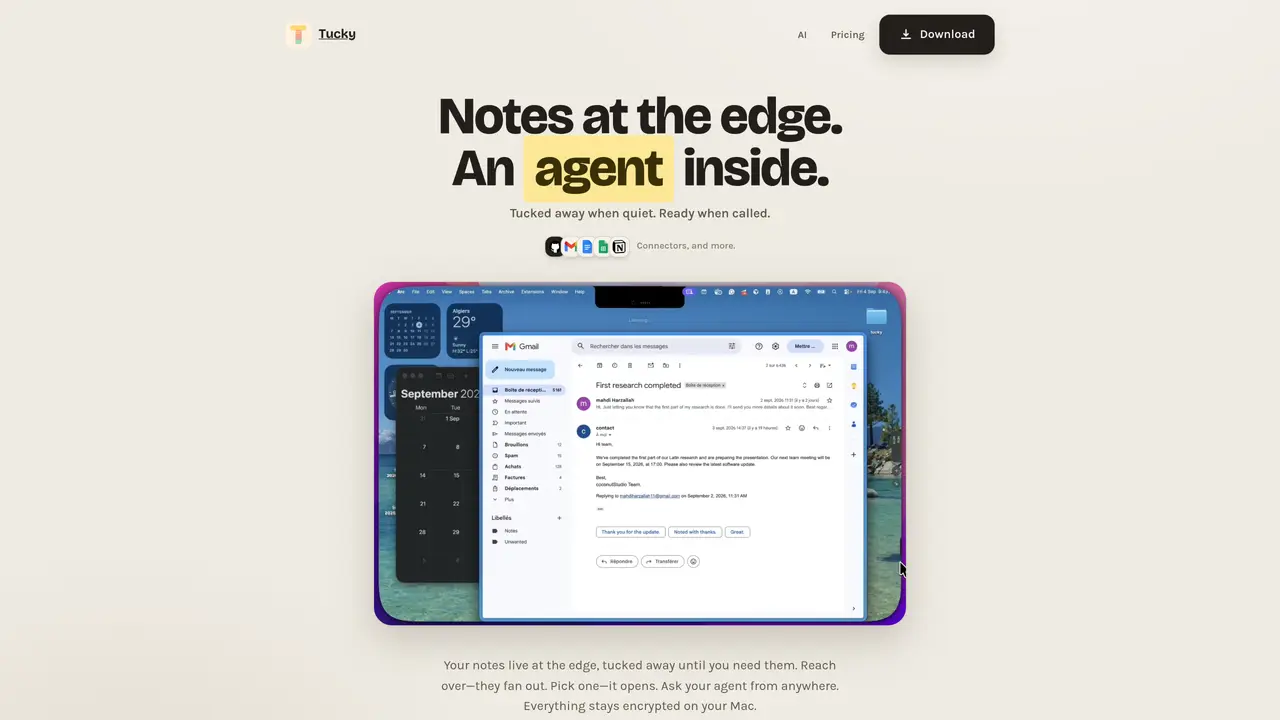
Tucky is a macOS application that provides sticky notes docked to the edge of the screen. Notes are stored locally and encrypted on the user’s Mac. The application includes an integrated AI agent that can be accessed via keyboard shortcuts to search, write, edit, or ask questions about notes without leaving the current app. The AI models are bundled within the app and do not rely on external services. Users can interact with notes through typing, voice dictation in over 60 languages, or by using global shortcuts. The free tier allows five notes with basic functionality, while the paid tier unlocks unlimited notes, voice input, and connectors to services like Gmail, Google Calendar, Docs, Sheets, GitHub, and Notion. The application updates itself automatically and is designed for macOS 15 or later on both Apple silicon and Intel Macs.
Tucky is a macOS application that provides sticky notes docked to the edge of the screen. Notes are stored locally and encrypted on the user’s Mac.
Tucky is designed for macOS users who need quick access to notes, AI-powered search and editing, and integrations with services like Gmail, Google Calendar, and Notion.
Tucky includes an integrated AI agent that operates locally on the user’s Mac, allowing search, writing, editing, and questions about notes without relying on external services.
Users can interact with notes through typing, voice dictation in over 60 languages, or global shortcuts.
Yes, Tucky’s free tier allows five notes with basic functionality, while the paid tier unlocks unlimited notes, voice input, and connectors to external services.
Download Tucky from the macOS App Store or the official website, install it, and start using the sticky notes docked to the edge of the screen with local encryption.
tucky.io · third-party estimates from Similarweb
Share of visits by channel
Productivity & Office · Sep 2026
Traffic figures are third-party estimates, good for scale and trends; they can differ from a company's own numbers. Updated monthly.
We use essential cookies to run aitoolnavio™, and optional cookies to analyze traffic and measure our marketing. You choose what we use — optional cookies stay off unless you turn them on. See our Privacy Policy.
One short email a week: fresh tools worth trying, honest takes and the updates that actually matter. No spam, unsubscribe any time.
Generate content, correct spelling, suggest synonyms to enhance writing.
Markdown-based note-taking and personal knowledge management app that turns notes into a connected system of ideas.
Capture, organize, and share ideas, notes, and documents effortlessly.
Easily create and track training courses, design learning environments, and access from any device with an intuitive interface.
An AI-powered note-taking app for students and professionals to write, sketch, annotate PDFs, record audio, and generate summaries, quizzes, and flashcards.
Handwritten note-taking app with searchable ink, PDF annotation, synced audio, and AI-powered study tools.
AI-powered process documentation tool that captures workflows into visual step-by-step guides with screenshots, editing, and exports.
AI web app that transcribes audio, video, and YouTube links into text in 98 languages with summaries, mind maps, and export formats for students and teams.
A note-taking and spaced-repetition flashcard app for students and learners, with PDF annotation plus AI tools for generating cards, quizzes, and study summaries.
AI-powered research assistant for organizing, analyzing, and synthesizing information from notes and documents.
Capture thoughts, create documents, and access on any device for convenient organization and productivity.
AI-powered PDF editor with built-in agents for summarization, translation, and document analysis.
Matched on what this tool does — grouped by the job you would be replacing.
matches Sticky notes docked to the edge of the screen · Local encryption for all notes · Integrated AI models for writing, editing, and asking questions
Local-first AI assistant for Mac that captures notes, transcribes meetings, and provides context-aware chat
AI agent that performs on-screen tasks on macOS via voice or text
macOS voice assistant for dictation, screen queries and AI meeting notes
matches Voice dictation in 60+ languages · Checkbox tasks and Live Markdown support
matches Global keyboard shortcuts for quick access
Automatically record Mac meetings, generate notes and follow-ups.
Mac voice productivity tool that transcribes speech into polished text and auto-generates meeting notes
Real-time AI overlay for live calls that provides live guidance and automatic recaps
AI voice dictation app for macOS that converts speech to clean text
Desktop command bar for cross-app search, AI answers and actions in Slack, Notion and other workspace tools