
Generate content, correct spelling, suggest synonyms to enhance writing.
173M visits/mo+0.1%#1 Productivity & Office
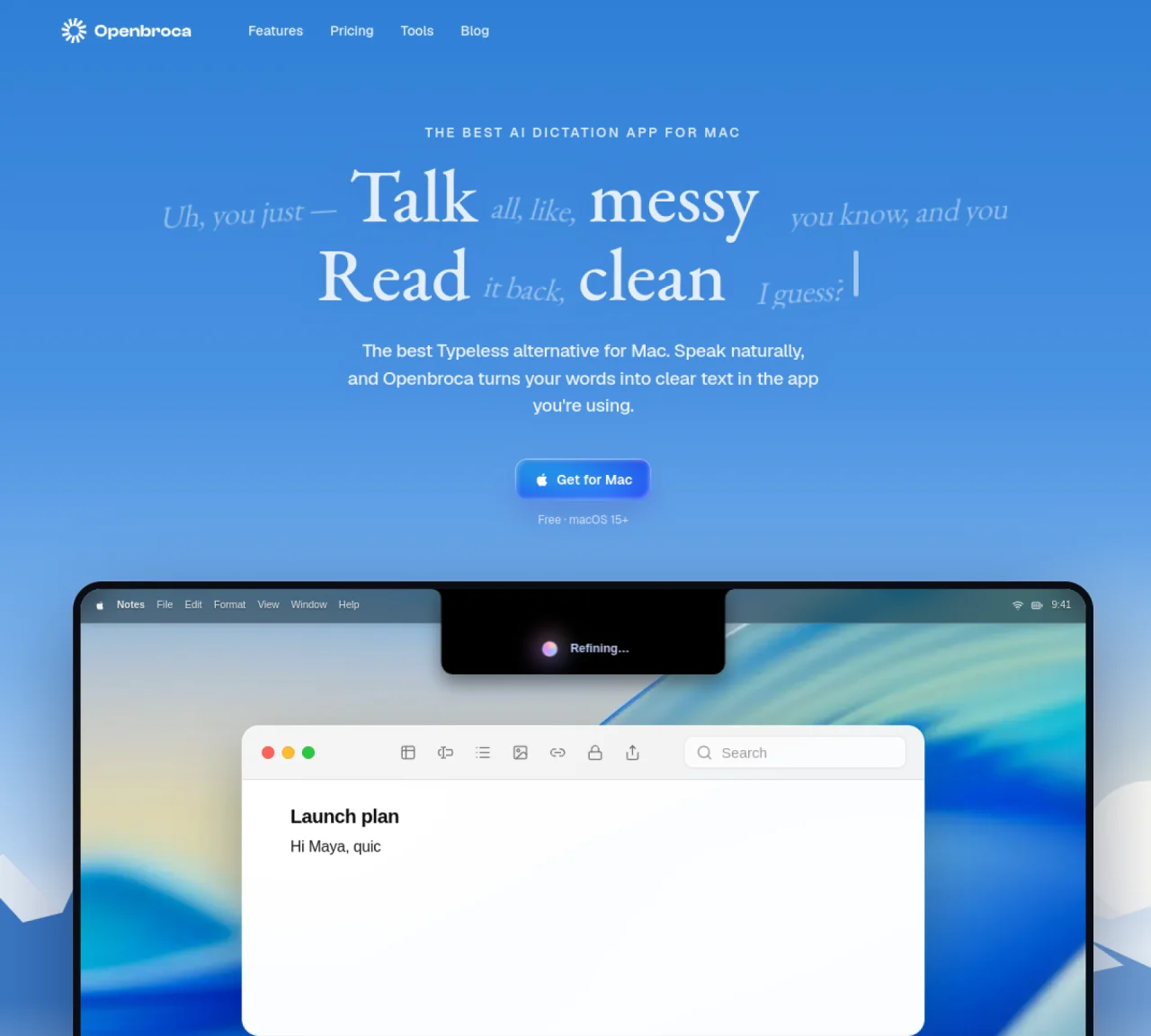
Openbroca is a voice-to-text application designed for macOS that converts spoken words into clear, polished text within any active application. It operates via a keyboard shortcut, allowing users to dictate naturally without prompts or structured commands. The app supports multilingual dictation in 30 languages with automatic language detection and can translate dictated speech into 28 output languages. Openbroca includes features such as a personal dictionary for preferred spellings, optional Screen Context for recognizing on-screen terms, and text refinement to structure natural speech into readable content. The application integrates directly into the user’s workflow, inserting transcribed text at the cursor position or copying it to the clipboard if direct insertion is unavailable. It also offers customizable shortcuts, microphone selection, and placement options within the Mac interface. Openbroca requires an internet connection for cloud-based speech recognition and text processing but does not store audio recordings.
Openbroca is an AI voice dictation app for macOS that converts spoken words into clear, polished text directly in any active application. Users press a keyboard shortcut to dictate naturally, and the app inserts the transcribed text at the cursor position or copies it to the clipboard if direct insertion is unavailable.
Openbroca supports dictation in 30 languages with automatic language detection. It can also translate dictated speech into 28 output languages, allowing users to write across apps and languages seamlessly.
No, Openbroca requires an internet connection for cloud-based speech recognition and text processing. It does not store audio recordings, ensuring privacy while relying on real-time processing.
To set up Openbroca, allow microphone access and text insertion during installation. Users can customize shortcuts, microphone selection, and enable optional Screen Context to recognize on-screen terms. Preferences also allow adding a personal dictionary and translation language.
Openbroca allows users to recall their previous transcript using a shortcut. If direct insertion is unavailable, the app copies the text to the clipboard for easy pasting. Users can also retry a recording if needed.
Openbroca is a universal build compatible with both Apple silicon and Intel Macs. It requires macOS 15 or later to function properly.
openbroca.com · third-party estimates from Similarweb
Last 3 months · grows by one month every month
Share of visits by channel
No measurable traffic from Paid Referrals.
Share of visits · estimated visits
Productivity & Office · Sep 2026
Traffic figures are third-party estimates, good for scale and trends; they can differ from a company's own numbers. Updated monthly.
We use essential cookies to run Aitoolnavio, and optional cookies to analyze traffic and measure our marketing. You choose what we use — optional cookies stay off unless you turn them on. See our Privacy Policy.
One short email a week: fresh tools worth trying, honest takes and the updates that actually matter. No spam, unsubscribe any time.
Generate content, correct spelling, suggest synonyms to enhance writing.
Unify customer data, automate workflows, and scale experiences with Einstein AI, Copilot, and Data Cloud in one CRM platform.
Create customizable tables, databases, and spreadsheets, share data securely with team members.
Cloud accounting software that automates bookkeeping, invoicing, and financial reporting for small and growing businesses.
Transforms thoughts into actions, enhancing productivity and efficiency.
AI assistant for safe, reliable productivity with code, collaboration, and integrations.
Automate code, research, and documents using agents.
Record lectures, create tutorials, and securely share videos with teams.
Revolutionize travel with AI-driven personalized itinerary planning.
Easy-to-use CRM platform that automates lead capturing, prioritizes tasks, and provides sales pipeline analytics for businesses of all sizes.
All-in-one team productivity platform combining chat, docs, video meetings, workflows, and AI tools in one place.
AI travel planner that builds personalized itineraries from your preferences, travel dates, and reservations for vacations, road trips, and more.
Matched on what this tool does — grouped by the job you would be replacing.
matches 30 languages for dictation with automatic detection · Text refinement to structure natural speech · Personal dictionary with import and learning capabilities
Offline AI voice-to-text app for macOS and iOS that formats transcribed speech into clean text for emails, code, or documents.
A native macOS AI writing assistant that converts speech to text, rewrites text, and translates in 180+ languages across 300+ apps for Mac users.
Mac voice productivity tool that transcribes speech into polished text and auto-generates meeting notes
Mac voice dictation that types directly at the cursor without switching windows
matches 28 languages for translation output
A multilingual writing assistant that converts speech to text and enhances written content across 100+ languages.
Private, on-device voice dictation for eleven Indian languages