
AI-powered video messaging tool that records, shares, and manages video messages with AI-generated titles, summaries, and tasks.
16M visits/mo-3.4%#5 Chatbots & Assistants
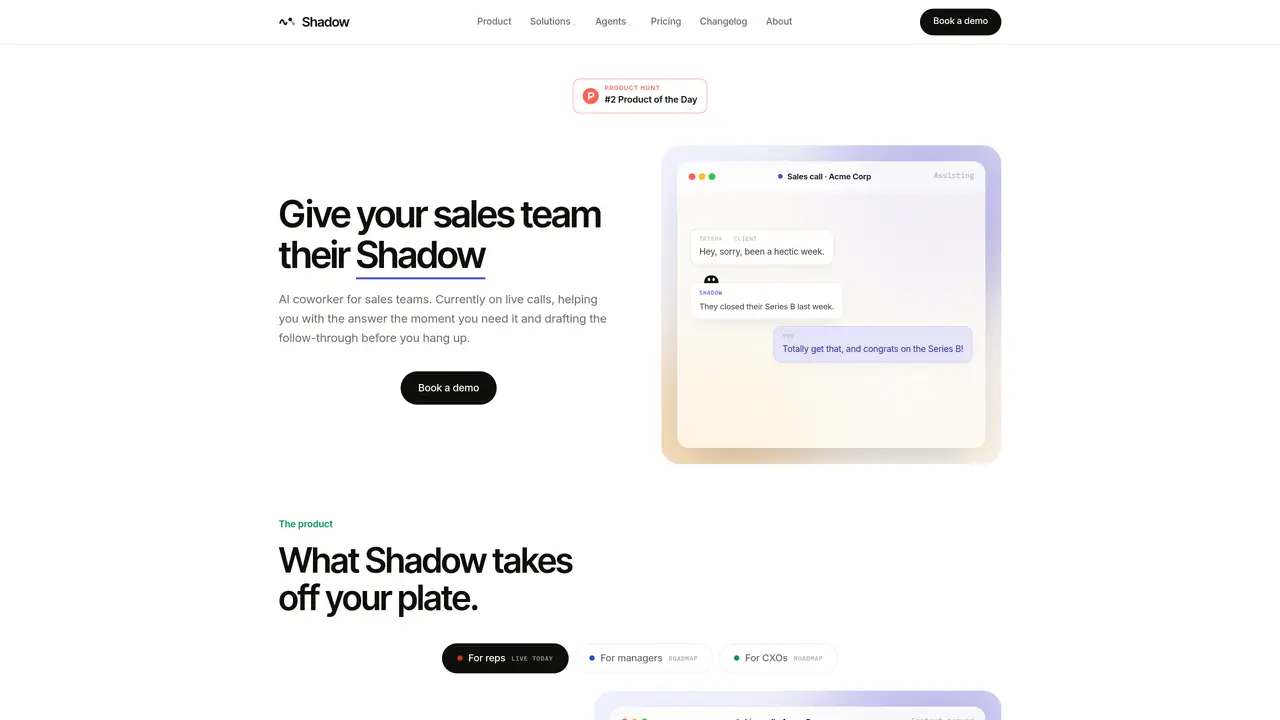
Shadow is a native macOS application designed to serve as the primary interface for AI by capturing and processing on-screen activity and meeting audio in real time. It operates unobtrusively in the background, automatically detecting online meetings across platforms such as Zoom, Google Meet, Microsoft Teams, Webex, Slack huddles, and Discord without joining as a participant or requiring calendar integration. The tool records both spoken dialogue and on-screen content, enabling comprehensive documentation of meetings and presentations. Transcription and speaker identification are handled locally on the user’s Mac by default, ensuring sensitive conversations remain private and under the user’s control. For AI-driven features like summaries or custom outputs, users can optionally trigger cloud-based AI models, maintaining a balance between performance and privacy. Shadow’s system-level integration allows it to capture context that traditional meeting bots or manual note-taking tools often miss, such as screen content and non-verbal cues. It is particularly suited for professionals who prioritize privacy, accuracy, and seamless integration into their existing workflows. The app’s customizable prompts enable users to generate tailored outputs, such as notes, emails, or summaries, directly from the captured meeting data.
Shadow is a native macOS app that captures meetings and screen content without joining as a participant, transcribing audio locally and generating notes or summaries based on customizable prompts.
Shadow is designed for professionals who need accurate, private meeting records, particularly sales teams and other roles that rely on real-time context and follow-up actions.
Shadow processes transcription locally by default and only uses cloud AI models when explicitly triggered, ensuring sensitive conversations remain under user control.
Yes, Shadow auto-detects meetings in Zoom, Google Meet, Microsoft Teams, Webex, Slack huddles, Discord, and similar platforms without requiring calendar integration.
No, Shadow operates at the system level to capture meetings without appearing as a bot or participant, ensuring seamless and unobtrusive recording.
Shadow is a native macOS app that requires installation and permission to access system audio and screen content for meeting capture and transcription.
shadowlabs.ai · third-party estimates from Similarweb
Last 4 months · grows by one month every month
Share of visits · estimated visits
Chatbots & Assistants · Sep 2026
Traffic figures are third-party estimates, good for scale and trends; they can differ from a company's own numbers. Updated monthly.
We use essential cookies to run aitoolnavio™, and optional cookies to analyze traffic and measure our marketing. You choose what we use — optional cookies stay off unless you turn them on. See our Privacy Policy.
One short email a week: fresh tools worth trying, honest takes and the updates that actually matter. No spam, unsubscribe any time.
AI-powered video messaging tool that records, shares, and manages video messages with AI-generated titles, summaries, and tasks.
Hardware device that records conversations and converts them into searchable transcripts, summaries, and notes.
Automate transcription, generate summaries, identify speakers, and timestamps for video-conferencing conversations.
AI-powered meeting recorder and summarizer that captures, transcribes, and generates actionable insights from conversations.
Automatically record, transcribe, take notes, and create summaries with key insights during meetings.
Transforms audio/video to summarized text, instantly, across platforms.
Automatically transcribe meetings, create summaries, and securely store audio files in a searchable format.
Automatically turn meetings into searchable notes and tasks.
Wearable AI device that captures conversations and meetings, then auto-generates transcripts, summaries, action items, mind maps, and searchable notes.
Record, transcribe, and share key insights from virtual trainings, online meetings, and content creation.
Record, transcribe, and summarize online meetings from Google Meet and Zoom with AI, then share insights across collaboration tools.
Transform audio/video to text with precision, supporting 1500+ platforms, enriched by AI features.
Matched on what this tool does — grouped by the job you would be replacing.
matches Bot-free meeting capture · Local transcription and speaker identification · Automatically record Mac meetings
Automatically record, transcribe, take notes, and create summaries with key insights during meetings.
AI meeting notetaker that records, transcribes, and summarizes calls with CRM and workflow integrations.
A bot-free AI note taker that records meetings, generates transcripts, summaries, and action items, and syncs notes to CRMs in 100+ languages.
MacOS app that automatically captures, summarizes conversations, and generates follow-up tasks with AI.
matches Meeting Skills for instant outputs · Action Skills, Quick Access, and voice input · Ask and live in-meeting assistant
matches Ask and live in-meeting assistant · Flexible Skills system
Automatically turn meetings into searchable notes and tasks.
Avoma automates meeting prep, captures conversations, generates meeting notes, highlights, and action items.
Record, transcribe, summarize Zoom calls, sync notes to CRM for efficient follow-up.
Generate meeting summaries, capture and share insights, access vital information for data-driven decisions.
Boost productivity with macOS and AI integration.
AI meeting copilot that transcribes calls locally and streams answers in a floating panel