AI-powered video messaging tool that records, shares, and manages video messages with AI-generated titles, summaries, and tasks.
16M visits/mo-3.4%#5 Chatbots & Assistants

AI meeting copilot that transcribes calls locally and streams answers in a floating panel
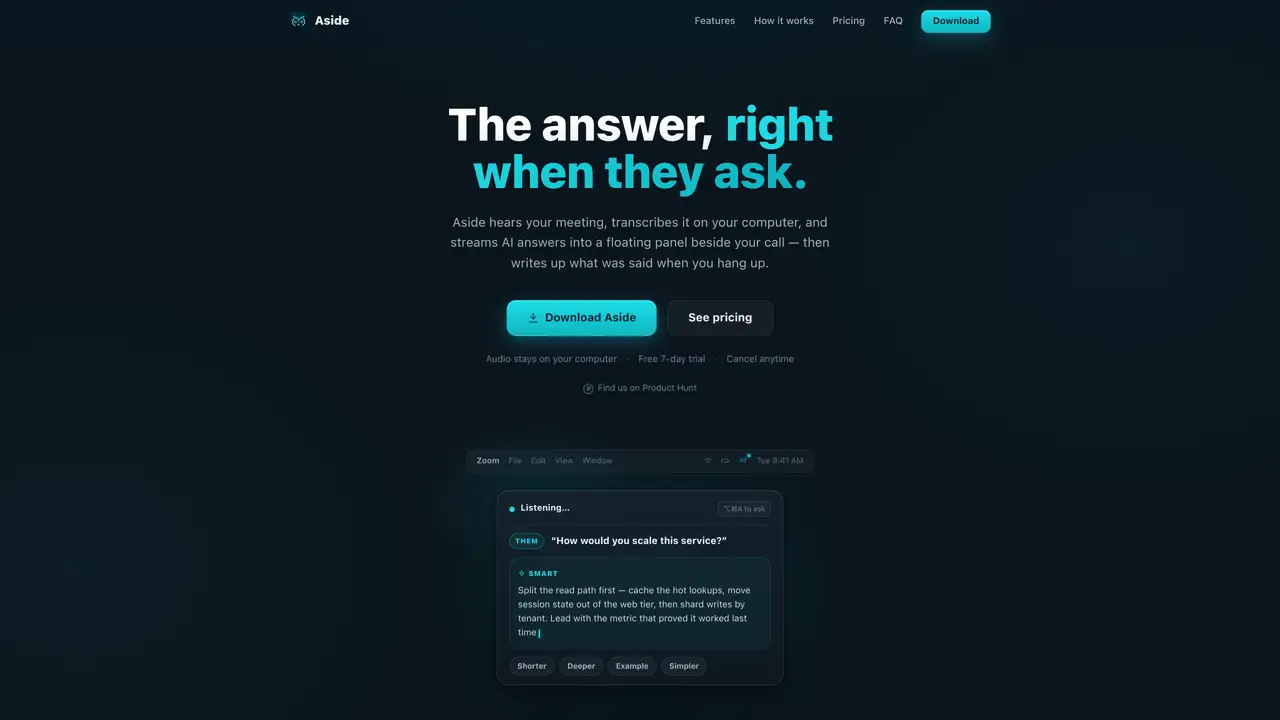
Aside is a desktop application that acts as an AI meeting copilot for macOS and Windows. It listens to meetings via the computer’s microphone or system audio, transcribing speech in real time using a local Whisper model with three speed/accuracy tiers. The tool streams AI-generated answers—powered by Claude models—into a floating panel beside the call, responding to detected questions without requiring the user to leave the meeting interface. It supports English and Spanish, and offers three answer models: Fast, Smart, and Pro. Aside captures and tags speaker lines as You or Them, ensuring context-aware responses. A Screen Assist feature allows users to capture and query on-screen content such as spreadsheets or documents mid-meeting. After each session, Aside generates an AI wrap-up including an overview, key questions, action items, and a draft follow-up email. The application operates entirely on-device, with audio never uploaded to the cloud, and only minimal data sent to generate answers.
An answer is any AI response generated by Aside, including detected-question answers, on-demand Ask-anything replies, Screen Assist results, or refinements like Shorter, Deeper, or Simpler. On-device transcription does not count against the answer cap.
Aside works with any meeting app your computer can hear, such as Zoom, Google Meet, Microsoft Teams, Webex, or phone bridges. It listens via microphone or system audio without requiring browser extensions or bots to join calls.
By default, Aside transcribes audio entirely on-device using a local Whisper model, and your audio is never uploaded. Cloud transcription is available as an optional setting for PCs that cannot keep up with local processing, but it is off by default and audio is transcribed and discarded without storage.
Aside keeps your meeting audio on your computer and does not record to the cloud or store conversations on its servers. Only the detected question, a short transcript excerpt, or screen capture—when used—are sent to generate answers, and these are not retained.
Yes, Aside allows users to feed it custom vocabulary such as résumés or notes to improve transcription accuracy for names, products, and acronyms. Answer style presets and configurable hotkeys are also available for personalization.
If your PC lacks sufficient GPU acceleration, Aside may drop parts of the conversation. In this case, you can enable cloud transcription in settings, which is off by default. This feature transcribes audio on demand and discards it immediately without storage.
We use essential cookies to run aitoolnavio™, and optional cookies to analyze traffic and measure our marketing. You choose what we use — optional cookies stay off unless you turn them on. See our Privacy Policy.
One short email a week: fresh tools worth trying, honest takes and the updates that actually matter. No spam, unsubscribe any time.
AI-powered video messaging tool that records, shares, and manages video messages with AI-generated titles, summaries, and tasks.
Hardware device that records conversations and converts them into searchable transcripts, summaries, and notes.
Automate transcription, generate summaries, identify speakers, and timestamps for video-conferencing conversations.
AI-powered meeting recorder and summarizer that captures, transcribes, and generates actionable insights from conversations.
Automatically record, transcribe, take notes, and create summaries with key insights during meetings.
Transforms audio/video to summarized text, instantly, across platforms.
Automatically transcribe meetings, create summaries, and securely store audio files in a searchable format.
Automatically turn meetings into searchable notes and tasks.
Wearable AI device that captures conversations and meetings, then auto-generates transcripts, summaries, action items, mind maps, and searchable notes.
Record, transcribe, and share key insights from virtual trainings, online meetings, and content creation.
Record, transcribe, and summarize online meetings from Google Meet and Zoom with AI, then share insights across collaboration tools.
Transform audio/video to text with precision, supporting 1500+ platforms, enriched by AI features.
Matched on what this tool does — grouped by the job you would be replacing.
matches Real-time transcription with local Whisper model · Floating panel for streaming AI answers · Screen Assist for querying on-screen content
Captures audio and screen locally, transcribes with speaker separation, and generates private AI summaries without cloud dependency.
Mac call assistant that transcribes calls privately and suggests replies
Local-first AI assistant for Mac that captures notes, transcribes meetings, and provides context-aware chat
Real-time AI overlay for live calls that provides live guidance and automatic recaps
matches AI wrap-ups with action items and email drafts
A bot-free AI note taker that records meetings, generates transcripts, summaries, and action items, and syncs notes to CRMs in 100+ languages.
AI note-taking and meeting transcription app that records audio, generates transcripts, summaries, and action items.
AI meeting assistant that transcribes calls, generates summaries, action items, and follow-up emails for teams.
Automatically record Mac meetings, generate notes and follow-ups.