

Automate customer service, track interactions, gather insights for improving customer support performance.
5.2M visits/mo-12.1%#17 Chatbots & Assistants
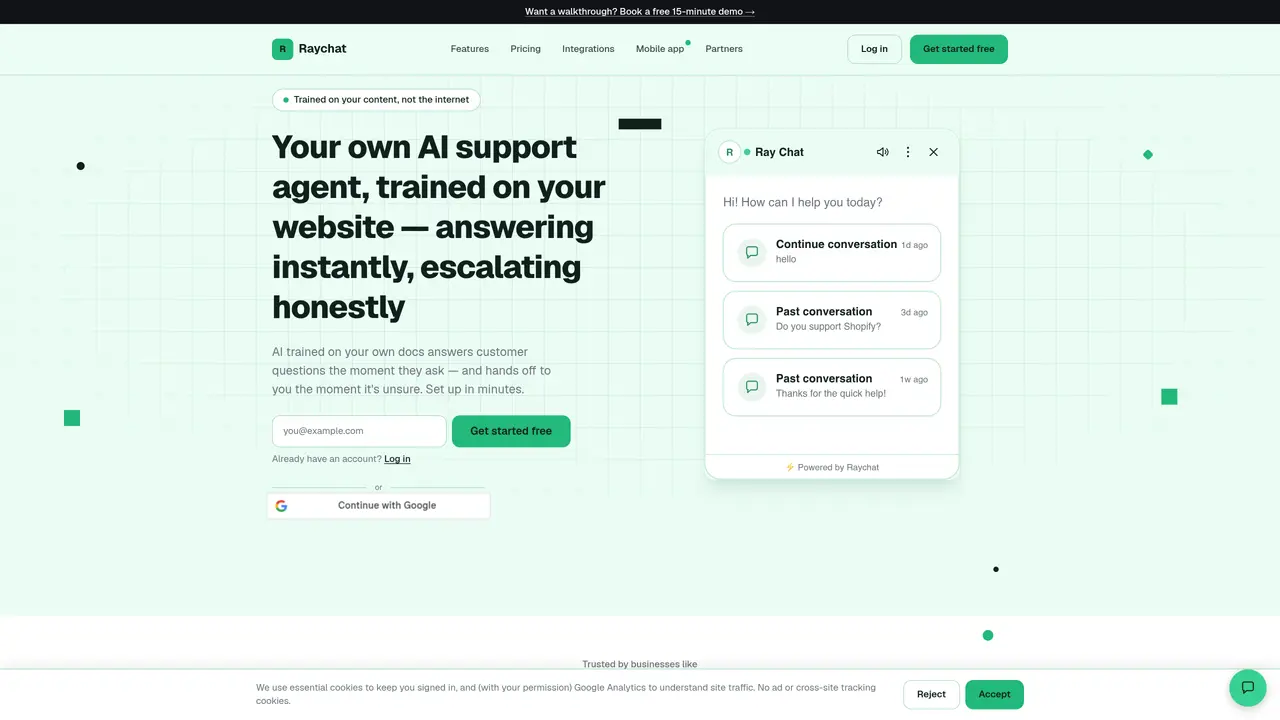
Raychat provides an AI support agent that answers visitor questions on a website using only the site’s own documentation, FAQs, or uploaded files. It integrates as a live chat widget and can respond instantly when confident or escalate to a human agent when unsure. The tool captures leads automatically when agents are offline and offers analytics such as traffic trends, top pages, and visitor geography. It supports appointment booking links, multi-language widgets, and branded chat interfaces. Users can upload documents or sitemaps to train the AI, and the system includes features like CSAT tracking, team collaboration tools, and department-based organization. The platform is designed for businesses of various sizes, from small teams to high-traffic sites, with flat-rate pricing and no usage-based billing.
The AI only answers questions when it is confidently grounded in the uploaded documentation or FAQs. If it encounters a question outside its trained content, it automatically escalates the conversation to a human agent in the same chat thread.
Setup typically takes just a few minutes. Users need to add a single script tag to their website for live chat functionality, then upload documents or FAQs to enable the AI answering feature.
Yes. Passwords are hashed and never stored in plain text. Chat and knowledge-base data are not sold, and analytics are pseudonymized without tying raw IP addresses to individual visitors.
Yes, users can upgrade or downgrade their plan at any time to better suit their requirements.
Yes, Raychat works on any website with a single script tag and does not require platform-specific integration. It supports platforms like Shopify, WordPress, Wix, Webflow, and Squarespace.
Raychat offers built-in analytics including traffic trends, top pages, visitor geography, and real-time visitor tracking. Users can see pageviews, unique visitors, and session history directly in the dashboard.
We use essential cookies to run aitoolnavio™, and optional cookies to analyze traffic and measure our marketing. You choose what we use — optional cookies stay off unless you turn them on. See our Privacy Policy.
One short email a week: fresh tools worth trying, honest takes and the updates that actually matter. No spam, unsubscribe any time.
Automate customer service, track interactions, gather insights for improving customer support performance.
Web-based CRM that unifies WhatsApp, Instagram, email, and calls into one inbox for sales teams to manage leads and automate conversations.
Automate support, target customers, gather insights – all with AI-powered tools.
Automate tailored conversations, analyze customer behavior, and automate lead gen, customer service, and sales.
Real-time customer support with personalized service, accessible through a mobile app.
Automate review requests, analyze sentiment, and monitor ratings with a streamlined dashboard for improved customer feedback.
AI-powered lead generation and customer communication platform for local businesses to capture, respond to, and convert leads across text, email, web chat, and calls.
Gorgias is an AI-driven Ecommerce customer experience enhancer that integrates major platforms.
Unify communication channels, automate customer service, track customer inquiries with advanced analytics.
Identify pain points, generate reports, and monitor customer sentiment in real-time.
Automate customer responses, personalize messages, and create an AI-powered chatbot for 24/7 customer service.
Automatically summarize chat transcripts, comprehend key components, and accelerate transcript analysis.
Matched on what this tool does — grouped by the job you would be replacing.
Paid placement · similar tools from listings that support aitoolnavio™
Instant lead response for home-service pros: your phone rings on every new lead, plus 14 days of follow-up
matches Trained on uploaded docs, FAQs, or website URLs · Confidence-gated escalation to human agents · Automatic lead capture and email collection
An AI customer support platform that deploys website agents trained on internal content to automate 24/7 customer conversations and escalate to humans.
AI chat assistant for businesses that answers questions, books appointments and escalates to humans
AI chat agent for websites that answers visitor questions from provided content
AI agent that answers visitor questions using your website content with citations