AI-powered video messaging tool that records, shares, and manages video messages with AI-generated titles, summaries, and tasks.
16M visits/mo-3.4%#5 Chatbots & Assistants

AI meeting productivity suite that transcribes live conversations and converts them into requirement docs, decision logs, and Linear/Jira tickets for product teams.
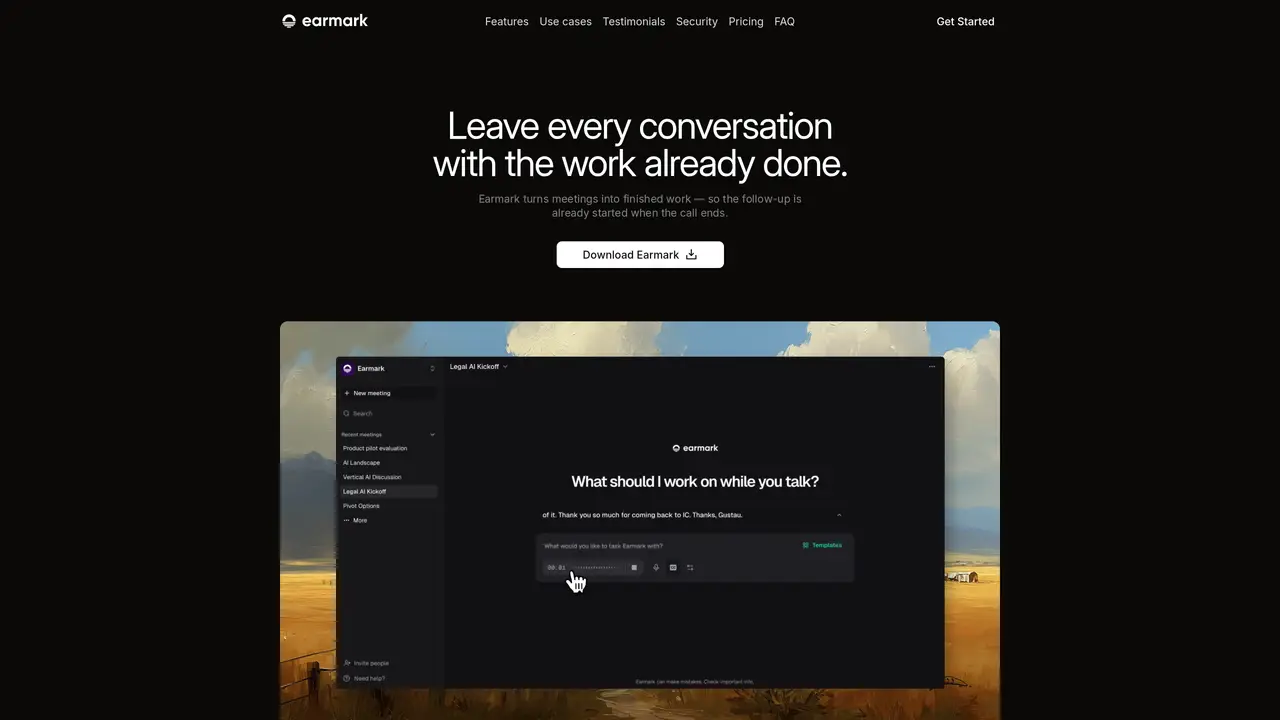
Earmark is a productivity suite designed for product and cross-functional teams that listens to meetings in real time and converts discussions into structured outputs and deliverables. The tool captures decisions, owners, risks, constraints, and next steps during live meetings, then drafts requirement documents, decks, stakeholder updates, and decision logs without manual note-taking. It integrates with Linear and Jira to generate and push drafted issues—including titles, descriptions, and acceptance criteria—before meetings conclude. Earmark supports Zoom, Google Meet, Microsoft Teams, and in-person sessions without requiring bots or complex setup, enabling seamless handoffs during calls by producing Cursor-ready specs, code prompts, and v0-ready UI components. The platform emphasizes security with AES-256 encryption at rest and TLS 1.2+ in transit, alongside configurable retention controls. Unlike generic summarization tools, Earmark uses parallel agents to translate jargon and convert live discussions into actionable artifacts tailored for execution workflows.
Earmark listens to live meetings in real time and captures decisions, owners, risks, constraints, and next steps as they are discussed. It generates structured deliverables such as requirement documents, Linear or Jira tickets, and code prompts without manual note-taking.
Earmark is designed for product and cross-functional teams, including product managers, engineers, and stakeholders who need to turn meeting discussions into actionable artifacts and reduce administrative overhead.
Yes, Earmark integrates with Linear and Jira to automatically generate and push drafted issues, including titles, descriptions, and acceptance criteria, directly from meeting conversations.
Earmark emphasizes security with AES-256 encryption at rest and TLS 1.2+ in transit. It offers configurable retention controls and ensures customer data is not used to train AI models, with options for strict security postures per meeting or workspace.
Earmark supports Zoom, Google Meet, Microsoft Teams, and in-person sessions without requiring bots or complex setup, making it compatible with most common meeting tools.
To get started, download the Earmark app from their website, launch it, and begin using it in your meetings. The tool works directly within supported platforms or in-person sessions with minimal setup required.
tryearmark.com · third-party estimates from Similarweb
Last 4 months · grows by one month every month
Share of visits · estimated visits
Chatbots & Assistants · Sep 2026
Traffic figures are third-party estimates, good for scale and trends; they can differ from a company's own numbers. Updated monthly.
We use essential cookies to run aitoolnavio™, and optional cookies to analyze traffic and measure our marketing. You choose what we use — optional cookies stay off unless you turn them on. See our Privacy Policy.
One short email a week: fresh tools worth trying, honest takes and the updates that actually matter. No spam, unsubscribe any time.
AI-powered video messaging tool that records, shares, and manages video messages with AI-generated titles, summaries, and tasks.
Hardware device that records conversations and converts them into searchable transcripts, summaries, and notes.
Automate transcription, generate summaries, identify speakers, and timestamps for video-conferencing conversations.
AI-powered meeting recorder and summarizer that captures, transcribes, and generates actionable insights from conversations.
Automatically record, transcribe, take notes, and create summaries with key insights during meetings.
Transforms audio/video to summarized text, instantly, across platforms.
Automatically transcribe meetings, create summaries, and securely store audio files in a searchable format.
Automatically turn meetings into searchable notes and tasks.
Wearable AI device that captures conversations and meetings, then auto-generates transcripts, summaries, action items, mind maps, and searchable notes.
Record, transcribe, and share key insights from virtual trainings, online meetings, and content creation.
Record, transcribe, and summarize online meetings from Google Meet and Zoom with AI, then share insights across collaboration tools.
Transform audio/video to text with precision, supporting 1500+ platforms, enriched by AI features.
Matched on what this tool does — grouped by the job you would be replacing.
matches Real-time transcription of meetings · Structured outputs for decisions, owners, risks, and next steps · Automatic drafting of requirement docs, decision logs, and stakeholder updates
AI meeting assistant that records, transcribes, and summarizes meetings while tracking action items and syncing updates to tools like Zoom, Teams, Jira, and Salesforce.
AI meeting assistant that transcribes calls, generates summaries, action items, and follow-up emails for teams.
AI meeting assistant that transcribes, translates, and summarizes conversations in real time across 74+ languages with structured outputs like slides and spreadsheets.
MacOS app that automatically captures, summarizes conversations, and generates follow-up tasks with AI.
matches Automatic drafting of requirement docs, decision logs, and stakeholder updates · Linear and Jira ticket creation with drafted issues
AI sales assistant that listens during calls, answers product questions, takes notes, and updates CRM records in real time.
AI CRM that automatically joins calls, writes notes, and updates pipelines for solopreneurs and small sales teams.