AI-powered video messaging tool that records, shares, and manages video messages with AI-generated titles, summaries, and tasks.
16M visits/mo-3.4%#5 Chatbots & Assistants

Chrome-based AI tool that transcribes web meetings, identifies speakers, and generates actionable tasks with pay-per-use billing.
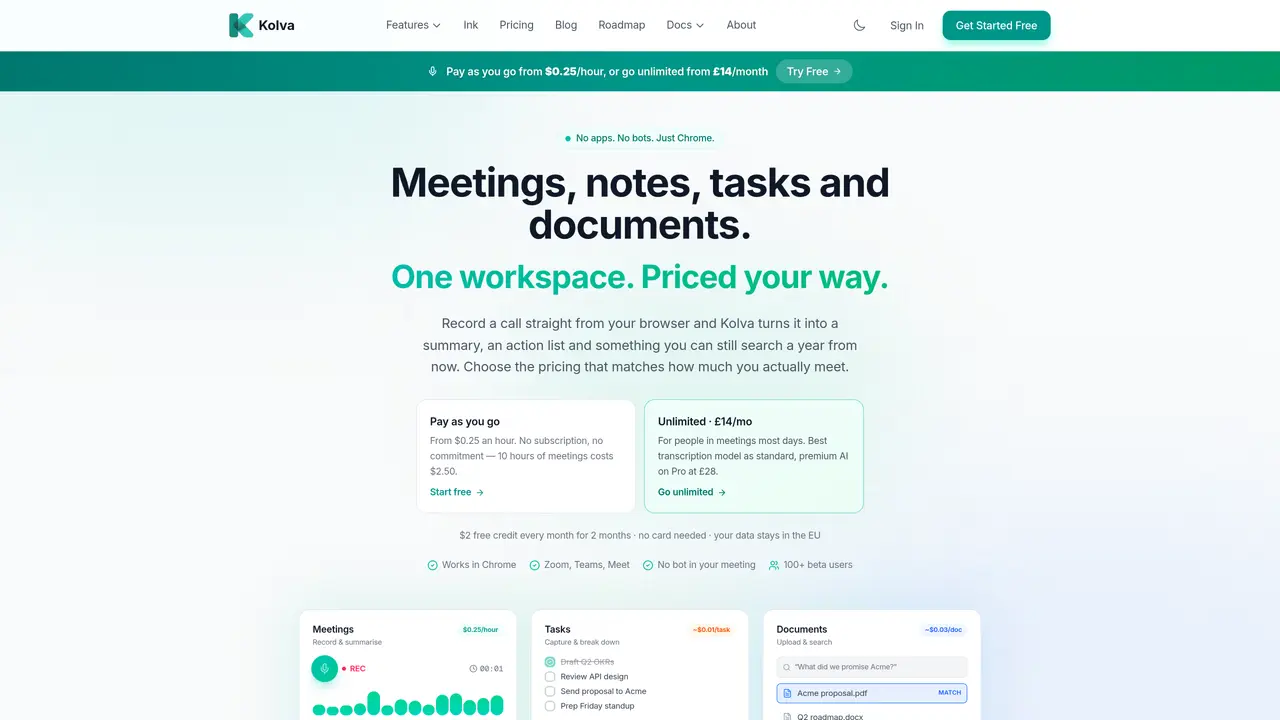
Kolva is a Chrome-based AI productivity tool designed to streamline post-meeting workflows by transcribing live web meetings on platforms like Zoom, Teams, and Google Meet. The tool automatically generates transcripts, speaker-identified summaries, and actionable task lists without requiring installations or bots in meetings. Beyond transcription, Kolva offers AI-powered task management to break down goals into structured steps, smart document handling for uploading and searching PDFs, and secure storage with PIN-protected vaults. Users can interact with meeting content through AI search, retrieving answers from past discussions or documents. The workspace consolidates meetings, notes, tasks, and documents into a single interface, enabling efficient follow-up and long-term reference. Kolva’s pricing model allows users to pay only for the features they use, such as per-minute transcription or per-query AI searches, with an optional unlimited plan for frequent meeting attendees. The tool emphasizes data privacy, ensuring all content remains within EU servers and is not used for training models. Designed for professionals who rely on virtual meetings, Kolva reduces manual note-taking and accelerates post-meeting actionability through automated workflows.
Kolva is an AI-powered productivity tool that records and transcribes live web meetings in real time, generating summaries, action items, and structured tasks directly in Chrome. It also enables document search and AI-powered task management within a unified workspace.
Kolva is designed for professionals who participate in frequent virtual meetings and need automated note-taking, structured task follow-ups, and searchable meeting records without manual effort.
Kolva offers a pay-as-you-go model where users are billed per minute of transcription, per task generated, or per AI query processed. There is also an unlimited plan for users who meet regularly.
No, Kolva works entirely within the Chrome browser without requiring installations or extensions, and it does not use bots in meetings.
Kolva supports integrations with email and Claude MCP, among others, and is designed to work seamlessly with meeting platforms like Zoom, Teams, and Google Meet.
Users can start for free by signing up on kolva.io, which provides initial credits to explore features. No credit card is required to begin, and users can choose between pay-as-you-go or unlimited plans based on their needs.
kolva.io · third-party estimates from Similarweb
Last 3 months · grows by one month every month
Traffic figures are third-party estimates, good for scale and trends; they can differ from a company's own numbers. Updated monthly.
We use essential cookies to run aitoolnavio™, and optional cookies to analyze traffic and measure our marketing. You choose what we use — optional cookies stay off unless you turn them on. See our Privacy Policy.
One short email a week: fresh tools worth trying, honest takes and the updates that actually matter. No spam, unsubscribe any time.
AI-powered video messaging tool that records, shares, and manages video messages with AI-generated titles, summaries, and tasks.
Hardware device that records conversations and converts them into searchable transcripts, summaries, and notes.
Automate transcription, generate summaries, identify speakers, and timestamps for video-conferencing conversations.
AI-powered meeting recorder and summarizer that captures, transcribes, and generates actionable insights from conversations.
Automatically record, transcribe, take notes, and create summaries with key insights during meetings.
Transforms audio/video to summarized text, instantly, across platforms.
Automatically transcribe meetings, create summaries, and securely store audio files in a searchable format.
Automatically turn meetings into searchable notes and tasks.
Wearable AI device that captures conversations and meetings, then auto-generates transcripts, summaries, action items, mind maps, and searchable notes.
Record, transcribe, and share key insights from virtual trainings, online meetings, and content creation.
Record, transcribe, and summarize online meetings from Google Meet and Zoom with AI, then share insights across collaboration tools.
Transform audio/video to text with precision, supporting 1500+ platforms, enriched by AI features.
Matched on what this tool does — grouped by the job you would be replacing.
matches Transcribes live web meetings (Zoom, Teams, Meet) with speaker identification · Generates summaries and extracts action items automatically · Real-time transcription with speaker differentiation
Automate transcription, generate summaries, identify speakers, and timestamps for video-conferencing conversations.
AI meeting assistant that transcribes calls, generates summaries, action items, and follow-up emails for teams.
Automatically transcribes meetings, identifies speakers, and generates structured notes, action items, and follow-up emails without manual input.
Chrome extension that records, transcribes and summarizes meetings in Google Meet, Zoom Web and Teams
matches AI-powered task breakdown and focus planning · Actionable follow-up tasks from meeting transcripts
AI notetaker for sales and customer success teams that records meetings, transcribes with speaker ID, generates summaries and action items, and syncs insights to CRM.
Avoma automates meeting prep, captures conversations, generates meeting notes, highlights, and action items.