Discover personalized fashion, receive expert advice, and enjoy convenient shopping with free shipping and returns.
6.8M visits/mo+15.2%#5 Lifestyle & Education

AI assistant that integrates with Microsoft 365 to automate tasks and enhance productivity across Word, Excel, PowerPoint, Outlook, and Teams.
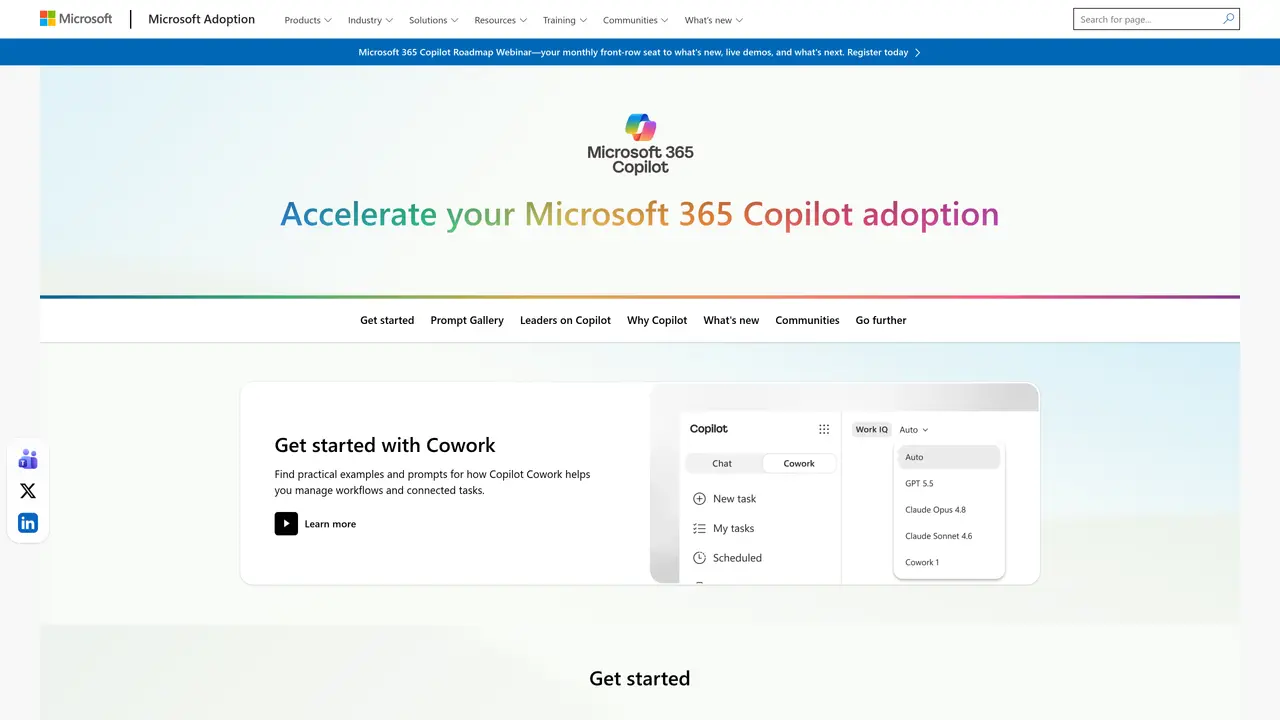
Copilot for Microsoft 365 is an AI-powered assistant designed to integrate natively with Microsoft 365 applications such as Word, Excel, PowerPoint, Outlook, and Teams. It leverages large language models to transform natural language prompts into actionable tasks, enabling users to automate repetitive processes, generate content, and analyze data directly within familiar Microsoft tools. By analyzing organizational data, Copilot provides real-time suggestions, drafts documents, summarizes emails, and assists with data analysis, reducing manual effort and accelerating workflows. The tool is built for teams and enterprises that rely on Microsoft 365, offering features tailored to enhance collaboration, decision-making, and operational efficiency. Its adaptability allows organizations to customize workflows and integrate additional plugins, making it suitable for a wide range of roles including executives, project managers, content creators, and IT professionals. Copilot operates within Microsoft’s security framework, ensuring data protection while delivering consistent performance across the suite. Training resources and tutorials are available to help users maximize its capabilities, from basic setups to advanced automation scenarios.
Microsoft
Redmond, United States · Founded 1975
Copilot for Microsoft 365 is an AI-powered assistant integrated into Microsoft 365 applications like Word, Excel, PowerPoint, Outlook, and Teams. It uses large language models to transform natural language prompts into tasks such as content generation, data analysis, and workflow automation.
The tool is designed for teams and enterprises that rely on Microsoft 365, including executives, project managers, content creators, IT professionals, and other roles seeking to enhance collaboration, decision-making, and efficiency.
Copilot analyzes organizational data and user prompts to provide real-time suggestions, draft documents, summarize emails, and assist with data analysis directly within Microsoft 365 applications. It adapts to workflows and can integrate additional plugins.
Copilot for Microsoft 365 requires a Microsoft 365 subscription. Specific pricing and licensing details are determined by Microsoft and may vary based on organizational needs and plans.
Yes, it supports integration with additional plugins and can be customized to fit existing workflows within the Microsoft ecosystem.
Users can start by accessing Copilot within their Microsoft 365 applications. Microsoft provides training resources, tutorials, and guides to help users maximize its capabilities from basic setups to advanced automation scenarios.
We use essential cookies to run aitoolnavio™, and optional cookies to analyze traffic and measure our marketing. You choose what we use — optional cookies stay off unless you turn them on. See our Privacy Policy.
One short email a week: fresh tools worth trying, honest takes and the updates that actually matter. No spam, unsubscribe any time.
Discover personalized fashion, receive expert advice, and enjoy convenient shopping with free shipping and returns.
Personal assistant that coordinates tasks across apps and devices via text or call
Quickly narrow searches by category, control results by country or language, and find relevant, accurate results with ease.
Optimizes schedules by auto-organizing tasks and meetings.
AI assistant that drafts, reviews, and researches legal documents for lawyers and law firms.
Real-time task tracking, project management, collaboration, and task assignment.
An AI voice assistant that delivers emotionally intelligent, context-aware conversations with natural timing and personal engagement.
Identify technologies, analyze data, and refine search criteria with AI-powered tools for patent research and trend analysis.
Automate audio and video transcription, timestamps, speaker labels, diarization, and export with customizations.
An AI chat platform for immersive, personalized interactions with virtual companions, including image generation.
Customer relations assistant in Gmail
AI-driven app personalizing adaptive workouts for continuous improvement.
Matched on what this tool does — grouped by the job you would be replacing.
matches Real-time AI assistance within Microsoft 365 apps · Automates repetitive tasks and content generation · Seamless integration with Word, Excel, PowerPoint, Outlook, and Teams
Automate office tasks, content creation, and communication with AI efficiency.
Automate recurring reminders, processes, and data integration from multiple sources.
matches Automates repetitive tasks and content generation · Natural language processing for task execution · Data analysis and summarization capabilities
matches Automates repetitive tasks and content generation · Customizable workflows and plugin support · Scalable for organizations of all sizes
Generate content, correct spelling, suggest synonyms to enhance writing.
AI-powered writing tool for paraphrasing, summarizing, and enhancing writing effortlessly.
Automate email creation, transform bullet points into well-written prose, and personalize emails with AI-learned writing styles.
Automate tasks, use ML, computer vision, NLP, gain insights with analytics, and store data securely.
Enterprise AI framework that securely connects data, automates workflows, and assists decision-making across operations.