Summarizes, extracts, and rewrites content from files.
89M visits/mo+8.7%#2 Productivity & Office
AI-powered workspace and Word editor that drafts, reviews, and analyzes legal documents directly within Microsoft Word and cloud storage.
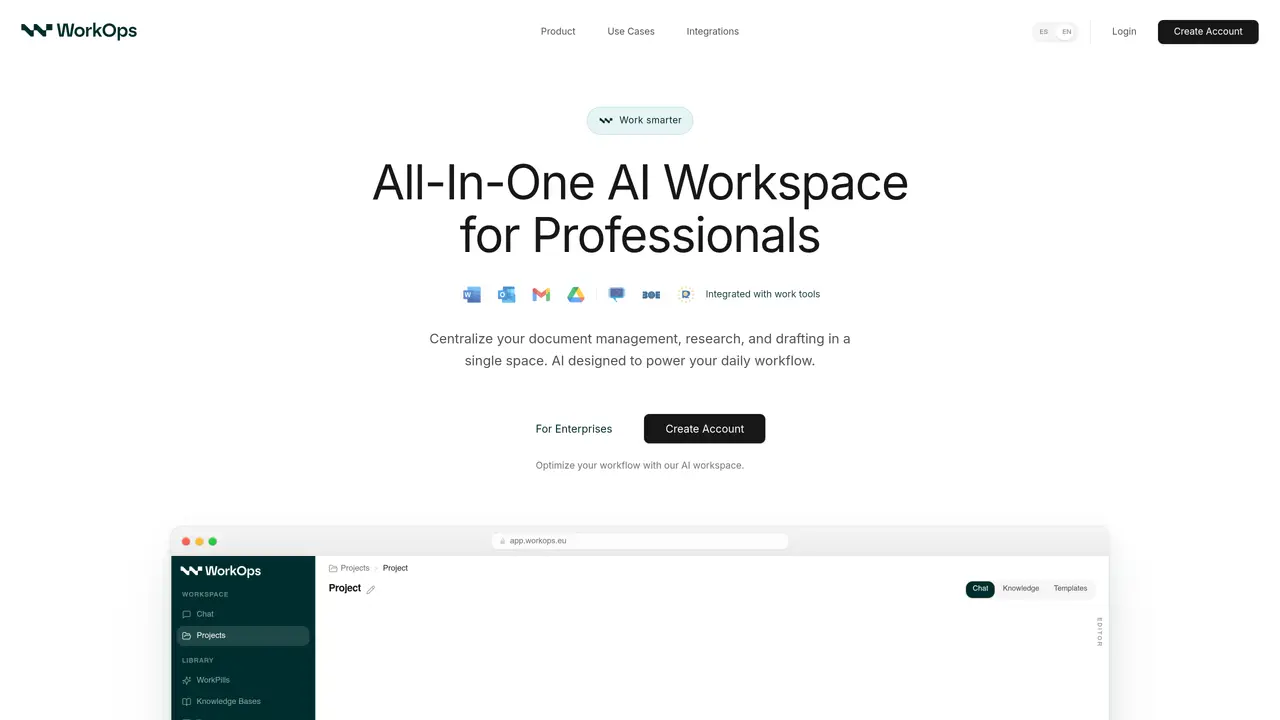
WorkOps is an AI-powered workspace and Microsoft Word editor that embeds generative and analytical AI directly into document workflows. The platform centralizes drafting, legal research, clause-level review, and document intelligence within familiar tools such as Microsoft Word, Google Drive, SharePoint, and Outlook. By automating repetitive extraction and analysis tasks, WorkOps accelerates document creation while providing grounded legal research and compliance checks. It is specifically designed for legal teams and document-heavy professionals who require faster, more accurate, and customizable AI assistance without disrupting existing workflows. The tool streamlines document creation, review, and management by integrating seamlessly into platforms already in use, reducing context switching and improving efficiency in complex workflows. WorkOps focuses on enhancing productivity by combining AI-driven insights with practical document handling, ensuring users can work more effectively within their established environments. It aims to bridge the gap between traditional document management and modern AI capabilities, making advanced tools accessible to professionals who rely on structured, compliant, and efficient document processes.
WorkOps is an AI-powered workspace and Microsoft Word editor that embeds generative and analytical AI into document workflows. It centralizes drafting, legal research, clause-level review, and document intelligence across connected tools.
WorkOps is designed for legal teams and document-heavy professionals who need faster, more accurate, and customizable AI assistance without leaving their existing applications.
WorkOps integrates directly into Microsoft Word, Drive, SharePoint, Outlook, and other document platforms to streamline workflows and reduce context switching.
Yes, WorkOps automates repetitive extraction and analysis tasks, speeding up drafting and improving efficiency in document creation and review.
Yes, WorkOps offers grounded legal research and compliance checks as part of its document intelligence features.
To get started, visit the WorkOps website to learn more about its features and integration options, then follow the setup instructions for your preferred document platforms.
We use essential cookies to run aitoolnavio™, and optional cookies to analyze traffic and measure our marketing. You choose what we use — optional cookies stay off unless you turn them on. See our Privacy Policy.
One short email a week: fresh tools worth trying, honest takes and the updates that actually matter. No spam, unsubscribe any time.
Summarizes, extracts, and rewrites content from files.
Automate citation and reference management, aid research with text and data mining, and securely store and share documents.
Capture, organize, and share ideas, notes, and documents effortlessly.
Headless CMS that lets developers manage structured content and deliver it anywhere via flexible APIs and real-time collaboration tools.
Efficiently create and manage cases, streamline workflows, securely store and share documents, and collaborate with colleagues.
Access files, collaborate, and secure your data with unbeatable customizable system.
An AI-powered PDF editor and converter for editing, OCR, signing, annotating, merging, and chatting with documents across devices.
Browser-based PDF editor that edits, signs, converts, merges, compresses, and shares files, with AI for form filling, document chat, and PDF creation.
Securely store, access, and search documents from any device with ease.
Create and customize legal documents, consult lawyers, and access legal guides all in one platform.
Centralize brand assets, automate approvals, and collaborate with external partners in a single digital asset management platform.
AI diagramming and documentation tool for engineering teams to create and update cloud architecture, ERDs, and flowcharts from prompts, code, and CI/CD workflows.
Matched on what this tool does — grouped by the job you would be replacing.
matches AI-powered drafting assistance within Microsoft Word · Clause-level review and document intelligence · Integration with Word, Drive, SharePoint, and Outlook
AI assistant that drafts, reviews, and researches legal documents for lawyers and law firms.
AI-powered legal assistant for drafting, reviewing, and streamlining contract workflow with customizable settings.
AI-powered legal research tool that instantly finds evidence for any sentence in a Word document and generates a table of authorities with one click.
AI assistant that integrates with Microsoft 365 to automate tasks and enhance productivity across Word, Excel, PowerPoint, Outlook, and Teams.
matches Grounded legal research and compliance checks · Automated extraction and analysis of document content
matches Centralized workspace for legal and professional document workflows · Customizable AI assistance for legal teams · Speeds up repetitive document tasks
AI legal assistant for research, document analysis and drafting with verifiable sources
AI-powered platform that automates contract review, flags risks, and enforces compliance for legal and business teams.
AI contract review and risk analysis software for legal teams to extract clauses, assess liability, and track obligations faster.
Automate contract analysis, analyze documents and data, gain insights into legal trends and risks.
Revolutionizes legal document management with AI, enhancing drafting, reviewing, and proofreading efficiency.
AI-powered contract drafting and review tool that enhances legal operations with precision and secure document management.
AI assistant for legal, accounting, and SME teams that connects business apps to search documents, automate workflows, and complete tasks from plain English prompts.
AI infrastructure for legal research and document assistance