Discover personalized fashion, receive expert advice, and enjoy convenient shopping with free shipping and returns.
6.8M visits/mo+15.2%#5 Lifestyle & Education

Local AI assistant for Windows and Linux that reads files, views screen content and writes documents entirely
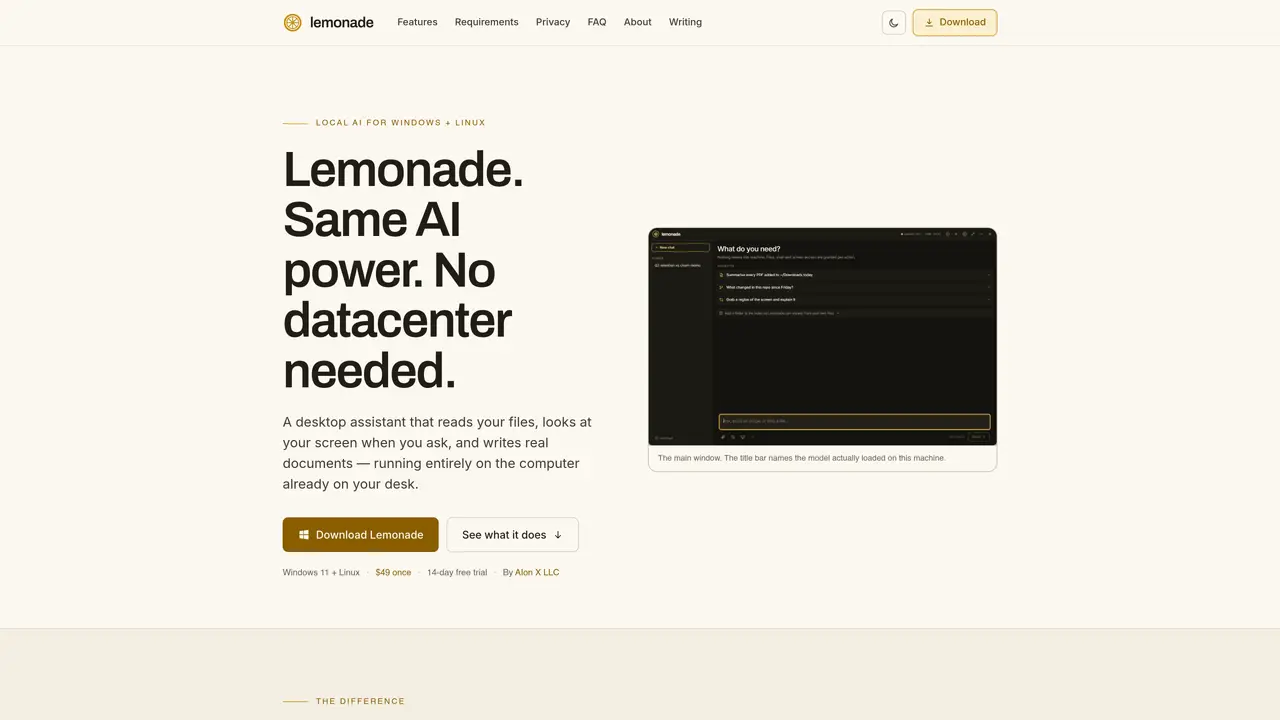
Lemonade is a desktop AI assistant designed to operate entirely on the user’s local machine rather than relying on cloud servers. It indexes files on the user’s computer and can answer questions based on their contents, including tracking changes over time. The tool can capture and analyze screen content by selecting regions or windows, and it generates editable documents such as PDFs, Word files, PowerPoint presentations, and Excel workbooks with real formulas and formatting. All generated content is previewed before being saved, allowing users to review or modify changes line by line. The application integrates with local models via Ollama, automatically selecting and managing models based on available hardware and task requirements. It supports both CPU and GPU processing, with GPU availability enabling larger or more capable models. Lemonade includes optional network features such as web research and mailbox connections, which are permission-gated and only transmit approved requests rather than user files or conversations.
Lemonade is a desktop AI assistant that operates entirely on the user’s local machine, indexing files and answering questions based on their contents without relying on cloud servers. It can capture and analyze screen content, generate editable documents like PDFs or Word files, and integrate with local models via Ollama.
Lemonade is designed for users who prioritize privacy and offline functionality, such as professionals handling sensitive documents or individuals who prefer local processing over cloud-based AI services.
No, Lemonade can run on CPU alone, though a graphics card enables faster performance and the ability to run larger or more capable models.
Yes, Lemonade works offline once models are downloaded. Initial setup requires an internet connection to fetch the runtime and models.
Lemonade can generate real documents such as PDFs, Word files, PowerPoint presentations, and Excel workbooks with actual formulas and formatting.
Lemonade ensures privacy by keeping all files and conversations local; nothing is uploaded to the cloud. Optional network features like web research or mailbox connections are permission-gated and transmit only approved requests.
We use essential cookies to run aitoolnavio™, and optional cookies to analyze traffic and measure our marketing. You choose what we use — optional cookies stay off unless you turn them on. See our Privacy Policy.
One short email a week: fresh tools worth trying, honest takes and the updates that actually matter. No spam, unsubscribe any time.
Discover personalized fashion, receive expert advice, and enjoy convenient shopping with free shipping and returns.
Personal assistant that coordinates tasks across apps and devices via text or call
Quickly narrow searches by category, control results by country or language, and find relevant, accurate results with ease.
Optimizes schedules by auto-organizing tasks and meetings.
AI assistant that drafts, reviews, and researches legal documents for lawyers and law firms.
Real-time task tracking, project management, collaboration, and task assignment.
An AI voice assistant that delivers emotionally intelligent, context-aware conversations with natural timing and personal engagement.
Identify technologies, analyze data, and refine search criteria with AI-powered tools for patent research and trend analysis.
Automate audio and video transcription, timestamps, speaker labels, diarization, and export with customizations.
An AI chat platform for immersive, personalized interactions with virtual companions, including image generation.
Customer relations assistant in Gmail
AI-driven app personalizing adaptive workouts for continuous improvement.
Matched on what this tool does — grouped by the job you would be replacing.
matches Reads and indexes local files for private document search · Generates editable PDF, Word, PowerPoint, and Excel files · Previews changes before saving any document
AI-powered local file search for macOS that indexes documents, media, and other files offline for instant, private retrieval.
Private AI-powered file search for Windows that indexes and retrieves documents, images and notes by meaning
Local document AI for querying PDFs, Markdown, and text files with citations
Windows-only legal AI that indexes case files locally and answers questions without uploading data
matches Runs without an account or API key · Automatically selects appropriate models for different tasks · Manages GPU and RAM resources dynamically
Open-source desktop AI chat app that runs local LLMs offline or connects to cloud providers via API keys.
Runs private AI models entirely on a user’s Mac without cloud dependency
Open-source offline AI agent that runs entirely on your local machine with no cloud dependency.
Desktop AI agent that queries local files and connected apps without cloud processing