Generate content, correct spelling, suggest synonyms to enhance writing.
173M visits/mo+0.1%#1 Productivity & Office

Boost productivity with AI-driven organizing, deep search, and Microsoft integration.
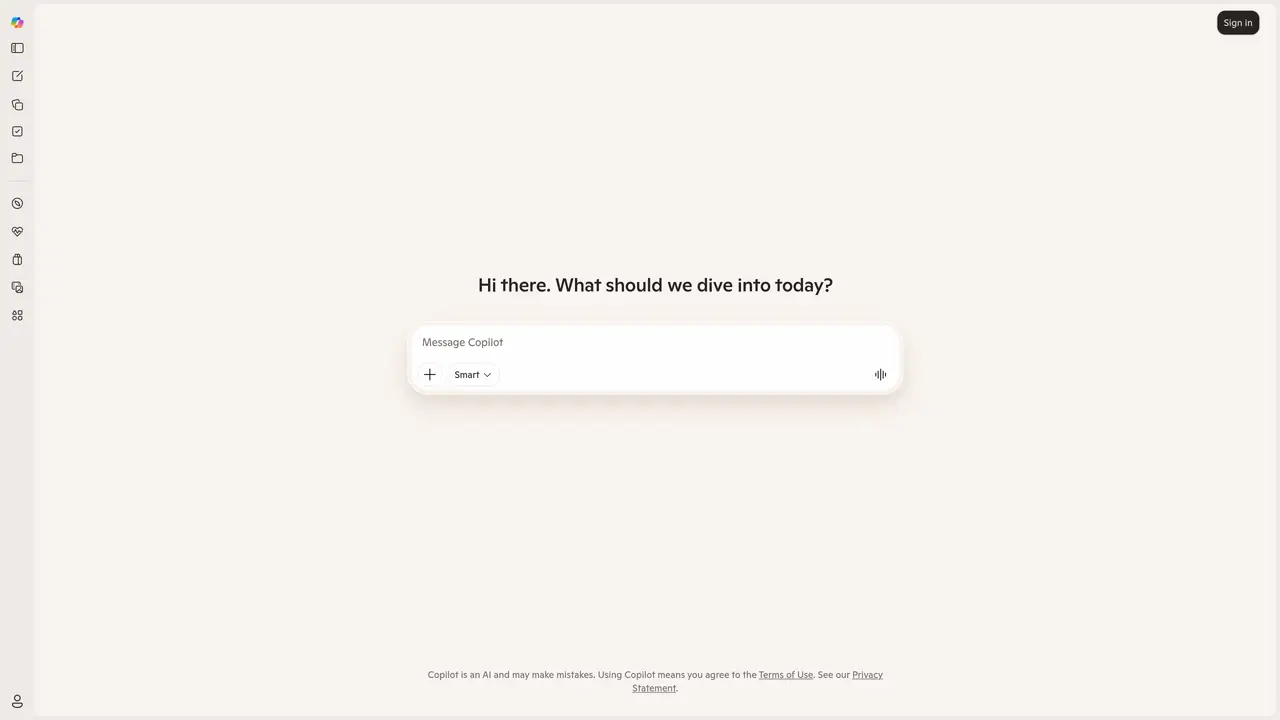
Microsoft Copilot is poised to redefine how we interact with digital workspaces. It’s an everyday AI companion designed to streamline tasks, enhance productivity, and foster innovation. With its deep search capabilities and intuitive notebook features, Microsoft Copilot is tailored for a wide array of users, from professionals seeking to cut down on time-consuming tasks to individuals looking to organize their digital lives more efficiently. The tool’s advanced search capabilities allow users to quickly find the information they need across various platforms and databases. Its AI-driven notebook feature helps in organizing notes, tasks, and reminders efficiently, all powered by AI. Microsoft Copilot seamlessly integrates with various Microsoft products and services, enhancing its utility within the Microsoft ecosystem. This makes it an invaluable tool for users already entrenched in Microsoft products. The tool’s unique features include deep search capabilities, an AI-driven notebook, a user-friendly interface, cross-platform compatibility, and seamless integration with other Microsoft tools. Microsoft Copilot is available through a subscription model, details of which can be found on the official website. A free trial period is offered to let users experience its features firsthand.
Microsoft Corporation
Redmond, Washington, US · Founded 1975
Microsoft Copilot is an AI companion designed to assist with tasks, enhance productivity, and streamline workflows. It integrates with Microsoft products and services to provide intelligent assistance across digital workspaces.
Microsoft Copilot is tailored for professionals, students, and individuals seeking to organize their digital lives, automate tasks, and improve productivity within the Microsoft ecosystem.
Microsoft Copilot seamlessly integrates with various Microsoft products and services, such as Microsoft 365, to enhance functionality and provide a unified experience across platforms.
Microsoft Copilot offers a free trial period for users to experience its features before committing to a subscription. Details about the trial can be found on the official website.
Key features include deep search capabilities, an AI-driven notebook for organizing notes and tasks, a user-friendly interface, cross-platform compatibility, and seamless integration with Microsoft tools.
To get started, visit the official Microsoft Copilot website, sign up for an account, and explore the available features. A free trial is available to help users familiarize themselves with the tool.
We use essential cookies to run aitoolnavio™, and optional cookies to analyze traffic and measure our marketing. You choose what we use — optional cookies stay off unless you turn them on. See our Privacy Policy.
Generate content, correct spelling, suggest synonyms to enhance writing.
Turn messy team ideas into actionable plans with Miro's visual workspace.
Leverage analytics, automate tasks, share documents, and coordinate projects.
Integrates AI into Airtable to analyze data, summarize insights, draft content, and automate workflows without prior AI experience.
Cloud accounting software that automates bookkeeping, invoicing, and financial reporting for small and growing businesses.
Streamline teamwork, manage projects, automate tasks efficiently.
Automate code, research, and documents using agents.
AI assistant for safe, reliable productivity with code, collaboration, and integrations.
Create customizable tables, databases, and spreadsheets, share data securely with team members.
Easy-to-use CRM platform that automates lead capturing, prioritizes tasks, and provides sales pipeline analytics for businesses of all sizes.
Transforms thoughts into actions, enhancing productivity and efficiency.
Write & run code in 50+ languages, auto-complete with AI, and code faster with an intuitive interface.
One short email a week: fresh tools worth trying, honest takes and the updates that actually matter. No spam, unsubscribe any time.
Matched on what this tool does — grouped by the job you would be replacing.
Paid placement · similar tools from listings that support aitoolnavio™
Instant lead response for home-service pros: your phone rings on every new lead, plus 14 days of follow-up
matches Deep Search: Quickly find information across various platforms and databases
matches AI-driven Notebook: Organize notes, tasks, and reminders efficiently with AI-powered organization
matches Seamless Integration: Works effortlessly with other Microsoft tools
Efficiently answer research queries, translate natural language to SQL, and utilize OpenAI WebGPT and larger language models.
Search privately, customize interface, track search history, and stay in control of online activities.
AI agentic browser that automates complex workflows, deep research, and multi-step digital tasks across public and private platforms.
Centralize knowledge, collaborate in real time, and edit documents with AI-powered tools in one cloud workspace.
Automate tasks, search data, and collaborate effortlessly with colleagues to boost efficiency.
Unified note-taking and task manager that syncs across devices, integrates with productivity tools, and supports reminders and due dates.
Remio is an advanced AI-powered tool that helps users capture, organize, and utilize information with intelligent search capabilities and seamless note-taking features.
Boost productivity with macOS and AI integration.
Set reminders, access information quickly, and customize your experience with voice-activated assistance.
A personal AI assistant that consolidates email, calendar, notes, tasks, and reminders into one platform for streamlined productivity.