

Discover personalized fashion, receive expert advice, and enjoy convenient shopping with free shipping and returns.
6.8M visits/mo+15.2%#5 Lifestyle & Education
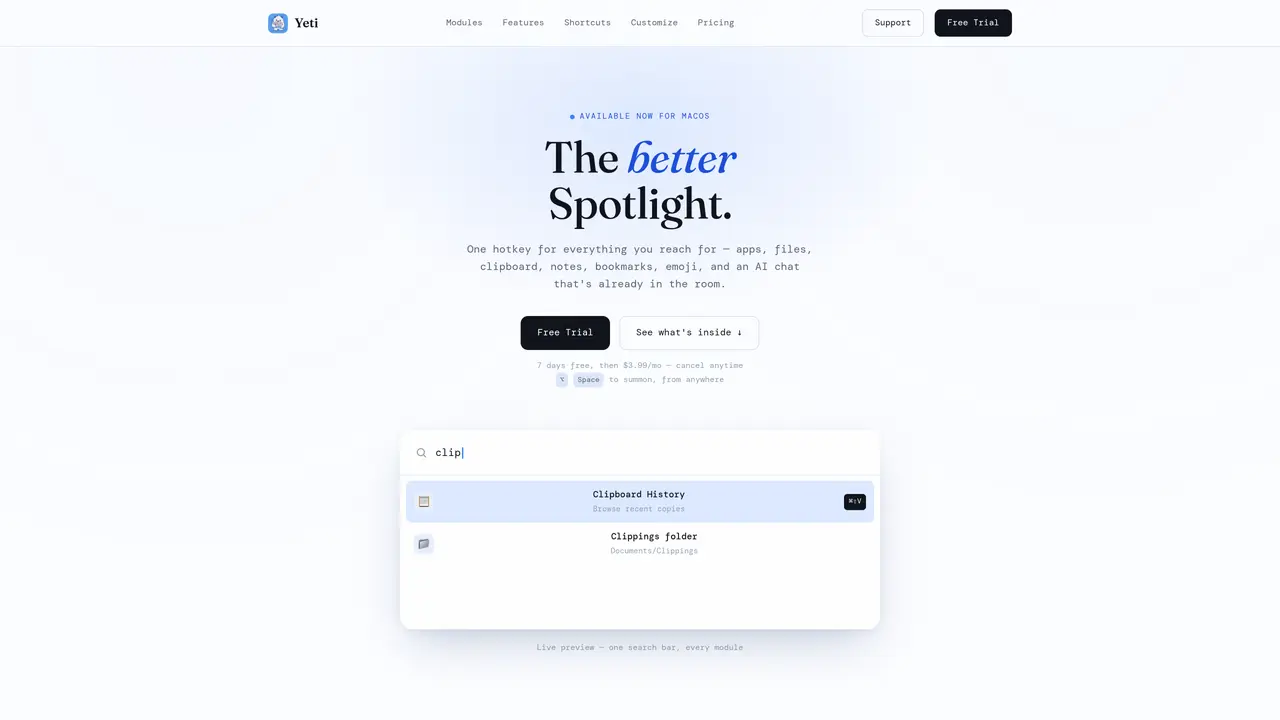
Yeti is a macOS utility that replaces and extends the system’s Spotlight with a unified launcher and search interface. It provides a single hotkey-activated panel that aggregates file search, application launching, clipboard history, emoji picker, bookmark management, window controls, and a live AI chat assistant. The tool indexes user-granted folders for Spotlight-grade file search, maintains a history of copied text and images, and includes modules for live stock quotes, unit conversions, and system toggles such as dark mode and Wi-Fi controls. AI Chat runs as a streaming assistant within the same panel, eliminating the need to switch applications for quick queries. All modules are accessible via a single query bar, with some features opening dedicated panels for deeper interaction. The interface is customizable in position, size, and visual style, and supports keyboard-first navigation with fully remappable shortcuts.
Yeti is a macOS utility designed to replace and extend the system’s Spotlight with a unified launcher and search interface. It aggregates file search, application launching, clipboard history, emoji picker, bookmark management, window controls, and a live AI chat assistant into a single hotkey-activated panel.
Yeti is for macOS users who want a faster, keyboard-driven way to access files, apps, and system controls without switching applications. It suits professionals, developers, and power users who rely on quick access to tools and information.
Yeti operates on a usage-based subscription model with a monthly fee. A 7-day free trial is available with all modules unlocked, and users can cancel anytime without long-term commitments.
Yeti includes built-in modules for tasks like stock quotes, unit conversions, and system toggles, but it does not explicitly list third-party integrations. Its core functionality is self-contained within the launcher panel.
Yeti requires macOS 13 or later to function. It is designed specifically for macOS and does not support other operating systems.
Users can download Yeti from the official website, try it for free for 7 days, and then subscribe if they wish to continue using it. The tool is activated via a customizable hotkey, such as ⌥Space, and can be configured in the settings.
We use essential cookies to run aitoolnavio™, and optional cookies to analyze traffic and measure our marketing. You choose what we use — optional cookies stay off unless you turn them on. See our Privacy Policy.
One short email a week: fresh tools worth trying, honest takes and the updates that actually matter. No spam, unsubscribe any time.
Discover personalized fashion, receive expert advice, and enjoy convenient shopping with free shipping and returns.
Personal assistant that coordinates tasks across apps and devices via text or call
Quickly narrow searches by category, control results by country or language, and find relevant, accurate results with ease.
Optimizes schedules by auto-organizing tasks and meetings.
AI assistant that drafts, reviews, and researches legal documents for lawyers and law firms.
Real-time task tracking, project management, collaboration, and task assignment.
An AI voice assistant that delivers emotionally intelligent, context-aware conversations with natural timing and personal engagement.
Identify technologies, analyze data, and refine search criteria with AI-powered tools for patent research and trend analysis.
Automate audio and video transcription, timestamps, speaker labels, diarization, and export with customizations.
An AI chat platform for immersive, personalized interactions with virtual companions, including image generation.
Customer relations assistant in Gmail
AI-driven app personalizing adaptive workouts for continuous improvement.
Matched on what this tool does — grouped by the job you would be replacing.
matches Hotkey-activated launcher with live preview · File search across granted folders · Application launching and window management
Browse by keyboard on Mac with tab-aware AI.
Mac command center with local AI, window management and clipboard history
macOS productivity app that brings ChatGPT shortcuts into any app to automate text tasks and streamline workflows for Apple users.