Scales efficient language processing with open-source accessibility.
357M visits/mo+1%#2 Coding & Development

Identify text meaning, extract key phrases, detect sentiment, classify text, and automate tasks in multiple languages.
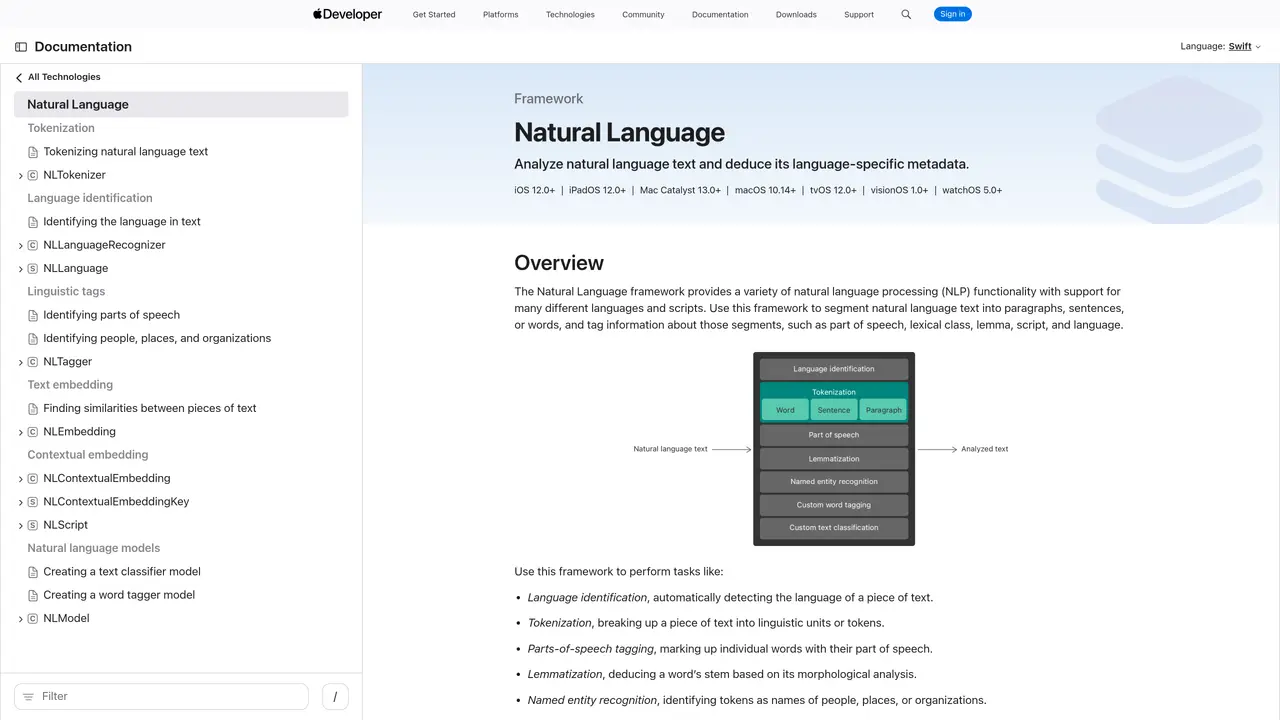
Apple Natural Language is a framework provided by Apple for performing natural language processing tasks within applications. It enables developers to analyze and interpret text in multiple languages, including English, Spanish, French, German, and Chinese, without requiring an internet connection. The tool supports a range of functionalities such as tokenization, part-of-speech tagging, named entity recognition, and sentiment analysis, allowing applications to understand the structure and meaning of text. It also facilitates language identification, lemmatization, and text classification, which can be used to build features like chatbots, content moderation, or automated responses. The framework is designed to integrate seamlessly with Apple’s ecosystem, including iOS, macOS, and other platforms, ensuring efficient and privacy-focused processing. Developers can leverage these capabilities to create applications that respond intelligently to user input, extract meaningful insights from text, or automate language-related tasks. Apple Natural Language is particularly useful for applications requiring offline functionality or enhanced privacy, as it processes data locally on the device.
Apple Inc.
Cupertino, United States · Founded 1976
Apple Natural Language is a framework provided by Apple for performing natural language processing tasks. It enables developers to analyze and understand text, including language identification, tokenization, lemmatization, part-of-speech tagging, and named entity recognition.
Apple Natural Language is designed for developers building applications that require text analysis and natural language understanding. It is particularly useful for apps targeting Apple platforms such as iOS, macOS, watchOS, and tvOS.
The framework supports multiple languages, including English, Spanish, French, German, Italian, Japanese, Korean, Portuguese, Russian, and simplified Chinese. Language support may vary depending on the specific task and version of the framework.
Apple Natural Language uses machine learning models trained on large datasets to analyze text. It processes input text to identify linguistic structures, extract meaning, and perform tasks such as sentiment analysis or entity recognition without requiring an internet connection.
Yes, Apple Natural Language operates locally on the device, meaning it does not require an internet connection to function. This ensures privacy and reduces latency for text processing tasks.
To use Apple Natural Language, developers need to integrate the NaturalLanguage framework into their Xcode project. The framework is part of Apple's developer tools and can be accessed through the Apple Developer Documentation, which provides code examples and implementation guides.
We use essential cookies to run aitoolnavio™, and optional cookies to analyze traffic and measure our marketing. You choose what we use — optional cookies stay off unless you turn them on. See our Privacy Policy.
One short email a week: fresh tools worth trying, honest takes and the updates that actually matter. No spam, unsubscribe any time.
Scales efficient language processing with open-source accessibility.
Collaboration and version control platform for software development and AI model hosting.
Tesla’s AI stack powers Full Self-Driving, Optimus humanoid robots, and real-world autonomy with neural networks, custom hardware, and Dojo-scale training.
Integrates AI into Airtable to analyze data, summarize insights, draft content, and automate workflows without prior AI experience.
AI-powered website builder that generates a professional site in under a minute and includes tools for content, SEO, and analytics.
Unified platform to access and switch between hundreds of AI models like ChatGPT, Claude, and Gemini via a single API.
xAI builds Grok frontier AI models for reasoning, coding, voice, images, video, enterprise workflows, and developer APIs.
Meta AI enhances machine learning, NLP, and computer vision capabilities.
Crowdsourced platform for blind, side-by-side AI model comparisons with a public leaderboard.
Customize, deploy, and control AI models securely.
Independent benchmarks comparing AI models on quality, speed, and cost across multiple capabilities.
Chat, build, and explore with open AI models.
Matched on what this tool does — grouped by the job you would be replacing.
matches Identify text meaning · Extract key phrases · Detect sentiment
Automatically classify text, extract key phrases, and detect patterns in text data.
Extract insights, identify entities, detect sentiment, and analyze large volumes of text data in multiple languages.
Extract entities, analyze sentiment, and classify text to gain insights and make informed decisions.
Extract sentiment, identify topics/entities/sentiment, analyze large datasets with scalability.