Collaboration and version control platform for software development and AI model hosting.
746M visits/mo+15.5%#1 Coding & Development

Risk-aware AI code review that auto-approves safe pull requests while flagging risky changes for human review
Be the first member to say you use it
LiveReview applies a risk-aware AI model to code changes, scoring each pull request or merge request by its potential impact on production systems. The tool combines semantic LLM analysis with a custom ML model trained on an organization’s past production risk signals and static graph-based codebase analysis to produce a single risk score. Changes are then ranked by risk, allowing teams to auto-approve the lowest-risk 30–50% of pull requests while routing higher-risk changes to human reviewers. The system tracks outcomes such as production incidents and rollbacks, feeding that data back into the risk model to continuously refine its accuracy. It integrates directly with Git platforms like GitHub, GitLab, Bitbucket, and Azure DevOps, and provides a CLI and VS Code extension for workflow flexibility. LiveReview operates as an independent inspection layer that works alongside existing AI coding assistants such as Claude, Copilot, or Cursor, aiming to reduce regressions, downtime, and security surprises without disrupting established development processes.
LiveReview applies a risk-aware AI model to code changes, scoring each pull request or merge request by its potential impact on production systems. It combines semantic LLM analysis, a custom ML model trained on an organization’s past production risk signals, and static graph-based codebase analysis to produce a single risk score.
LiveReview is designed for engineering teams managing business-critical systems who need to balance speed and quality in code reviews. It is particularly useful for organizations using AI coding assistants like Claude, Copilot, or Cursor and seeking to reduce regressions, downtime, and security surprises.
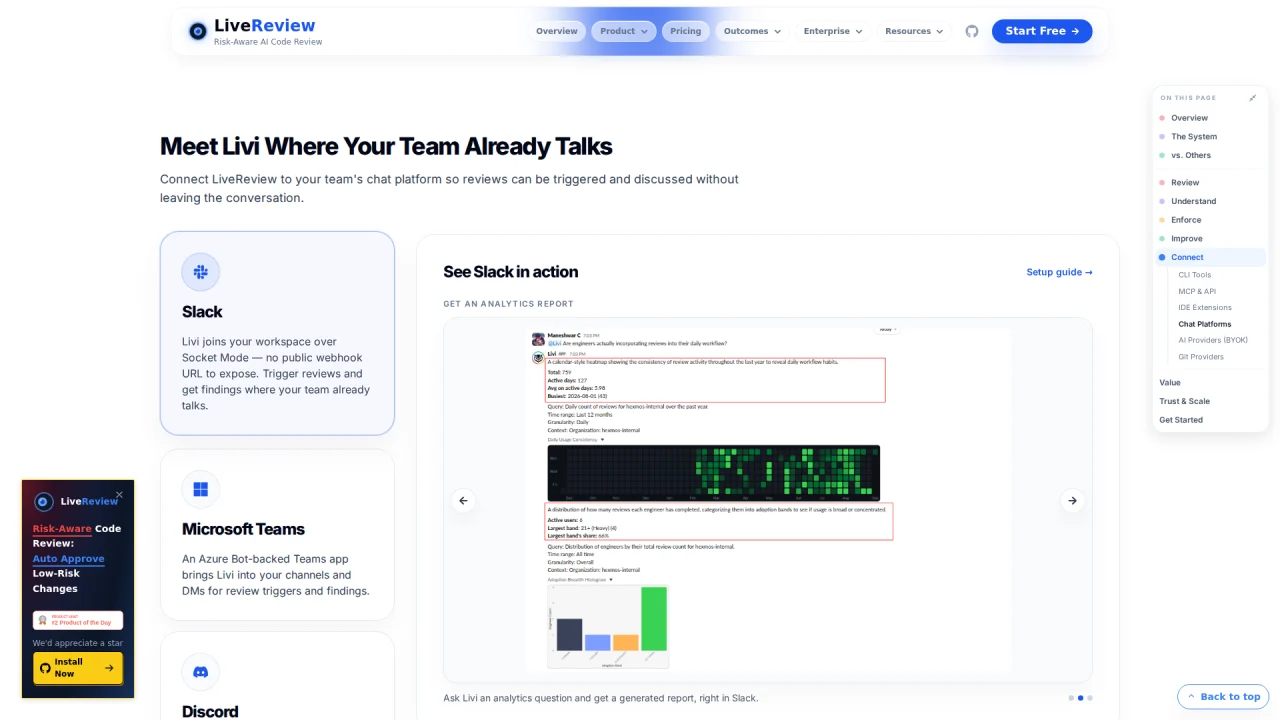
LiveReview operates as an independent inspection layer that works alongside existing AI coding assistants and integrates directly with Git platforms like GitHub, GitLab, Bitbucket, and Azure DevOps. It also provides a CLI and VS Code extension for workflow flexibility without disrupting established development processes.
Yes, LiveReview can auto-approve the lowest-risk 30–50% of pull requests based on its risk scoring, allowing teams to focus human review effort on higher-risk changes. The system tracks outcomes such as production incidents and rollbacks to continuously refine its accuracy.
LiveReview calculates risk scores by combining two key factors: the potential blast radius of a change (how far it can reach through the codebase) and the scrutiny it warrants (based on complexity, subtlety, and potential for missed details). It uses a live call graph of the codebase for accurate analysis.
To get started, visit the LiveReview website and click 'Start Free' to begin using the tool. The platform provides documentation and support to help teams integrate it into their existing workflows and begin scoring and reviewing code changes.
We use essential cookies to run aitoolnavio™, and optional cookies to analyze traffic and measure our marketing. You choose what we use — optional cookies stay off unless you turn them on. See our Privacy Policy.
One short email a week: fresh tools worth trying, honest takes and the updates that actually matter. No spam, unsubscribe any time.
Collaboration and version control platform for software development and AI model hosting.
Scales efficient language processing with open-source accessibility.
Tesla’s AI stack powers Full Self-Driving, Optimus humanoid robots, and real-world autonomy with neural networks, custom hardware, and Dojo-scale training.
AI-powered website builder that generates a professional site in under a minute and includes tools for content, SEO, and analytics.
Integrates AI into Airtable to analyze data, summarize insights, draft content, and automate workflows without prior AI experience.
Meta's free AI assistant for chat, answers and image generation, built into WhatsApp, Instagram, Facebook and the web.
Unified platform to access and switch between hundreds of AI models like ChatGPT, Claude, and Gemini via a single API.
xAI builds Grok frontier AI models for reasoning, coding, voice, images, video, enterprise workflows, and developer APIs.
Crowdsourced platform for blind, side-by-side AI model comparisons with a public leaderboard.
Independent benchmarks comparing AI models on quality, speed, and cost across multiple capabilities.
Chat, build, and explore with open AI models.
Customize, deploy, and control AI models securely.
Matched on what this tool does — grouped by the job you would be replacing.
matches Risk scoring for every pull request or merge request · Auto-approval for low-risk changes · Customizable review prompts and AI discussion
AI-powered code health platform combining code review, security scanning, quality analysis, and developer metrics for engineering teams.
DeepSource automates AI-powered code reviews to catch security issues, improve quality, and speed up production deployments.
Open-source AI code review platform that analyzes pull requests with custom rules and Git provider integrations for engineering teams.
Streamline code review, detect issues, and improve code quality with advanced analytics, feedback, and insights for teams.
matches Production incident and rollback tracking · Autonomous task orchestration · Continuous background analysis and risk assessment
GitHub Marketplace coding agent that turns GitHub issues into code changes and unit-tested pull requests for engineering teams.
Autonomous software delivery agent that turns tickets into reviewed pull requests
AI-driven maintenance platform for software built with AI that audits code and ships fixes as pull requests