

Scales efficient language processing with open-source accessibility.
357M visits/mo+1%#2 Coding & Development
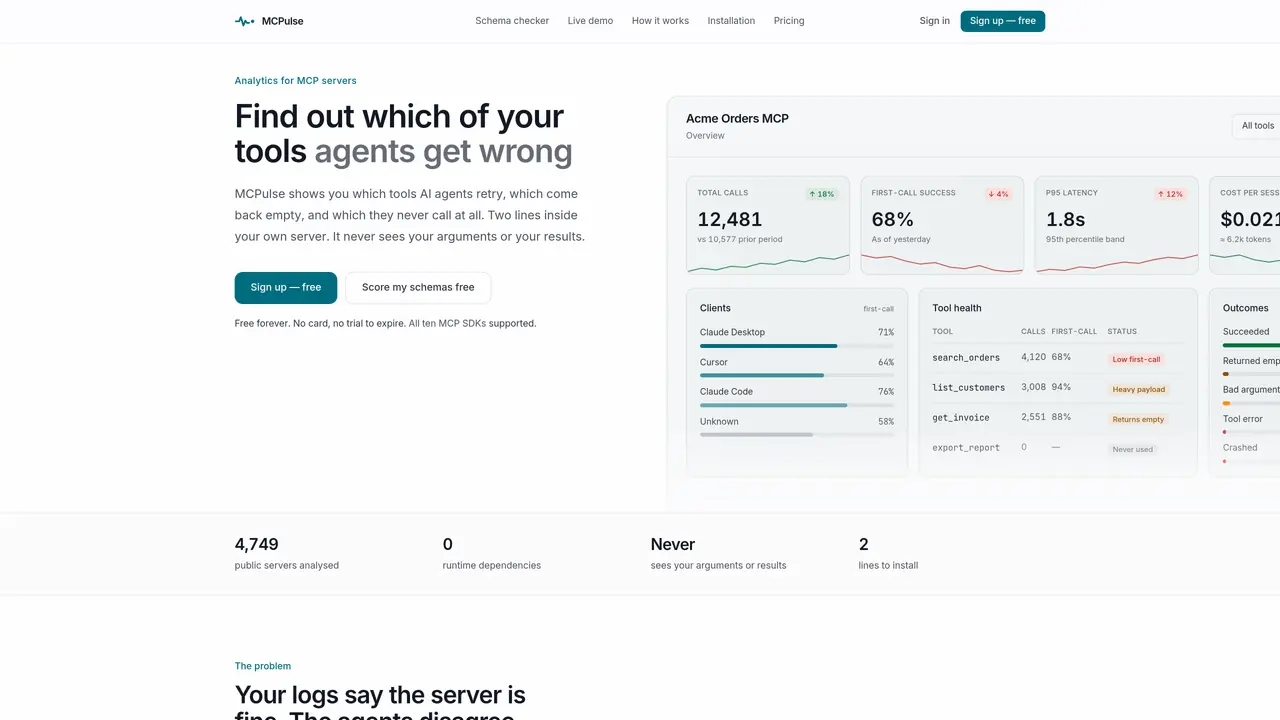
MCPulse provides analytics for MCP servers by tracking how AI agents interact with tools. It records first-call success rates, retry behavior, empty responses, and schema costs without accessing arguments or results. The tool highlights tools that agents struggle with, those returning empty results, and unused tools that still consume schema tokens. Metrics include call volumes, latency, response sizes, and cost per session across different clients like Claude Desktop, Cursor, and Claude Code. The dashboard surfaces tools needing attention through colored rows and offers 16 metrics per tool. MCPulse compares tool descriptions against 4,749 public servers to identify inconsistencies in how tools are interpreted by agents. It does not log session content or sensitive data, only timing, size, and a hashed fingerprint of arguments.
MCPulse provides analytics for MCP servers by tracking how AI agents interact with tools, focusing on first-call success rates, retry behavior, empty responses, and schema costs without accessing arguments or results.
MCPulse is designed for developers and teams managing MCP servers who need to understand how AI agents interpret and use their tools, identifying issues like poor first-call success or unused tools consuming schema tokens.
No, MCPulse does not log session content or sensitive data. It only records timing, response size, and a hashed fingerprint of arguments to ensure privacy.
MCPulse focuses on tool health metrics like first-call success and retry rates, and compares tool descriptions against 4,749 public servers, unlike tools that log arguments or session replays.
Yes, MCPulse highlights tools that are registered but never used, which still consume schema tokens in every session, helping teams optimize their MCP server configurations.
To get started, install MCPulse by adding two lines to your MCP server and sign up for a free account to access the dashboard and analytics.
We use essential cookies to run aitoolnavio™, and optional cookies to analyze traffic and measure our marketing. You choose what we use — optional cookies stay off unless you turn them on. See our Privacy Policy.
One short email a week: fresh tools worth trying, honest takes and the updates that actually matter. No spam, unsubscribe any time.
Scales efficient language processing with open-source accessibility.
Collaboration and version control platform for software development and AI model hosting.
Tesla’s AI stack powers Full Self-Driving, Optimus humanoid robots, and real-world autonomy with neural networks, custom hardware, and Dojo-scale training.
Integrates AI into Airtable to analyze data, summarize insights, draft content, and automate workflows without prior AI experience.
AI-powered website builder that generates a professional site in under a minute and includes tools for content, SEO, and analytics.
Unified platform to access and switch between hundreds of AI models like ChatGPT, Claude, and Gemini via a single API.
xAI builds Grok frontier AI models for reasoning, coding, voice, images, video, enterprise workflows, and developer APIs.
Meta AI enhances machine learning, NLP, and computer vision capabilities.
Crowdsourced platform for blind, side-by-side AI model comparisons with a public leaderboard.
Customize, deploy, and control AI models securely.
Independent benchmarks comparing AI models on quality, speed, and cost across multiple capabilities.
Chat, build, and explore with open AI models.
Matched on what this tool does — grouped by the job you would be replacing.
matches First-call success rate tracking · Retry behavior analysis · Empty response detection
Agent observability and evaluation platform for production AI systems
Analytics and observability for Model Context Protocol servers
Analytics and monitoring for Model Context Protocol servers