Scales efficient language processing with open-source accessibility.
357M visits/mo+1%#2 Coding & Development

Turn plain-English product descriptions into clickable, multi-screen prototypes and structured specs in seconds.
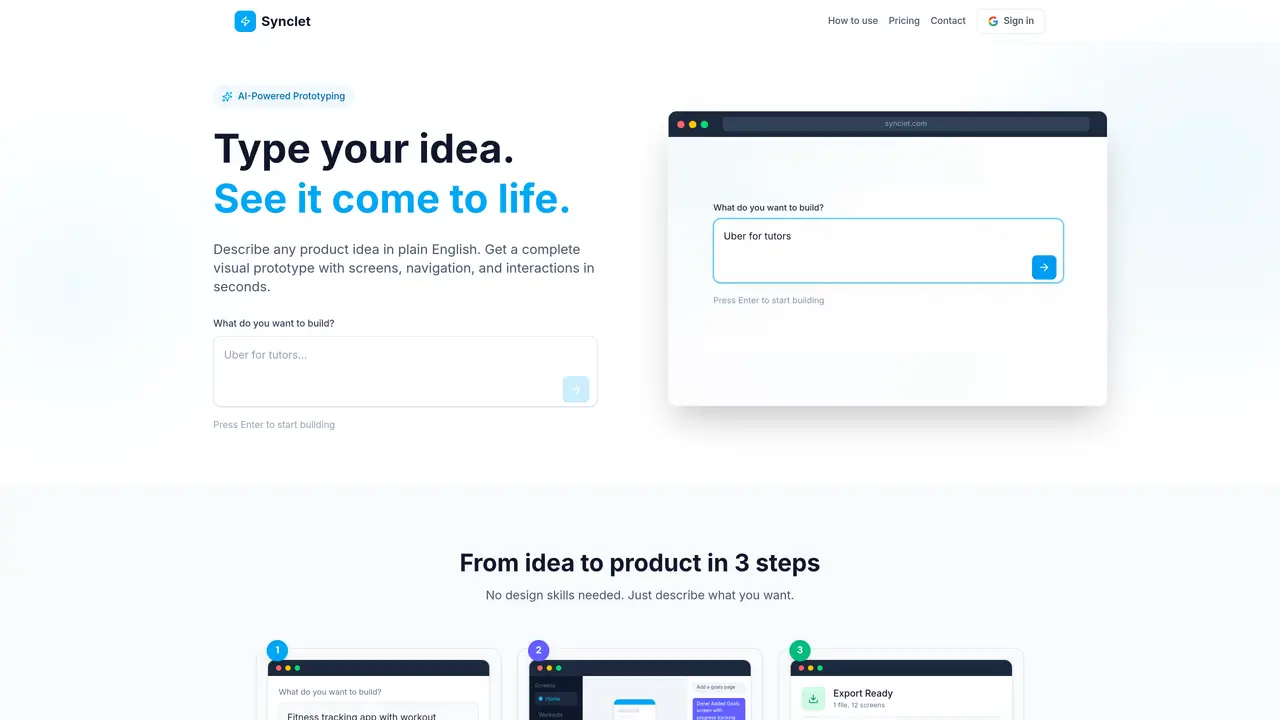
Synclet is an AI-powered prototyping tool that converts plain-English product descriptions into interactive, multi-screen prototypes. Instead of manually assembling UI elements, users describe their app idea in natural language, and Synclet generates a complete visual prototype with screens, navigation flows, and user interactions. The platform supports web, mobile, and tablet layouts, and can produce role-based views for different user types such as admin, customer, or staff. While the prototype is being created, Synclet simultaneously builds a structured product specification document that details users, surfaces, screens, and their relationships. This specification can be exported and shared with developers or fed into AI coding tools like Cursor, Replit, or Claude Code for implementation. Synclet positions itself as a bridge between ideation and development, enabling founders, product managers, and design teams to validate concepts quickly without writing code upfront.
Synclet is an AI-powered prototyping tool that converts plain-English product descriptions into interactive, multi-screen prototypes. Users describe their app idea in natural language, and Synclet generates a complete visual prototype with screens, navigation flows, and user interactions.
Synclet is designed for founders, product managers, and design teams who want to validate product concepts quickly without writing code. It is also useful for users who need to create structured product specifications for developers or AI coding tools.
Users describe their app idea in plain English, and Synclet generates a complete visual prototype with screens, navigation, and interactions. The tool supports iteration through conversation, allowing users to refine and expand their prototypes by adding screens, changing flows, or updating designs.
Yes, while creating the prototype, Synclet simultaneously builds a structured product specification document that details users, surfaces, screens, and their relationships. This specification can be exported and shared with developers or fed into AI coding tools.
Synclet supports web, mobile, and tablet layouts. It can generate designs for all platforms and define role-based views for different user types such as admin, customer, or staff.
The prototypes and specifications can be exported as a single file and used with AI coding tools like Cursor, Replit, or Claude Code for implementation. The specifications provide a complete product definition, including screen designs and user flows.
synclet.com · third-party estimates from Similarweb
Last 2 months · grows by one month every month
Traffic figures are third-party estimates, good for scale and trends; they can differ from a company's own numbers. Updated monthly.
We use essential cookies to run aitoolnavio™, and optional cookies to analyze traffic and measure our marketing. You choose what we use — optional cookies stay off unless you turn them on. See our Privacy Policy.
Scales efficient language processing with open-source accessibility.
Collaboration and version control platform for software development and AI model hosting.
Tesla’s AI stack powers Full Self-Driving, Optimus humanoid robots, and real-world autonomy with neural networks, custom hardware, and Dojo-scale training.
Integrates AI into Airtable to analyze data, summarize insights, draft content, and automate workflows without prior AI experience.
AI-powered website builder that generates a professional site in under a minute and includes tools for content, SEO, and analytics.
Unified platform to access and switch between hundreds of AI models like ChatGPT, Claude, and Gemini via a single API.
xAI builds Grok frontier AI models for reasoning, coding, voice, images, video, enterprise workflows, and developer APIs.
Meta AI enhances machine learning, NLP, and computer vision capabilities.
Crowdsourced platform for blind, side-by-side AI model comparisons with a public leaderboard.
Customize, deploy, and control AI models securely.
Independent benchmarks comparing AI models on quality, speed, and cost across multiple capabilities.
Chat, build, and explore with open AI models.
Matched on what this tool does — grouped by the job you would be replacing.
matches Generates interactive prototypes from plain-English descriptions · Exports structured product specifications for developers · Supports web, mobile, and tablet layouts
AI-powered platform that turns plain-language descriptions or screenshots into interactive app and website prototypes with multi-page workflows and UI components.
AI-powered tool to turn ideas into app prototypes with design and code context
Instantly turns text or image prompts into mobile and web app UI designs and code.
AI platform that turns prompts or references into editable product screens and exports code
matches Exports prototypes for use in AI coding tools · Enables rapid validation of app ideas
Turn text descriptions into professional websites or apps with ready-to-use code, no coding required.
Turn a prompt into a full SaaS codebase and GitHub repository in minutes.
Turns plain-English SaaS ideas into production-ready web apps using AI agents, no coding required.
Turn ideas into full-stack web apps fast with Capacity's AI development tool.
One short email a week: fresh tools worth trying, honest takes and the updates that actually matter. No spam, unsubscribe any time.