

AI-powered website builder that generates a professional site in under a minute and includes tools for content, SEO, and analytics.
52M visits/mo+0.7%#4 Coding & Development
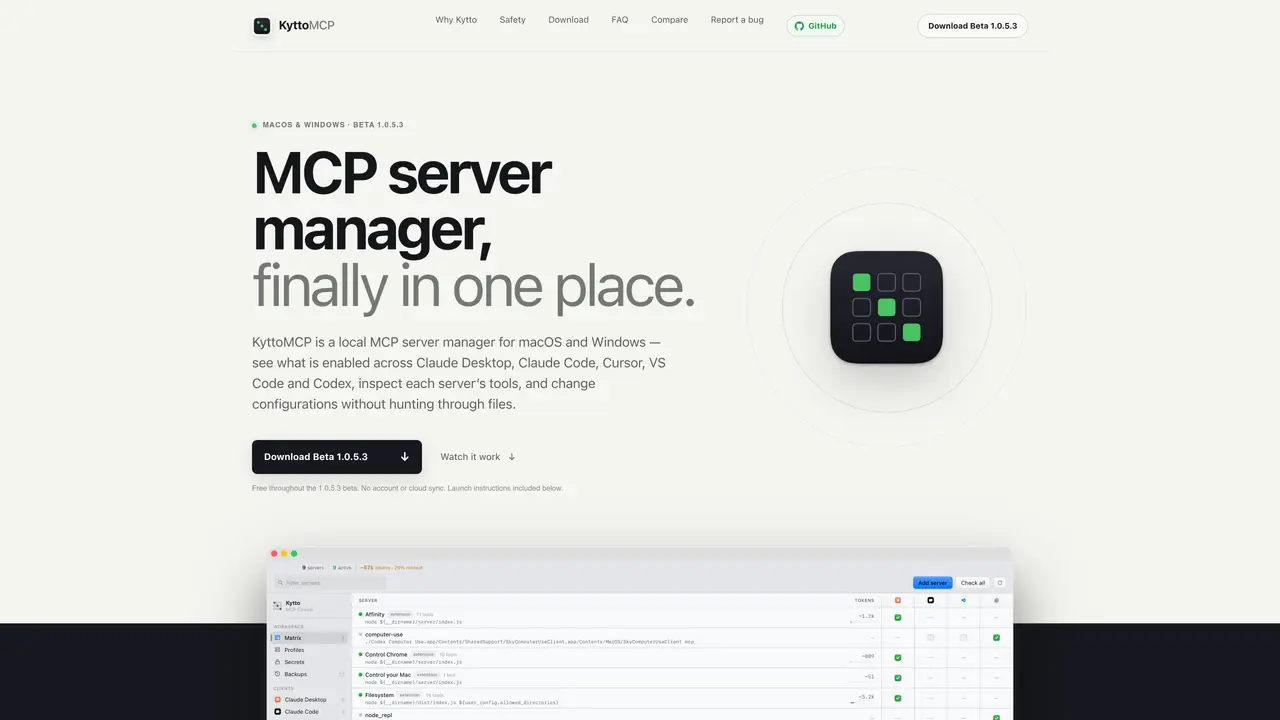
KyttoMCP is a desktop application that consolidates management of Model Context Protocol (MCP) servers across multiple development environments. It aggregates scattered JSON and TOML configurations from tools such as Claude Desktop, Claude Code, Cursor, VS Code, and Codex into a single workspace. Users can inspect server health, enable or disable servers, and modify configurations without manually editing files. The tool provides built-in health checks, profiles for different setups, and automatic backups before any changes are made. It also includes features for managing secrets securely, comparing context costs of servers, and troubleshooting issues with a diagnostic tool. KyttoMCP operates locally without requiring cloud accounts or sync services, ensuring configurations and credentials remain on the user’s computer. It supports both macOS and Windows, with platform-specific installers and guided setup processes.
KyttoMCP is a local desktop application designed to manage Model Context Protocol (MCP) servers across multiple development environments like Claude Desktop, Claude Code, Cursor, VS Code, and Codex. It consolidates scattered configurations into a single workspace for easier inspection and management.
KyttoMCP is intended for developers and teams who use multiple MCP servers across different clients and need a centralized way to monitor, configure, and troubleshoot their MCP setups without manually editing files.
No, KyttoMCP operates entirely locally without requiring cloud accounts or sync services. All configurations and credentials remain on the user’s computer.
KyttoMCP supports both macOS and Windows, with platform-specific installers and guided setup processes. It includes a universal build for Apple Silicon and Intel Macs.
KyttoMCP provides secure secret management by masking sensitive environment values by default. Users can reveal values on request, rotate them across configurations, and optionally store them in the system keychain.
Yes, KyttoMCP includes a diagnostic tool called MCP Doctor that analyzes configurations and health checks to provide actionable findings. It flags issues like missing environment values, failed handshakes, and executable dependencies.
We use essential cookies to run aitoolnavio™, and optional cookies to analyze traffic and measure our marketing. You choose what we use — optional cookies stay off unless you turn them on. See our Privacy Policy.
One short email a week: fresh tools worth trying, honest takes and the updates that actually matter. No spam, unsubscribe any time.
AI-powered website builder that generates a professional site in under a minute and includes tools for content, SEO, and analytics.
AI-powered coding platform that uses agents to plan, write, and test software with real-time feedback and verifiable artifacts.
Automate code, research, and documents using agents.
AI-powered code assistant that generates, reviews, optimizes, and debugs code with natural language prompts and editor integrations.
AI assistant for safe, reliable productivity with code, collaboration, and integrations.
AI-powered IDE for autonomous coding tasks and agentic development workflows
Privacy-focused AI chatbot that generates uncensored text, code, images, and translations without storing conversations or requiring an account.
A free web-based AI chatbot and agent for writing, coding, research, and content creation with multilingual support.
Write & run code in 50+ languages, auto-complete with AI, and code faster with an intuitive interface.
An IDE that automates legacy-to-modern code migration using autonomous coding agents.
AI models that return typed decisions with calibrated confidence for software automation
Practice coding challenges, improve technical skills, get detailed explanations, compare performance with peers.
Matched on what this tool does — grouped by the job you would be replacing.
matches Single workspace view for all MCP servers · On-demand MCP handshake for health inspection · Profiles for focused MCP stacks
Converts MCP tools into on-demand Skills to reduce context load
Registry and CLI for discovering, installing and managing MCP servers
Converts data sources into MCP servers automatically
matches Secrets management with optional Keychain integration · MCP server monitoring
Local cybersecurity tool for Apple silicon Macs that monitors AI agents and system activity
Local tool that scans and visualizes installed software, dependencies and AI agents on a developer machine