AI-powered website builder that generates a professional site in under a minute and includes tools for content, SEO, and analytics.
52M visits/mo+0.7%#4 Coding & Development

An AI coding prompt enhancer that rewrites vague prompts into structured instructions for better code results across multiple AI platforms.
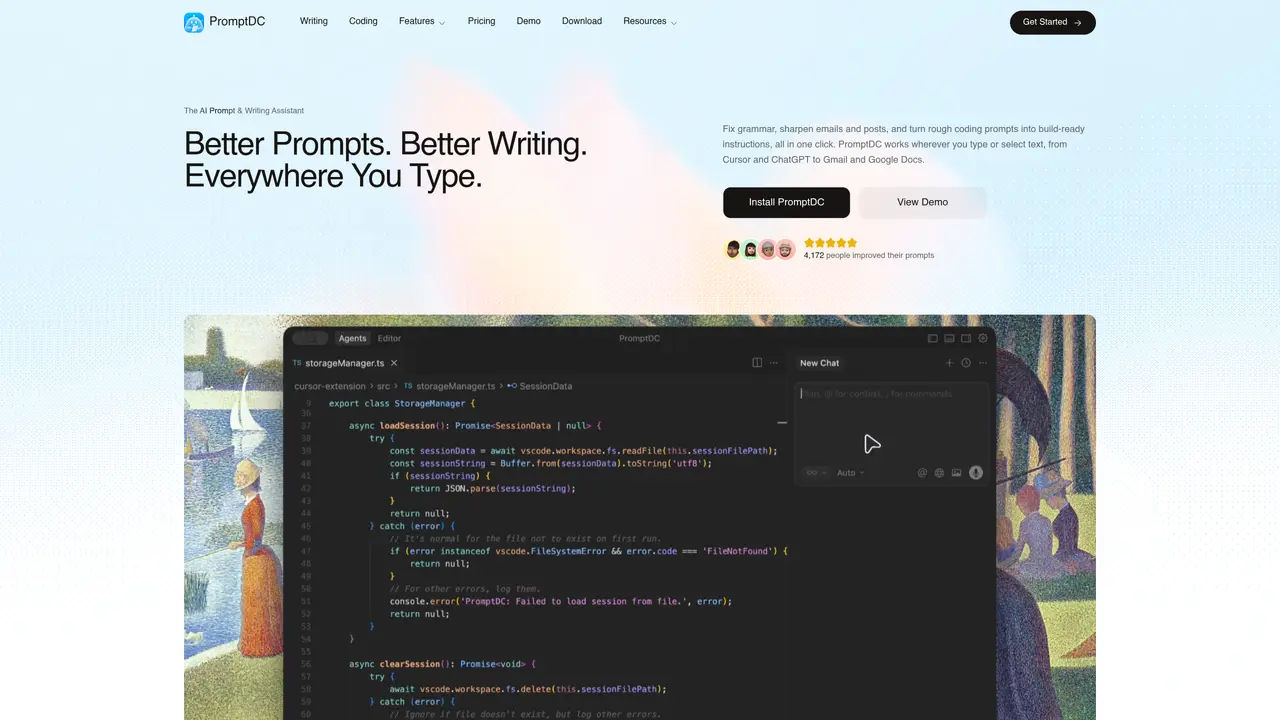
PromptDC is a browser extension and IDE plugin designed for developers to transform unclear coding prompts into precise, implementation-ready instructions. It integrates directly into popular AI web apps such as ChatGPT, Claude, Replit, Lovable, and Bolt, as well as local editors like Cursor, VS Code, and Windsurf. This reduces the need for constant tab switching and manual copy-pasting by enabling one-click or shortcut-based prompt enhancement. The tool offers both simple and structured modes, allowing users to choose between quick rewrites and detailed, sectioned prompts tailored for complex implementations. Developers can further customize outputs with formats like Regular text, JSON, XML, or YAML, and enforce project-specific rules through an override system prompt and Always Include text feature. PromptDC also includes a prompt library and community prompts for saving and reusing workflows, making it a practical solution for streamlining AI-assisted coding tasks across diverse development environments.
PromptDC is an AI prompt and writing assistant that enhances selected text on any webpage or within local IDEs. It rewrites prompts and writing in place, improves grammar, sharpens emails and posts, and turns rough coding requests into structured, implementation-ready instructions.
The tool is designed for developers and writers who work with AI tools or need to refine text across various platforms. It supports coding prompts in IDEs like Cursor and VS Code, as well as writing tasks in web apps such as ChatGPT, Gmail, and Google Docs.
PromptDC integrates directly into popular AI web apps and local editors, including ChatGPT, Claude, Replit, Cursor, VS Code, and Windsurf. It also works on any website with editable or selectable text, providing one-click enhancements.
The tool provides both simple and structured modes for prompt enhancement, allowing users to choose between quick rewrites or detailed, sectioned prompts. It also supports customization with formats like Regular text, JSON, XML, or YAML.
Yes, PromptDC includes a writing mode that fixes grammar, rewrites emails and posts, and summarizes text across any website or application where text can be selected.
Users can install the browser extension for Chrome or add the plugin to local IDEs like Cursor or VS Code. Once installed, it appears beside selected text and can be used with one click or keyboard shortcuts.
promptdc.com · third-party estimates from Similarweb
Last 4 months · grows by one month every month
Share of visits · estimated visits
Coding & Development · Sep 2026
Traffic figures are third-party estimates, good for scale and trends; they can differ from a company's own numbers. Updated monthly.
We use essential cookies to run aitoolnavio™, and optional cookies to analyze traffic and measure our marketing. You choose what we use — optional cookies stay off unless you turn them on. See our Privacy Policy.
One short email a week: fresh tools worth trying, honest takes and the updates that actually matter. No spam, unsubscribe any time.
AI-powered website builder that generates a professional site in under a minute and includes tools for content, SEO, and analytics.
AI-powered coding platform that uses agents to plan, write, and test software with real-time feedback and verifiable artifacts.
Automate code, research, and documents using agents.
AI-powered code assistant that generates, reviews, optimizes, and debugs code with natural language prompts and editor integrations.
AI assistant for safe, reliable productivity with code, collaboration, and integrations.
AI-powered IDE for autonomous coding tasks and agentic development workflows
Privacy-focused AI chatbot that generates uncensored text, code, images, and translations without storing conversations or requiring an account.
A free web-based AI chatbot and agent for writing, coding, research, and content creation with multilingual support.
Write & run code in 50+ languages, auto-complete with AI, and code faster with an intuitive interface.
An IDE that automates legacy-to-modern code migration using autonomous coding agents.
AI models that return typed decisions with calibrated confidence for software automation
Practice coding challenges, improve technical skills, get detailed explanations, compare performance with peers.
Matched on what this tool does — grouped by the job you would be replacing.
matches One-click or shortcut-based prompt enhancement inside AI web apps and local editors · Coding-focused prompt rewriting with multiple output formats (Regular text, JSON, XML, YAML) · Simple vs. Structured modes for quick or detailed prompt generation
A macOS manager for organizing and syncing AI prompts and custom instructions across tools like Claude and Cursor with conflict control.
Browser-based tool that scores and rewrites prompts using seven rule-based dimensions
Browser extension that saves, organizes, and reuses AI prompts directly from the right-click menu in any text field.