Generate content, correct spelling, suggest synonyms to enhance writing.
173M visits/mo+0.1%#1 Productivity & Office

Browser extension that saves, organizes, and reuses AI prompts directly from the right-click menu in any text field.
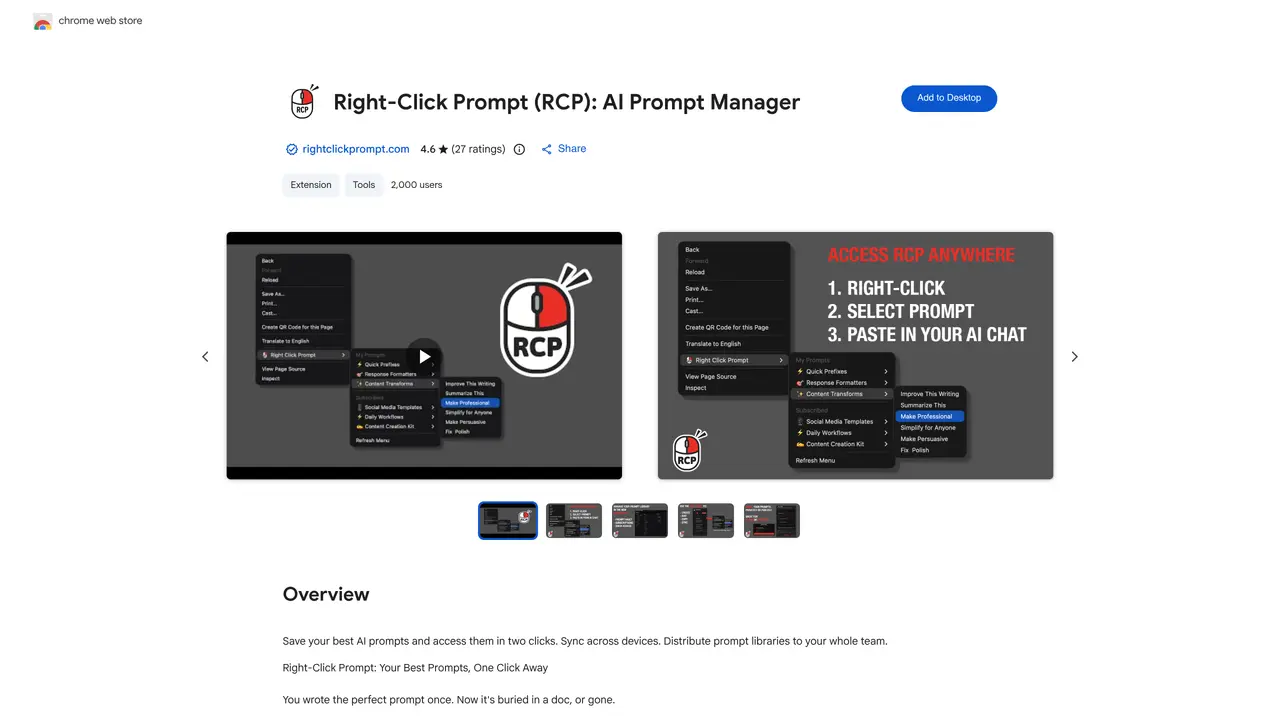
Right Click Prompt is a browser extension and prompt management system designed to streamline AI workflows by allowing users to save, organize, and reuse prompts across platforms like ChatGPT, Claude, and Gemini. The tool integrates directly into the right-click context menu in any text field, eliminating the need to switch tabs or rewrite instructions repeatedly. Users can create folders to categorize prompts, sync them across devices for consistent access, and manage everything through a central dashboard. Teams can share prompt libraries via subscription links, ensuring everyone uses the same updated prompts. The extension works across major Chromium-based browsers and focuses on making AI interactions faster and more repeatable. It supports faster, repeatable AI workflows by keeping prompts readily available without manual copying or pasting.
Right Click Prompt is a browser extension that allows users to save, organize, and reuse AI prompts directly from the right-click context menu in any text field.
It is designed for individuals and teams who frequently use AI tools like ChatGPT, Claude, or Gemini and want to streamline their workflow by keeping prompts readily available.
Yes, Right Click Prompt provides a 7-day free trial without requiring a credit card.
Yes, you can share prompt libraries with your team or others via subscription links, allowing them to access and edit the prompts.
Prompts sync securely to your account, and the tool does not sell user data or use it for unrelated purposes.
Install the extension from the Chrome Web Store, create an account, and start saving and organizing your prompts for quick access.
We use essential cookies to run aitoolnavio™, and optional cookies to analyze traffic and measure our marketing. You choose what we use — optional cookies stay off unless you turn them on. See our Privacy Policy.
One short email a week: fresh tools worth trying, honest takes and the updates that actually matter. No spam, unsubscribe any time.
Generate content, correct spelling, suggest synonyms to enhance writing.
Turn messy team ideas into actionable plans with Miro's visual workspace.
Leverage analytics, automate tasks, share documents, and coordinate projects.
Integrates AI into Airtable to analyze data, summarize insights, draft content, and automate workflows without prior AI experience.
Cloud accounting software that automates bookkeeping, invoicing, and financial reporting for small and growing businesses.
Streamline teamwork, manage projects, automate tasks efficiently.
Automate code, research, and documents using agents.
AI assistant for safe, reliable productivity with code, collaboration, and integrations.
Create customizable tables, databases, and spreadsheets, share data securely with team members.
Easy-to-use CRM platform that automates lead capturing, prioritizes tasks, and provides sales pipeline analytics for businesses of all sizes.
Transforms thoughts into actions, enhancing productivity and efficiency.
Write & run code in 50+ languages, auto-complete with AI, and code faster with an intuitive interface.
Matched on what this tool does — grouped by the job you would be replacing.
Paid placement · similar tools from listings that support aitoolnavio™
Instant lead response for home-service pros: your phone rings on every new lead, plus 14 days of follow-up
matches Save and reuse AI prompts directly from the right-click context menu · Organize prompts into folders for better management · Sync prompts across devices for consistent access
Centralize and streamline AI prompt management with organizational tools and a Chrome extension.
Save, access, edit AI prompts instantly with search and sorting capabilities.
A Chrome extension to save, organize, and reuse AI prompts across chatbots with shortcuts and prompt chains.
An AI prompt management workspace for creating, organizing, versioning, and reusing prompts with sharing and 200+ templates.