

AI-powered website builder that generates a professional site in under a minute and includes tools for content, SEO, and analytics.
52M visits/mo+0.7%#4 Coding & Development
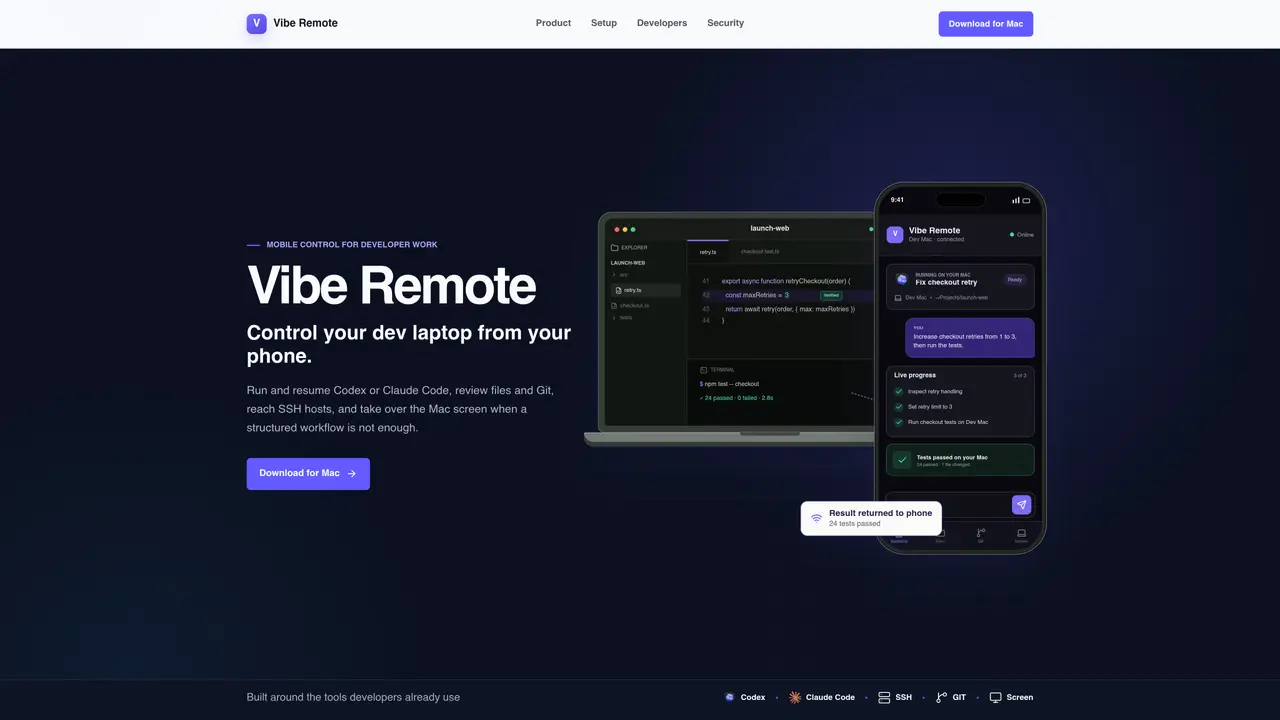
Vibe Remote connects a developer’s Mac to a mobile device, enabling control of local coding agents, file review, Git operations, SSH sessions, and screen sharing. It allows users to start or resume Codex or Claude Code sessions, inspect code changes, run tests, and push commits from a phone. The tool supports live progress tracking and terminal interaction while keeping all processes and data on the local machine. Screen sharing is provided via encrypted WebRTC, and SSH hosts can be accessed directly from the mobile interface. Sessions remain active even if the phone disconnects, resuming seamlessly upon reconnection. The setup involves installing a macOS package, authorizing via GitHub, and pairing the phone via a QR code. The mobile interface is a progressive web app that can be added to the home screen for app-like use.
Vibe Remote enables developers to control their Mac from a mobile device, allowing them to run and resume coding agents like Codex or Claude Code, review files and Git changes, access SSH hosts, and interact with the Mac screen when needed.
The tool is designed for developers who need to manage coding tasks, review code, or interact with their local development environment while away from their desk, using a mobile device.
Sessions remain active on the Mac even if the phone disconnects. When the phone reconnects, Vibe Remote restores the session and its recent activity seamlessly.
No, Vibe Remote is a progressive web app that can be added to the home screen for an app-like experience. No native app installation is required.
No, all code, terminal processes, files, credentials, and coding agents remain on your local Mac. Vibe Remote only connects your authenticated phone to that machine.
Terminal, file, Git, agent, and control messages are end-to-end encrypted between the paired phone and Mac. Screen sharing uses encrypted WebRTC.
We use essential cookies to run aitoolnavio™, and optional cookies to analyze traffic and measure our marketing. You choose what we use — optional cookies stay off unless you turn them on. See our Privacy Policy.
One short email a week: fresh tools worth trying, honest takes and the updates that actually matter. No spam, unsubscribe any time.
AI-powered website builder that generates a professional site in under a minute and includes tools for content, SEO, and analytics.
AI-powered coding platform that uses agents to plan, write, and test software with real-time feedback and verifiable artifacts.
Automate code, research, and documents using agents.
AI-powered code assistant that generates, reviews, optimizes, and debugs code with natural language prompts and editor integrations.
AI assistant for safe, reliable productivity with code, collaboration, and integrations.
AI-powered IDE for autonomous coding tasks and agentic development workflows
Privacy-focused AI chatbot that generates uncensored text, code, images, and translations without storing conversations or requiring an account.
A free web-based AI chatbot and agent for writing, coding, research, and content creation with multilingual support.
Write & run code in 50+ languages, auto-complete with AI, and code faster with an intuitive interface.
An IDE that automates legacy-to-modern code migration using autonomous coding agents.
AI models that return typed decisions with calibrated confidence for software automation
Practice coding challenges, improve technical skills, get detailed explanations, compare performance with peers.
Matched on what this tool does — grouped by the job you would be replacing.
matches Control local coding agents (Codex, Claude Code) · Review files and Git changes · Run and monitor tests
Run and manage remote AI coding agents from any device with real-time sync and a clean UI.
Mobile interface for managing terminal-based coding agents on Mac
Mobile interface for monitoring and controlling local AI coding agents on a Mac
Mobile SSH terminal for remote development and coding agents