Tesla’s AI stack powers Full Self-Driving, Optimus humanoid robots, and real-world autonomy with neural networks, custom hardware, and Dojo-scale training.
31M visits/mo+5.5%#8 Coding & Development

Browser extension that scans websites to detect signs of AI-generated or fraudulent businesses
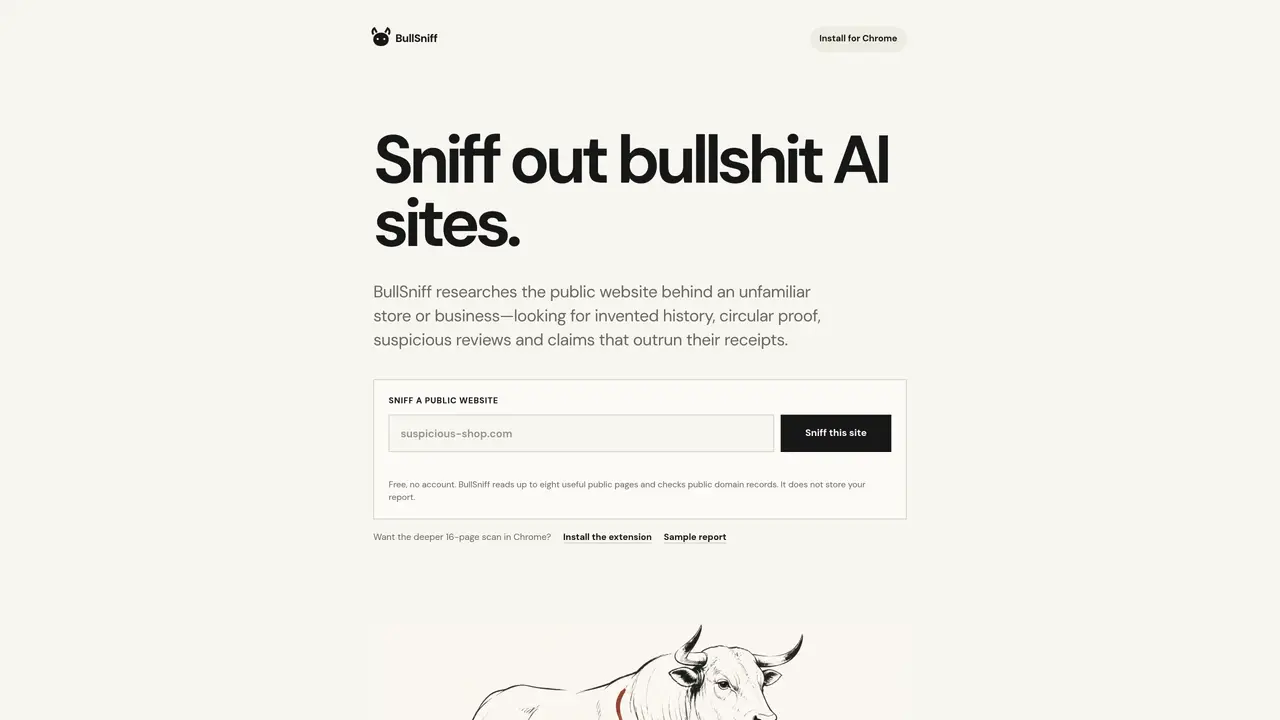
BullSniff is a Chrome extension designed to evaluate unfamiliar online stores or businesses by analyzing their public websites and domain records. It checks for inconsistencies such as invented histories, circular proof, suspicious reviews, and exaggerated claims that lack supporting evidence. The tool examines multiple public pages rather than a single source, looking for red flags like missing contact details, generic AI-generated language, or testimonials with vague identities. It also verifies whether independent reviews link to recognized profiles and assesses whether supposedly separate evidence sites share common traits. BullSniff does not store user reports and provides a free basic scan without requiring an account. A deeper 16-page analysis is available through the Chrome extension.
BullSniff is a Chrome extension that analyzes public websites and domain records to detect inconsistencies, suspicious reviews, and exaggerated claims in unfamiliar online stores or businesses. It checks multiple public pages rather than relying on a single source.
BullSniff is designed for consumers who want to verify the legitimacy of online stores or businesses before making purchases. It is particularly useful for those evaluating unfamiliar websites with limited trust signals.
The tool reads up to eight public pages of a website and checks public domain records for red flags such as missing contact details, generic AI-generated language, or testimonials with vague identities. It does not store user reports.
No, BullSniff does not require an account for a free basic scan. A deeper 16-page analysis is available through the Chrome extension.
BullSniff looks for invented histories, circular proof, suspicious reviews, exaggerated claims, missing contact details, generic AI-generated language, and testimonials with vague identities. It also checks if supposedly separate evidence sites share common traits.
Install the BullSniff Chrome extension from the Chrome Web Store, visit the website you want to evaluate, and click 'Sniff' to run the analysis. The tool will then display any red flags or inconsistencies found.
We use essential cookies to run aitoolnavio™, and optional cookies to analyze traffic and measure our marketing. You choose what we use — optional cookies stay off unless you turn them on. See our Privacy Policy.
One short email a week: fresh tools worth trying, honest takes and the updates that actually matter. No spam, unsubscribe any time.
Tesla’s AI stack powers Full Self-Driving, Optimus humanoid robots, and real-world autonomy with neural networks, custom hardware, and Dojo-scale training.
Customize, deploy, and control AI models securely.
Standardize application packaging and execution with portable containers for consistent local and cloud workflows.
AI-first electronic design automation for ICs, advanced packaging, and systems with hardware-assisted acceleration and elastic cloud delivery.
Unified AI-powered platform for real-time monitoring, analytics, and security across cloud infrastructure, applications, and services.
Prevention-first, AI-powered cybersecurity platform protecting networks, clouds, and endpoints with unified controls and autonomous response.
Automate tasks, analyze data, and ensure data security with advanced measures.
Cloud communications platform that lets developers embed SMS, voice, WhatsApp, email, video, verification, and conversational AI via APIs.
AI-powered endpoint security with XDR, cloud or on-prem control, and low system impact for ransomware, email threats, and account takeover prevention.
Automate error tracking, monitor application performance, and gain insights with advanced analytics.
Identify stolen identities, uncover copyright infringements, and find unauthorized use of images with precision.
Instant threat detection and response, AI-powered prevention, unified dashboard for full visibility and control.
Matched on what this tool does — grouped by the job you would be replacing.
matches Scans up to eight public website pages · Checks public domain records for business history · Evaluates customer testimonials and portraits
Checks online store legitimacy by analyzing website evidence and providing a risk verdict
Checks if AI shopping agents can navigate and read a store’s product pages and cart
matches Detects AI-generated sales language and claims · Provides evidence-based reports
matches Checks public domain records for business history · Verifies independent review sources and links · Provides evidence-based reports
Plagiarism detector for AI generated text.
Checks text for AI-generated patterns without signup or account creation
Verify online content's accuracy, protect from misinformation, validate digital communications, and prevent fraud.
Check work accuracy, identify plagiarism, scan and analyze content with advanced AI technology.
Browser extension and web app that analyzes news articles for bias, funding, purpose and factual accuracy
Free automated scanner that checks public websites for AI disclosure compliance with EU AI Act Article 50