Tesla’s AI stack powers Full Self-Driving, Optimus humanoid robots, and real-world autonomy with neural networks, custom hardware, and Dojo-scale training.
31M visits/mo+5.5%#8 Coding & Development

Browser extension that masks API keys and PII in AI chat prompts before they are sent
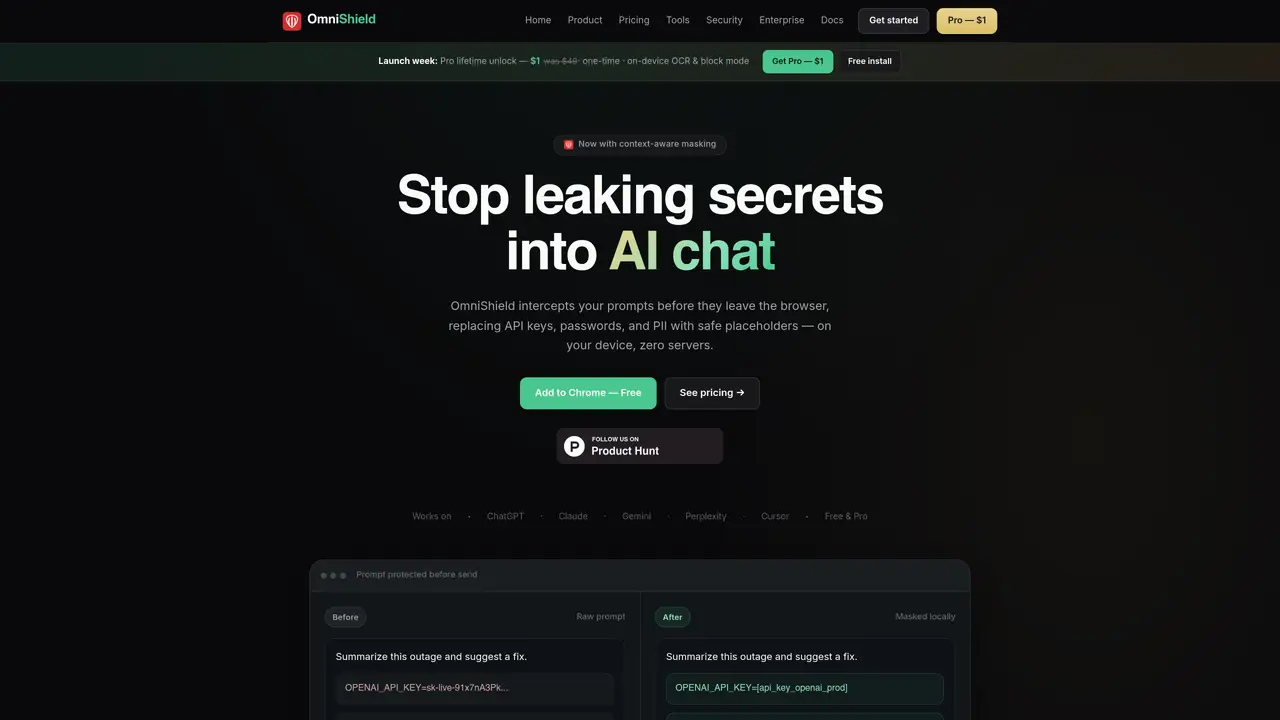
OmniShield is a browser extension designed to prevent accidental exposure of sensitive data such as API keys, passwords, and personally identifiable information (PII) when using AI chat interfaces like ChatGPT, Claude, or Cursor. It operates entirely on the user’s device, intercepting prompts before they are transmitted to AI providers and replacing sensitive elements with safe placeholders. The tool supports detection of over 100 secret patterns, including OpenAI, AWS, GitHub, and Stripe keys, as well as emails, credit card numbers, and phone numbers. Free users receive basic pattern-based masking, while Pro users gain context-aware masking that preserves the structure and role of secrets, enabling AI models to reason about requests without seeing the original values. Pro also includes features like on-device OCR scanning, healthcare pattern detection for HIPAA compliance, and custom detection rules. The extension is installed via the Chrome Web Store and functions without requiring an account or uploading prompts to external servers.
OmniShield is a browser extension that intercepts prompts before they are sent to AI chat interfaces, masking sensitive data such as API keys, passwords, and personally identifiable information (PII) with safe placeholders. It operates entirely on the user’s device without uploading prompts to external servers.
The tool is built for developers, founders, and security teams who frequently use AI chat interfaces like ChatGPT, Claude, or Cursor and need to prevent accidental exposure of sensitive data such as credentials or customer information.
No, OmniShield does not require an account for either Free or Pro versions. The extension functions locally, and prompts remain on the user’s device without being sent to OmniShield’s servers.
The Pro version offers context-aware masking, which preserves the structure and role of secrets so AI models can still reason about requests without seeing the original values. It also includes on-device OCR scanning, healthcare pattern detection, block mode, and custom detection rules.
OmniShield works with AI chat interfaces such as ChatGPT, Claude, Gemini, Perplexity, and Cursor. It integrates directly into the browser via a Chrome extension and does not require additional software or APIs.
Install the extension from the Chrome Web Store, pin it to your toolbar, and begin using AI chat interfaces as usual. The extension automatically masks sensitive data before prompts are sent. For Pro features, purchase a one-time license key and enter it in the extension popup.
omnishield.app · third-party estimates from Similarweb
Share of visits by channel
Share of visits · estimated visits
Coding & Development · Sep 2026
Traffic figures are third-party estimates, good for scale and trends; they can differ from a company's own numbers. Updated monthly.
We use essential cookies to run aitoolnavio™, and optional cookies to analyze traffic and measure our marketing. You choose what we use — optional cookies stay off unless you turn them on. See our Privacy Policy.
One short email a week: fresh tools worth trying, honest takes and the updates that actually matter. No spam, unsubscribe any time.
Tesla’s AI stack powers Full Self-Driving, Optimus humanoid robots, and real-world autonomy with neural networks, custom hardware, and Dojo-scale training.
Customize, deploy, and control AI models securely.
Standardize application packaging and execution with portable containers for consistent local and cloud workflows.
AI-first electronic design automation for ICs, advanced packaging, and systems with hardware-assisted acceleration and elastic cloud delivery.
Unified AI-powered platform for real-time monitoring, analytics, and security across cloud infrastructure, applications, and services.
Prevention-first, AI-powered cybersecurity platform protecting networks, clouds, and endpoints with unified controls and autonomous response.
Automate tasks, analyze data, and ensure data security with advanced measures.
Cloud communications platform that lets developers embed SMS, voice, WhatsApp, email, video, verification, and conversational AI via APIs.
AI-powered endpoint security with XDR, cloud or on-prem control, and low system impact for ransomware, email threats, and account takeover prevention.
Automate error tracking, monitor application performance, and gain insights with advanced analytics.
Identify stolen identities, uncover copyright infringements, and find unauthorized use of images with precision.
Instant threat detection and response, AI-powered prevention, unified dashboard for full visibility and control.
Matched on what this tool does — grouped by the job you would be replacing.
matches Wire-level masking intercepts prompts before send · On-device OCR scanning for images and screenshots · Context-aware masking preserves secret structure (Pro)
Local-first AI data loss prevention tool that scans prompts for secrets and PII before they reach AI services
Browser extension that redacts sensitive data from AI prompts before they leave the user's device
Browser extension that masks secrets in pasted code before sending to AI chat interfaces
Local policy proxy that intercepts and validates AI coding agent tool calls before execution