

Automate error tracking, monitor application performance, and gain insights with advanced analytics.
2.9M visits/mo-2.4%#50 Coding & Development
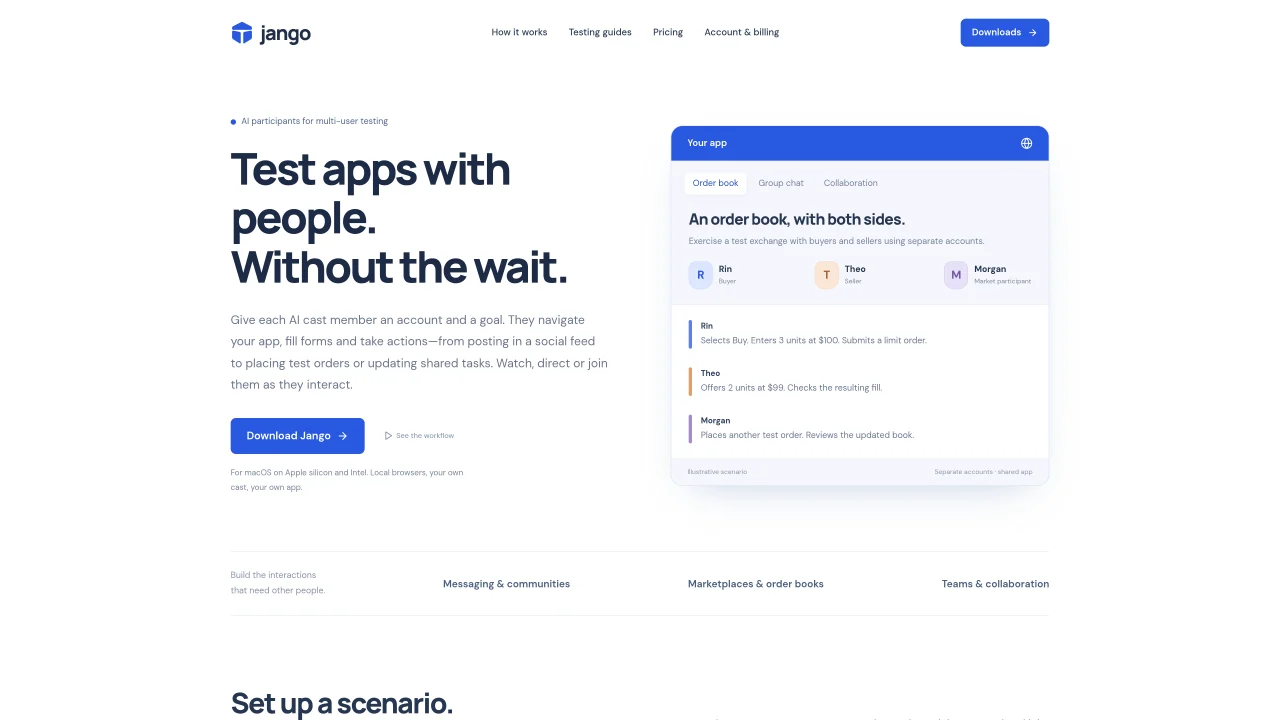
Jango provides AI-driven participants to simulate multi-user interactions in web applications. Each AI cast member receives a dedicated account and specific goals, navigating the app, filling forms, and performing actions such as posting in feeds, placing orders, or updating tasks. Users can observe, direct, or join these interactions in real time through isolated browsers. The tool supports setting up repeatable testing scenarios for social apps, chat platforms, collaboration tools, and marketplaces by assigning roles like buyers, sellers, or teammates. Jango maintains app memory between sessions, storing identities, observed controls, and run evidence for future reference. It integrates with workflows via a dashboard, terminal commands, or MCP for coding assistants, keeping the cast and its context portable. The application runs locally on macOS with Apple silicon or Intel processors, bundling necessary browsers and tools without requiring external installations. Users can manage projects, casts, and progress through a centralized account system that syncs across devices.
Jango provides AI-driven participants that simulate multi-user interactions in web applications. Each AI cast member receives a dedicated account and specific goals, navigating the app, filling forms, and performing actions such as posting in feeds, placing orders, or updating tasks.
Jango is designed for developers and teams testing social apps, chat platforms, collaboration tools, marketplaces, and other multi-user web applications. It is particularly useful for solo developers or small teams who need to simulate realistic user interactions without coordinating human testers.
Users add their development URL and test accounts, then assign roles and goals to AI participants. Each participant acts through an isolated browser, allowing users to observe, direct, or join interactions in real time. Jango maintains app memory between sessions, storing identities, observed controls, and run evidence.
Yes, Jango integrates with workflows via a dashboard, terminal commands, or MCP for coding assistants. The cast and its context remain portable, allowing users to manage projects, casts, and progress through a centralized account system that syncs across devices.
Jango runs locally on macOS with Apple silicon or Intel processors. It bundles necessary browsers and tools, so no external installations are required. Users can download the appropriate version for their Mac and install it by dragging to Applications.
Download Jango for your Mac, install it by dragging to Applications, and sign in or create an account. After confirming your email, return to Jango to log in. Create your first app, connect your own AI provider key, and add separate test accounts for your cast.
We use essential cookies to run aitoolnavio™, and optional cookies to analyze traffic and measure our marketing. You choose what we use — optional cookies stay off unless you turn them on. See our Privacy Policy.
One short email a week: fresh tools worth trying, honest takes and the updates that actually matter. No spam, unsubscribe any time.
Automate error tracking, monitor application performance, and gain insights with advanced analytics.
Instant threat detection and response, AI-powered prevention, unified dashboard for full visibility and control.
Open-source platform combining product analytics, session replay, A/B testing, and feature flags in one toolkit for product engineers.
AI development platform for experiment tracking, model optimization, and team collaboration in machine learning workflows.
Open-source framework for reliable, cross-browser web testing with auto-waiting, parallel execution, and built-in debugging tools.
CodeRabbit is an AI tool that helps you review and improve your code easily.
Labelbox is an enterprise-grade data labeling platform designed to help organizations create, manage, and deploy AI applications.
An AI-native cloud testing platform for developers and QA teams to automate cross-browser and real-device tests with self-healing automation and reporting.
Parallel AI coding agent IDE that runs multiple agents side by side in isolated git worktrees for faster, comparative development.
AI-powered bug reporting and feedback collaboration tool that streamlines issue identification and resolution for developers.
Monitor IT infrastructure, detect and resolve system issues, and proactively identify risks and threats.
Create tests, evaluate results in real-time with analytics, and save time and money with advanced automation.
Matched on what this tool does — grouped by the job you would be replacing.
matches Isolated browser instances for each AI participant · Role-based scenario setup (buyers, sellers, teammates) · Real-time observation and interaction with AI participants
Desktop browser that persists agent workspaces with sign-ins and tabs
A local browser for running AI agents with real user logins and session replay