

xAI builds Grok frontier AI models for reasoning, coding, voice, images, video, enterprise workflows, and developer APIs.
34M visits/mo+16.2%#6 Coding & Development
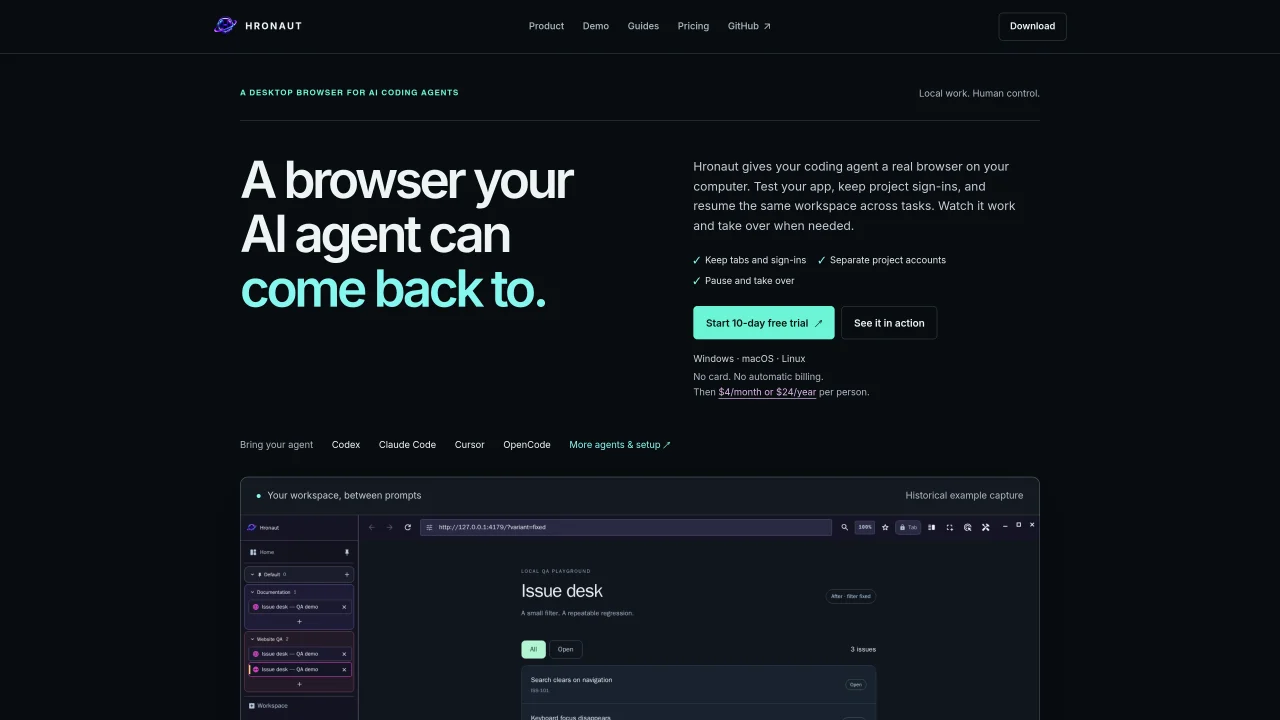
Hronaut is a desktop browser designed for AI coding agents, providing persistent workspaces that retain tabs, cookies, and local storage between tasks. It allows developers to test web apps, maintain project sign-ins, and resume the same workspace across multiple agent sessions. The tool supports human oversight by enabling users to pause agent access, handle logins or 2FA manually, and then resume agent work within the same session. Workspaces can be named and organized separately, keeping project accounts and tabs distinct for clarity. Hronaut integrates with existing coding agents through MCP, offering browser inspection, debugging, and debugging tools within a single application. It runs locally on Windows, macOS, and Linux, ensuring direct access to localhost apps and local development environments.
Hronaut is a desktop browser designed specifically for AI coding agents, enabling developers to maintain persistent workspaces with tabs, cookies, and local storage. It is intended for developers who use AI agents to build, test, and inspect web applications and want a dedicated browser environment that retains state between tasks.
Hronaut allows users to keep project sign-ins active by preserving cookies and local storage in named workspaces. Each workspace can be dedicated to a different project or agent, ensuring separate account sessions and organized tab management.
Yes, Hronaut enables human oversight by allowing users to pause an agent's access to the browser, handle logins or 2FA manually, and then resume the agent's work in the same workspace. This ensures control over sensitive interactions while maintaining workflow continuity.
Hronaut integrates with existing coding agents through the Model Context Protocol (MCP), providing browser inspection, debugging, and control capabilities within a single application. Users can connect their preferred agents, such as Cursor, VS Code, or Claude Code, to Hronaut for seamless workflows.
Hronaut runs locally on Windows, macOS, and Linux, ensuring direct access to localhost applications and local development environments. It provides packages for each platform with release verification for security.
Yes, Hronaut offers a 10-day free trial with full functionality and no credit card required. After the trial, users can subscribe for continued access to persistent workspaces and all features.
We use essential cookies to run Aitoolnavio, and optional cookies to analyze traffic and measure our marketing. You choose what we use — optional cookies stay off unless you turn them on. See our Privacy Policy.
One short email a week: fresh tools worth trying, honest takes and the updates that actually matter. No spam, unsubscribe any time.
xAI builds Grok frontier AI models for reasoning, coding, voice, images, video, enterprise workflows, and developer APIs.
Open-source backend platform providing Postgres, authentication, APIs, and real-time features to build scalable apps quickly.
Unified platform to access and switch between hundreds of AI models like ChatGPT, Claude, and Gemini via a single API.
Meta AI enhances machine learning, NLP, and computer vision capabilities.
A cloud platform for deploying, scaling, and managing web apps and AI workloads with Git-based CI/CD and edge functions.
AI-powered coding platform that uses agents to plan, write, and test software with real-time feedback and verifiable artifacts.
Chat, build, and explore with open AI models.
Standardize application packaging and execution with portable containers for consistent local and cloud workflows.
Cloud communications platform that lets developers embed SMS, voice, WhatsApp, email, video, verification, and conversational AI via APIs.
Accelerates AI inference, optimizes speed, scalability, cloud-ready.
Open-source platform combining product analytics, session replay, A/B testing, and feature flags in one toolkit for product engineers.
AI-native builder that turns prompts into full-stack web apps, syncs to GitHub, and deploys to Vercel in seconds with visual editing.
Matched on what this tool does — grouped by the job you would be replacing.
matches Persistent browser workspaces with retained sign-ins · Named workspace organization for separate projects · Human takeover and manual login handling
A local browser for running AI agents with real user logins and session replay
Browser Cloud gives AI agents real Chrome sessions on demand, no headless fleet to babysit.
Hosted Chromium API that maintains persistent, authenticated browser sessions for AI agents and automation scripts.
matches MCP integration for agent connectivity · Named workspace organization for separate projects
Local-first desktop workspace for managing multiple AI agents with policy controls
Memory MCP server integrates Memory with Cursor, Claude Desktop and Windsurf for persistent context across sessions.
Persistent memory layer for AI coding agents via MCP