Create detailed 3D models instantly from text.
15M visits/mo+9.6%#8 Image & Design

Standalone 3D keyframe animation software with AI-assisted posing, physics tools, rigging, and multi-format export for animators and studios.
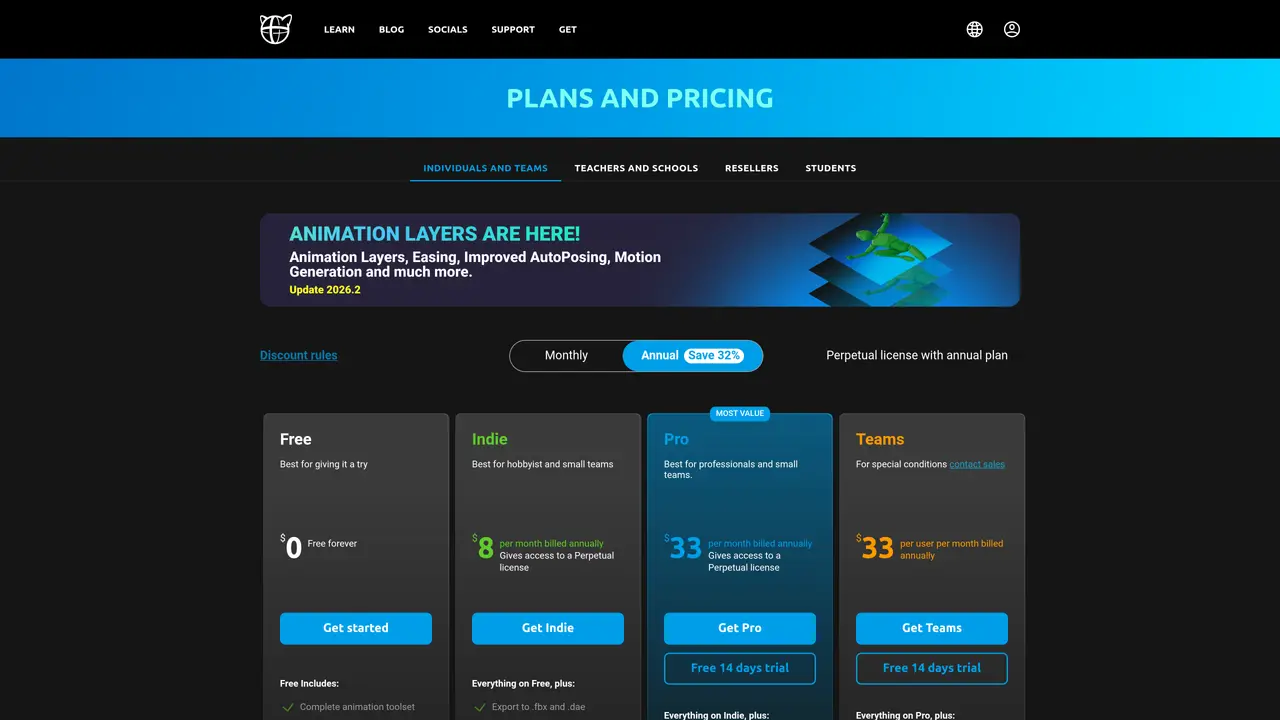
Cascadeur is a standalone desktop 3D keyframe animation tool designed for hobbyists, professional animators, studios, and educators who need faster character animation without sacrificing direct control. The software combines AI-assisted AutoPosing for humanoids, fingers, and quadrupeds with physics-based tools like AutoPhysics to preview realistic motion and secondary actions such as shaking or bouncing. It includes rigging utilities for quick drag-and-drop joint setup, animation unbaking to convert baked keys into editable frames, inbetweening for smooth transitions, and retargeting between characters with different skeletal structures. Workflow integration is supported through import and export of formats like FBX, DAE, and USD, with additional export options depending on the plan. Cascadeur emphasizes maintaining fully editable keyframes while ensuring compatibility with common digital content creation and game-engine pipelines. Its freemium model offers a free non-commercial tier with limited export options, alongside paid plans for indie creators, professionals, and teams, plus an academic license for educational use.
Cascadeur is a standalone 3D keyframe animation software designed for hobbyists, professional animators, studios, and educators who need faster character animation without sacrificing direct control.
Cascadeur uses AI-assisted AutoPosing and physics-based AutoPhysics tools to automate complex posing and motion tasks, allowing animators to achieve high-quality results more efficiently.
Cascadeur supports importing and exporting .FBX, .DAE, and .USD files, making it compatible with most digital content creation and game-engine pipelines.
Yes, Cascadeur's Animation Unbaking feature converts baked animations into editable keyframes, enabling users to clean up and refine imported animations.
Yes, Cascadeur provides a free non-commercial tier with limited export options, alongside paid plans for indie creators, professionals, teams, and academic licenses.
Users can try Cascadeur for free by downloading the software from the official website and following the provided tutorials to begin animating.
cascadeur.com · third-party estimates from Similarweb
Last 4 months · grows by one month every month
Share of visits · estimated visits
Other countries: 57.4%
How people reach this site from other AI tools
2.3K a month · 0.7% of all visits
Image & Design · Sep 2026
Traffic figures are third-party estimates, good for scale and trends; they can differ from a company's own numbers. Updated monthly.
We use essential cookies to run aitoolnavio™, and optional cookies to analyze traffic and measure our marketing. You choose what we use — optional cookies stay off unless you turn them on. See our Privacy Policy.
One short email a week: fresh tools worth trying, honest takes and the updates that actually matter. No spam, unsubscribe any time.
Create detailed 3D models instantly from text.
Meshy turns text prompts or images into fully textured 3D models in minutes.
Effortlessly generate realistic 3D models with AI.
Create precise 3D models, collaborate on designs, and analyze simulations in real-time.
Create realistic 3D environments, customize 3D creations, and generate high-resolution visuals using AI-driven technology.
Generate lifelike 3D visuals, transform 2D media, and capture intricate details for video production, games, and animations.
API-first platform for integrating image, video, and 3D generative AI models into applications with fast inference and pay-as-you-go pricing.
An AI design agent that turns natural language prompts into logos, social graphics, videos, 3D assets, and web pages in a single web canvas.
Turn hand-drawn sketches into editable 3D models and photorealistic images with AI.
AI-powered 3D editor that lets users create, edit, and animate 3D models using simple text prompts.
A web-based AI toolkit that converts text prompts or images into textured 3D models with exports to FBX, OBJ, GLB, and STL formats.
Build 3D models, optimize for real-time use, and generate within game engines using the Sloyd SDK.
Matched on what this tool does — grouped by the job you would be replacing.
matches AI-assisted AutoPosing for humanoids, fingers, and quadrupeds · Physics-based AutoPhysics for realistic motion preview · Drag-and-drop joint rigging and animation unbaking
Create stunning 3D animations effortlessly; customize lighting, textures, and camera angles; share your creations in various formats.
Generative AI platform that converts root motion paths into production-ready FBX animations for game studios and animators.
AI-powered browser tool that rigs 2D PNG characters with motion capture animations and exports as PNG sequences, JSON or Unity prefabs.
Browser-based AI motion capture that turns webcam or video into 3D animation data for creators using Blender, Unity, and Unreal Engine.
matches Motion capture retargeting from BVH/FBX files · Transfers full-body motion from a reference video · Converts root motion paths into full-body FBX animations
Turn any character image into a video by transferring motion, gestures, and expressions from a reference clip—no mocap, rigging, or keyframes required.
Uthana is an AI platform for generating realistic human motion on any character from prompt to production for games, film, robotics, and simulation.