Summarizes, extracts, and rewrites content from files.
89M visits/mo+8.7%#2 Productivity & Office

AI-powered first-pass legal document review for contracts and compliance checks
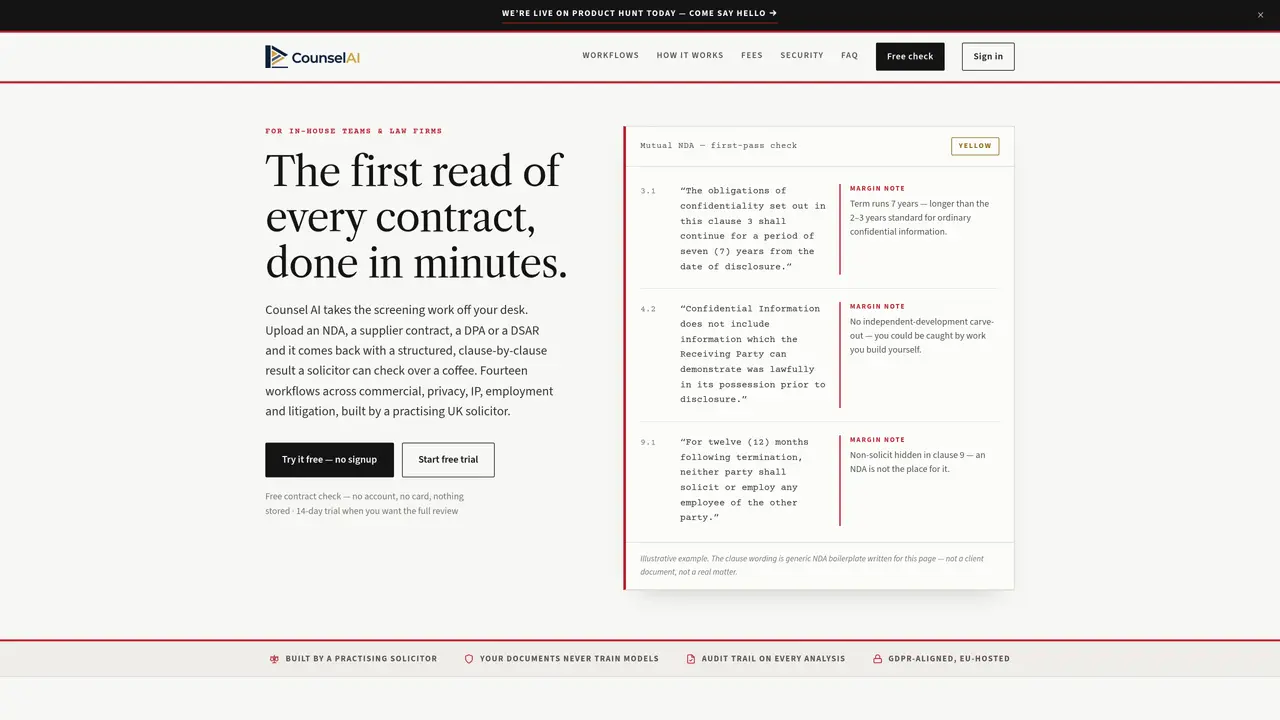
Counsel AI automates the initial screening of legal documents such as NDAs, supplier contracts, DPAs, and DSARs. It processes documents through 14 workflows spanning commercial, privacy, IP, employment, and litigation matters, returning structured clause-by-clause findings with reasoning and suggested redlines. The tool is designed for in-house legal teams and law firms, enabling faster decision-making by highlighting key risks and compliance issues before manual review. Users can upload documents, paste text, or describe initiatives, and receive an audit-trailed analysis without requiring integrations. The system is built by a practicing UK solicitor and uses Anthropic’s Claude models for document review. Results are delivered via a web app, Word add-in, or Chrome extension, with options to export findings to Word.
Counsel AI automates the initial screening of legal documents such as NDAs, supplier contracts, DPAs, and DSARs. It processes documents through 14 workflows across commercial, privacy, IP, employment, and litigation matters, returning structured clause-by-clause findings with reasoning and suggested redlines.
The tool is designed for in-house legal teams and law firms, enabling faster decision-making by highlighting key risks and compliance issues before manual review.
Users can upload documents, paste text, or describe initiatives, and receive an audit-trailed analysis without requiring integrations. The system uses Anthropic’s Claude models for document review and delivers results via a web app, Word add-in, or Chrome extension.
Counsel AI can review NDAs, supplier contracts, DPAs, DSARs, commercial contracts, SaaS agreements, GDPR compliance documents, employment termination agreements, subpoenas, and disclosure requests.
No, documents are analyzed and discarded after processing. The free check feature does not store any data, and the full review is conducted without retaining the document.
Yes, results can be exported to Word. The tool also provides an audit trail for every analysis and offers options to review findings directly in the Word add-in or Chrome extension.
We use essential cookies to run aitoolnavio™, and optional cookies to analyze traffic and measure our marketing. You choose what we use — optional cookies stay off unless you turn them on. See our Privacy Policy.
One short email a week: fresh tools worth trying, honest takes and the updates that actually matter. No spam, unsubscribe any time.
Summarizes, extracts, and rewrites content from files.
Automate citation and reference management, aid research with text and data mining, and securely store and share documents.
Capture, organize, and share ideas, notes, and documents effortlessly.
Headless CMS that lets developers manage structured content and deliver it anywhere via flexible APIs and real-time collaboration tools.
Efficiently create and manage cases, streamline workflows, securely store and share documents, and collaborate with colleagues.
Access files, collaborate, and secure your data with unbeatable customizable system.
An AI-powered PDF editor and converter for editing, OCR, signing, annotating, merging, and chatting with documents across devices.
Browser-based PDF editor that edits, signs, converts, merges, compresses, and shares files, with AI for form filling, document chat, and PDF creation.
Securely store, access, and search documents from any device with ease.
Create and customize legal documents, consult lawyers, and access legal guides all in one platform.
Centralize brand assets, automate approvals, and collaborate with external partners in a single digital asset management platform.
AI diagramming and documentation tool for engineering teams to create and update cloud architecture, ERDs, and flowcharts from prompts, code, and CI/CD workflows.
Matched on what this tool does — grouped by the job you would be replacing.
matches Clause-by-clause findings with reasoning · Suggested redlines and negotiation strategies · Word export and audit trail
LegalOn is an AI-powered contract review platform that revolutionizes the way legal teams handle contracts.
AI-powered platform that automates contract review, flags risks, and enforces compliance for legal and business teams.
AI contract review and risk analysis software for legal teams to extract clauses, assess liability, and track obligations faster.
matches Document upload or text paste · 14 legal workflows · Playbook configuration for teams
AI-powered legal assistant for drafting, reviewing, and streamlining contract workflow with customizable settings.
AI legal assistant for research, document analysis and drafting with verifiable sources
AI-powered contract drafting and review tool that enhances legal operations with precision and secure document management.
Single workspace for corporate legal teams to manage entities, contracts, IP, litigation and filings with