
Summarizes, extracts, and rewrites content from files.
89M visits/mo+8.7%#2 Productivity & Office
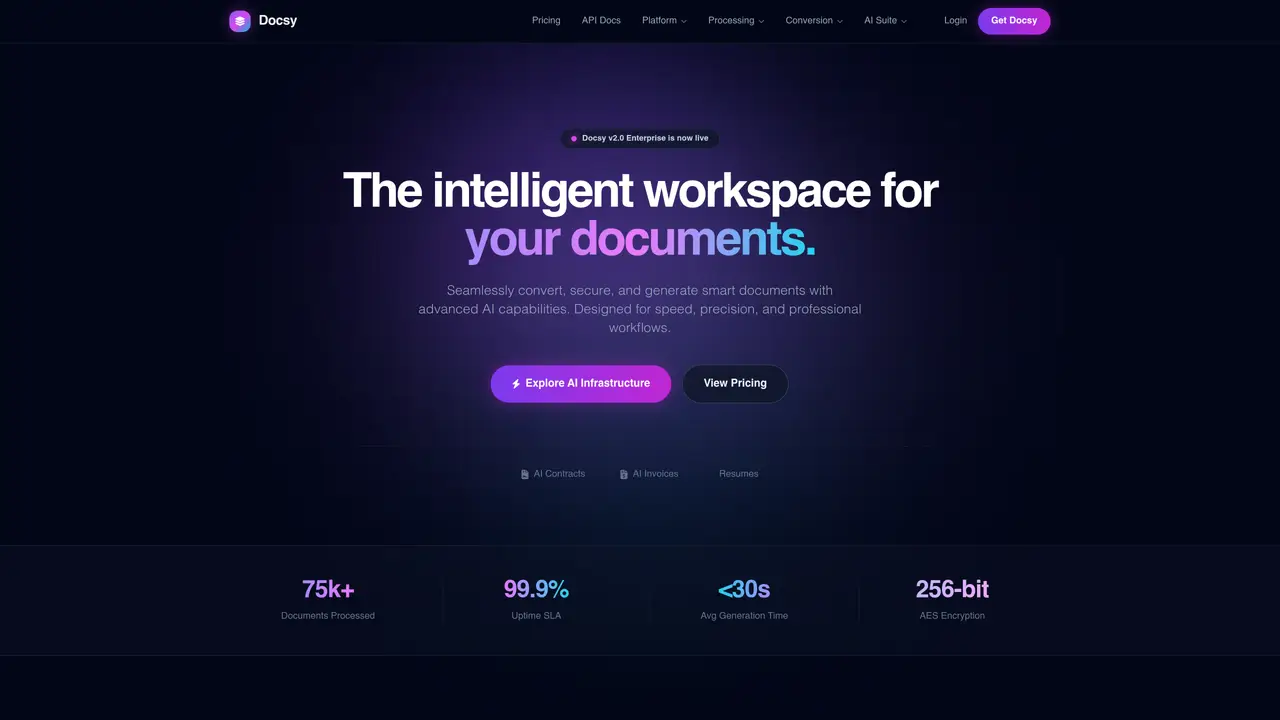
Docsy provides a unified workspace for document manipulation, conversion, and generation. The platform offers over 30 tools for converting files between formats such as PDF, Word, Excel, PowerPoint, HTML, and images. Users can merge, split, compress, rotate, edit, compare, protect, organize, and redact PDF documents. The service includes AI-powered document generation for contracts, invoices, business cards, certificates, resumes, job offers, and receipts. Additional features cover electronic signatures, password management, and conversion to archival formats like PDF/A. The platform emphasizes speed, precision, and professional workflows with enterprise-grade security and high availability.
Docsy is an intelligent document infrastructure platform that provides a unified workspace for document manipulation, conversion, and generation. It offers over 30 tools for converting, securing, editing, and organizing documents across formats such as PDF, Word, Excel, PowerPoint, HTML, and images.
Docsy is designed for professionals, businesses, and enterprises that require efficient document processing, secure file handling, and AI-powered document generation for tasks like contracts, invoices, resumes, and certificates.
Yes, Docsy includes an AI suite that generates documents such as contracts, invoices, business cards, certificates, resumes, job offers, and receipts using AI-powered templates and user-provided data.
Docsy emphasizes enterprise-grade security with features like password protection, encryption, and redaction to ensure sensitive information is securely handled and permanently sanitized when needed.
Yes, Docsy supports conversions between formats such as PDF to Word, Excel to PDF, PowerPoint to PDF, HTML to PDF, and PDF to archival formats like PDF/A, among others.
Users can get started with Docsy by signing up for a free account on the platform, exploring the available tools, and accessing the documentation or API for integration and advanced usage.
We use essential cookies to run aitoolnavio™, and optional cookies to analyze traffic and measure our marketing. You choose what we use — optional cookies stay off unless you turn them on. See our Privacy Policy.
One short email a week: fresh tools worth trying, honest takes and the updates that actually matter. No spam, unsubscribe any time.
Summarizes, extracts, and rewrites content from files.
Automate citation and reference management, aid research with text and data mining, and securely store and share documents.
Capture, organize, and share ideas, notes, and documents effortlessly.
Headless CMS that lets developers manage structured content and deliver it anywhere via flexible APIs and real-time collaboration tools.
Efficiently create and manage cases, streamline workflows, securely store and share documents, and collaborate with colleagues.
Access files, collaborate, and secure your data with unbeatable customizable system.
An AI-powered PDF editor and converter for editing, OCR, signing, annotating, merging, and chatting with documents across devices.
Browser-based PDF editor that edits, signs, converts, merges, compresses, and shares files, with AI for form filling, document chat, and PDF creation.
Securely store, access, and search documents from any device with ease.
Create and customize legal documents, consult lawyers, and access legal guides all in one platform.
Centralize brand assets, automate approvals, and collaborate with external partners in a single digital asset management platform.
AI diagramming and documentation tool for engineering teams to create and update cloud architecture, ERDs, and flowcharts from prompts, code, and CI/CD workflows.
Matched on what this tool does — grouped by the job you would be replacing.
matches Merge, split, compress, rotate, and edit PDFs · Convert between PDF, Word, Excel, PowerPoint, HTML, and images · Convert to and from archival PDF/A format
Browser-based PDF tools for merging, compressing, converting and editing files
Browser-based PDF processing and conversion tools
Browser-based PDF editor with AI tools and local file processing
matches Apply electronic signatures and password protection · Redact sensitive content permanently
An AI-powered PDF editor and converter for editing, OCR, signing, annotating, merging, and chatting with documents across devices.
Web-based PDF editor with AI features for editing, summarizing and transforming documents
A free online PDF tool that lets you AI OCR, merge, compress, sign, convert and protect PDFs directly in your browser.
Privacy-first online PDF toolkit with 90+ browser-based tools and 4 AI features