
Summarizes, extracts, and rewrites content from files.
89M visits/mo+8.7%#2 Productivity & Office
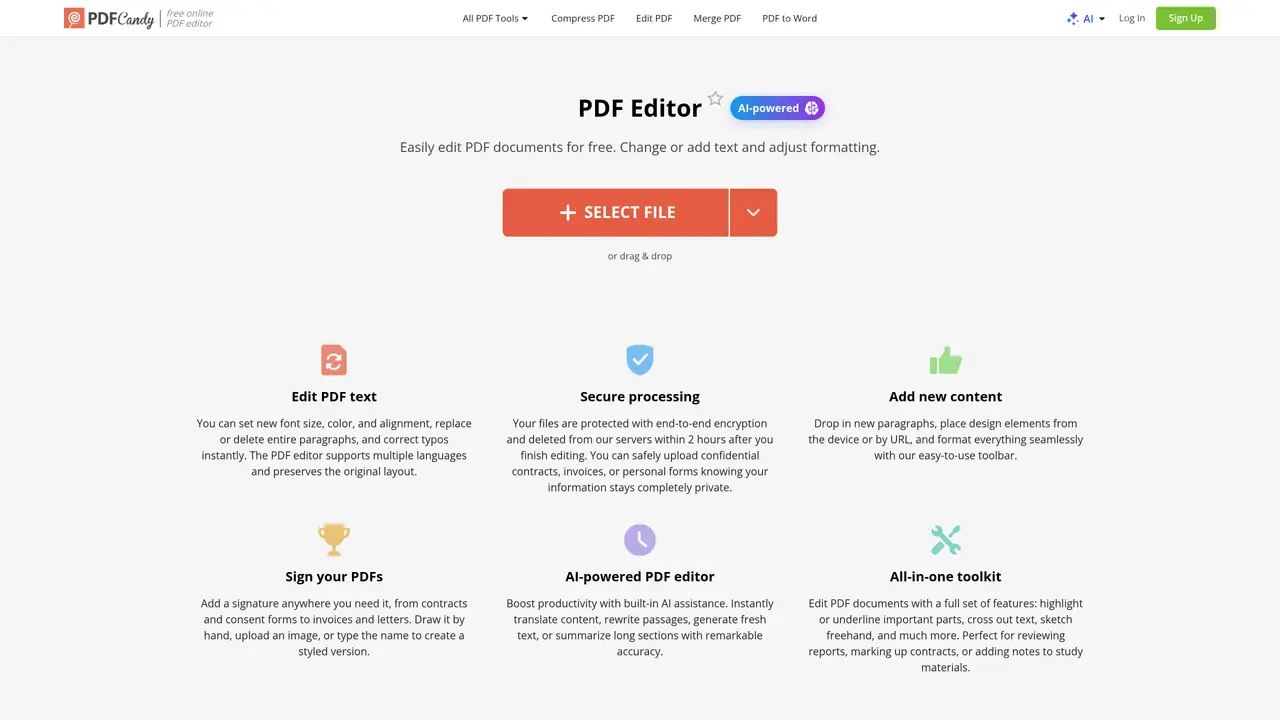
The PDF Editor revolutionizes the way we interact with PDF documents, offering a comprehensive suite of editing tools powered by artificial intelligence. Designed for both individuals and professionals, this tool simplifies the complex task of editing PDFs, making it accessible and efficient for users across various sectors. Whether you need to edit text, add images, or sign documents, this online editor provides a seamless experience with its intuitive interface and robust features. The PDF Editor is suitable for small business owners, freelancers, students and educators, and legal professionals who require secure document handling and editing. It can also be used by artists for creating digital portfolios and archivists for preserving and annotating digital documents. The tool offers a range of features, including AI-powered editing, comprehensive editing tools, secure processing, and user-friendly interface. With its ability to perform complex editing tasks with precision and ease, the PDF Editor excels in providing a robust and secure platform for editing PDF documents.
You can edit text, add images, highlight or underline content, cross out text, sketch freehand, reorder or insert pages, annotate, add watermarks, sign documents, and remove or edit metadata.
The free version allows uploading PDFs up to 50 MB in size. For larger files, a Pro subscription is required.
Yes, you can use the 'Whiteout' option or draw a filled rectangle matching the background to cover specific information.
No, the service keeps the document intact without adding any watermarks.
The AI can translate content, rewrite passages, generate fresh text, or summarize long sections with high accuracy.
Upload the PDF from your device or cloud storage, use the navigation panel to move between pages, make changes with the editing tools, add a signature if needed, and download the updated document.
We use essential cookies to run aitoolnavio™, and optional cookies to analyze traffic and measure our marketing. You choose what we use — optional cookies stay off unless you turn them on. See our Privacy Policy.
One short email a week: fresh tools worth trying, honest takes and the updates that actually matter. No spam, unsubscribe any time.
Summarizes, extracts, and rewrites content from files.
Automate citation and reference management, aid research with text and data mining, and securely store and share documents.
Capture, organize, and share ideas, notes, and documents effortlessly.
Headless CMS that lets developers manage structured content and deliver it anywhere via flexible APIs and real-time collaboration tools.
Efficiently create and manage cases, streamline workflows, securely store and share documents, and collaborate with colleagues.
Access files, collaborate, and secure your data with unbeatable customizable system.
An AI-powered PDF editor and converter for editing, OCR, signing, annotating, merging, and chatting with documents across devices.
Browser-based PDF editor that edits, signs, converts, merges, compresses, and shares files, with AI for form filling, document chat, and PDF creation.
Securely store, access, and search documents from any device with ease.
Create and customize legal documents, consult lawyers, and access legal guides all in one platform.
Centralize brand assets, automate approvals, and collaborate with external partners in a single digital asset management platform.
AI diagramming and documentation tool for engineering teams to create and update cloud architecture, ERDs, and flowcharts from prompts, code, and CI/CD workflows.
Matched on what this tool does — grouped by the job you would be replacing.
matches AI-Powered Editing · Comprehensive Editing Tools · User-Friendly Interface
AI-powered PDF editor with built-in agents for summarization, translation, and document analysis.
Web-based PDF editor with AI features for editing, summarizing and transforming documents
AI-driven PDF editor for seamless editing and conversion.
Lightweight AI-powered PDF editor for macOS with on-device processing
matches AI-based text extraction · OCR support for scanned documents and images
matches Multi-language translation preserving document layout · Translates various file formats
Free online utilities for PDFs, images, text, AI and more
Extracts text from images and PDFs online with OCR
Online document translator supporting PDF, Word, Excel, PowerPoint and scanned files
Quickly and accurately translate documents with unparalleled precision and confidence for business, legal, and academic purposes.
AI-powered document translation with perfect formatting
Translate documents accurately in 136 languages, preserve original format effortlessly.
An AI translation tool that handles text, PDFs, images, voice, and documents in 100+ languages with encrypted processing and daily free limits.