
Summarizes, extracts, and rewrites content from files.
89M visits/mo+8.7%#2 Productivity & Office
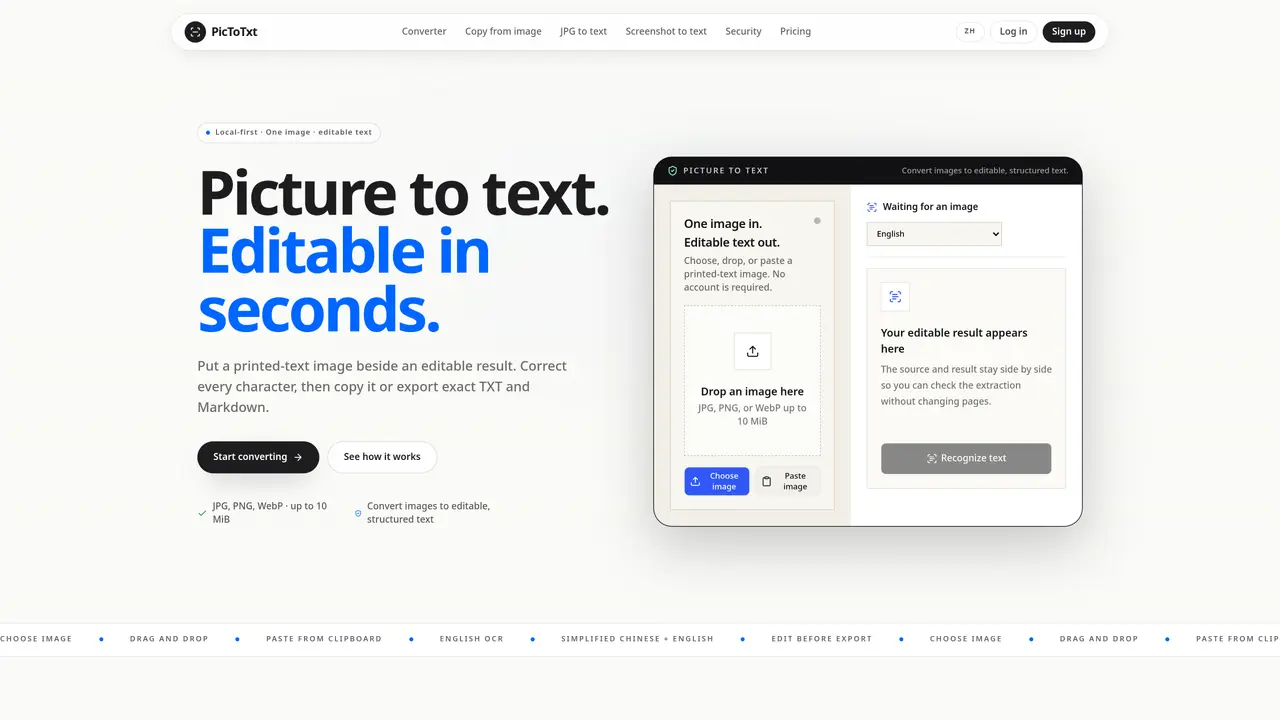
PicToTxt converts printed-text images into editable text using optical character recognition. The tool accepts JPG, PNG, or WebP files up to 10 MiB and processes them locally in the browser without requiring an account. Users can drop, paste, or choose an image, select a recognition language (English or Simplified Chinese plus English), and review the extracted text side by side with the source image. The editable result can be corrected, copied, or exported as plain UTF-8 TXT or Markdown files. The workflow is intentionally focused, with four clear stages: input validation, OCR recognition, text review, and export. The tool emphasizes transparency by showing real-time progress and keeping the source image visible during editing. Output remains exact and does not add inferred formatting such as headings or tables.
PicToTxt is a local-first tool that converts printed-text images into editable text using optical character recognition (OCR). It processes images directly in the browser without requiring an account.
PicToTxt is designed for anyone needing to extract text from images, such as students, professionals, or researchers, who prefer a straightforward, privacy-focused OCR solution.
PicToTxt offers a free tier with limited cloud credits and unlimited in-browser OCR. Paid plans provide additional cloud credits and features, with options for monthly, yearly, or one-time purchases.
OCR recognition runs locally in the browser, so an internet connection is only needed for cloud recognition or downloading language assets. In-browser OCR works offline.
PicToTxt supports JPG, PNG, and WebP files up to 10 MiB. It recognizes English and Simplified Chinese, with output available as plain UTF-8 TXT or Markdown.
Users can start by dropping, pasting, or selecting an image, choosing a recognition language, and reviewing the extracted text. No account is required for basic use.
We use essential cookies to run aitoolnavio™, and optional cookies to analyze traffic and measure our marketing. You choose what we use — optional cookies stay off unless you turn them on. See our Privacy Policy.
One short email a week: fresh tools worth trying, honest takes and the updates that actually matter. No spam, unsubscribe any time.
Summarizes, extracts, and rewrites content from files.
Automate citation and reference management, aid research with text and data mining, and securely store and share documents.
Capture, organize, and share ideas, notes, and documents effortlessly.
Headless CMS that lets developers manage structured content and deliver it anywhere via flexible APIs and real-time collaboration tools.
Efficiently create and manage cases, streamline workflows, securely store and share documents, and collaborate with colleagues.
Access files, collaborate, and secure your data with unbeatable customizable system.
An AI-powered PDF editor and converter for editing, OCR, signing, annotating, merging, and chatting with documents across devices.
Browser-based PDF editor that edits, signs, converts, merges, compresses, and shares files, with AI for form filling, document chat, and PDF creation.
Securely store, access, and search documents from any device with ease.
Create and customize legal documents, consult lawyers, and access legal guides all in one platform.
Centralize brand assets, automate approvals, and collaborate with external partners in a single digital asset management platform.
AI diagramming and documentation tool for engineering teams to create and update cloud architecture, ERDs, and flowcharts from prompts, code, and CI/CD workflows.
Matched on what this tool does — grouped by the job you would be replacing.
matches Local OCR recognition in browser · Drag-and-drop image input · Side-by-side source and editable text view
Converts images of cursive handwriting to editable text for review
Free browser-based OCR tool that extracts text from images and PDFs
Online tool for translating text in manga, manhwa and webtoon images
Translates PDFs, Word files, images and scanned documents while preserving layout