

Summarizes, extracts, and rewrites content from files.
89M visits/mo+8.7%#2 Productivity & Office
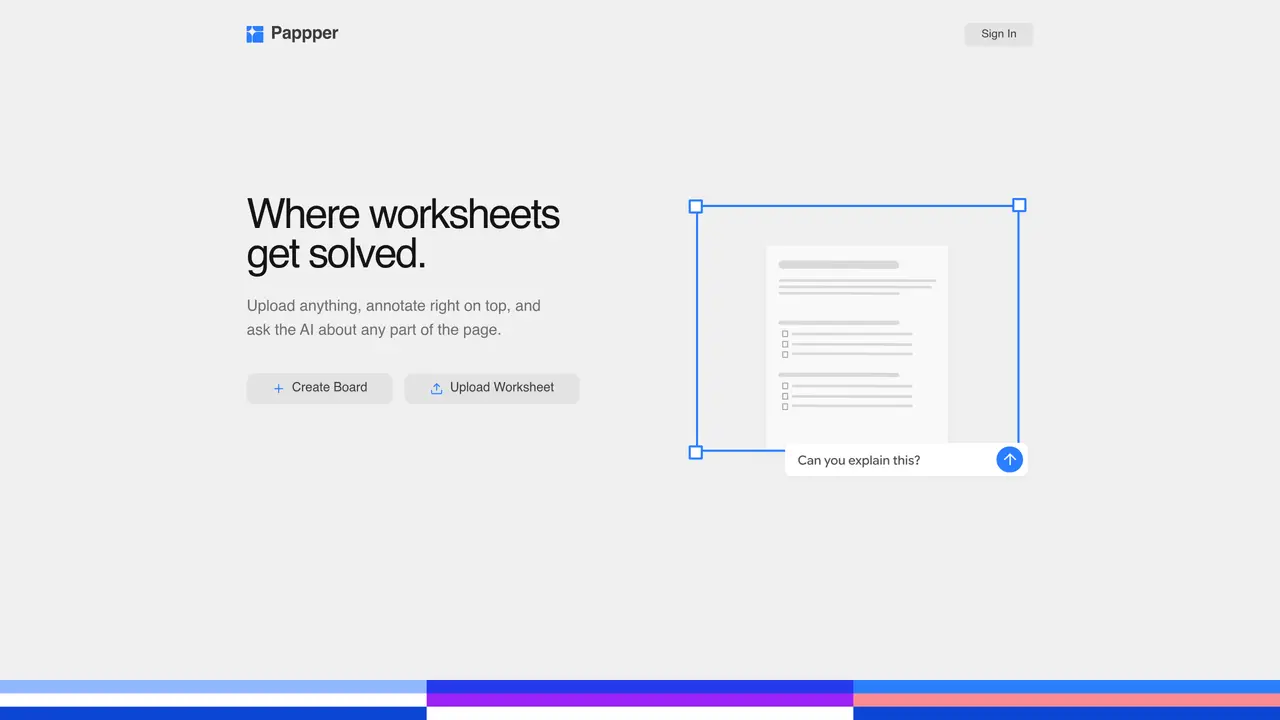
Pappper is a browser-based workspace for uploading, annotating, and interacting with worksheets, PDFs, and notes. Users can upload files such as PDFs, Word documents, images, or audio, and then mark them up with highlights, drawings, text, or images. The AI can answer questions about any part of the uploaded content, explain steps in a solution, or directly insert answers onto the page. Work can be edited or undone, and changes are tracked in version history. The tool supports searching across all uploaded files by keywords or descriptions of visual content. Pappper works on desktop and iPad browsers, accommodating mouse, trackpad, finger, or stylus input. Exports are available as PDFs or whiteboards, and deleted boards remain in a trash folder for 60 days.
Pappper is a browser-based workspace designed for uploading, annotating, and interacting with worksheets, PDFs, and notes. Users can upload various file types, mark them up with highlights, drawings, text, or images, and ask AI questions about any part of the content.
Pappper is suitable for students, educators, professionals, or anyone needing to work with documents, worksheets, or PDFs. It supports learning, problem-solving, and organizing information through interactive annotations and AI assistance.
Users can upload PDFs, Word documents, images, and audio files. Additionally, images or YouTube links can be pasted directly onto a board to consolidate all relevant materials in one place.
Yes, Pappper can insert AI-generated responses directly onto a worksheet or document, allowing users to review, edit, or undo the changes as needed.
Pappper offers a free plan with basic storage and AI features. A paid plan, Pappper Plus, provides additional storage and AI usage, with the option to cancel anytime.
Users can start a board immediately without an account. Creating an account allows saving boards, organizing work, and accessing advanced AI features. Work started before signing in remains in the browser until saved.
We use essential cookies to run aitoolnavio™, and optional cookies to analyze traffic and measure our marketing. You choose what we use — optional cookies stay off unless you turn them on. See our Privacy Policy.
One short email a week: fresh tools worth trying, honest takes and the updates that actually matter. No spam, unsubscribe any time.
Summarizes, extracts, and rewrites content from files.
Free tool to collect, organize, cite and share research sources
An AI-powered PDF editor and converter for editing, OCR, signing, annotating, merging, and chatting with documents across devices.
Browser-based PDF editor that edits, signs, converts, merges, compresses, and shares files, with AI for form filling, document chat, and PDF creation.
Streamline PDF interaction with AI summarization, batch processing, and secure Q&A.
Efficiently find data, extract key topics, map entities, analyze sentiment, and highlight important points in your PDF documents.
All-in-one AI platform for writing, image, music, and analysis.
AI-powered PDF editor with built-in agents for summarization, translation, and document analysis.
Obtain information, navigate documents, and customize responses with an AI-powered chatbot and user-friendly interface.
Summarize, chat with, and clean up PDFs.
Find sections, analyze & extract content, and interact with documents efficiently using AI-powered technology.
Generate comprehensive PDF reports, leverage NLP and ML to understand documents, save time and money with faster decision-making.
Matched on what this tool does — grouped by the job you would be replacing.
matches Annotate with highlights, drawings, text, and images · AI answers questions about any part of the uploaded content · AI inserts answers or explanations directly on the document
An AI-powered note-taking app for students and professionals to write, sketch, annotate PDFs, record audio, and generate summaries, quizzes, and flashcards.
A note-taking and spaced-repetition flashcard app for students and learners, with PDF annotation plus AI tools for generating cards, quizzes, and study summaries.
Read smarter with Free AI PDF Reader!
Chat with PDFs and Word documents by uploading files
matches AI answers questions about any part of the uploaded content · AI inserts answers or explanations directly on the document
AI-powered math solver providing step-by-step solutions from images or text
AI-powered math solver that delivers step-by-step solutions for complex equations and word problems via text, images, PDFs, or CSV files.
EduBrain AI Math Solver helps you solve math problems with clear, step-by-step explanations.
Unlock the power of AI to solve math problems step by step with our advanced multi-modal AI technology.