

Create stunning visuals, develop ideas with AI-powered tools, and instantly share content without coding or formatting.
21M visits/mo+6.5%#6 Writing & Content
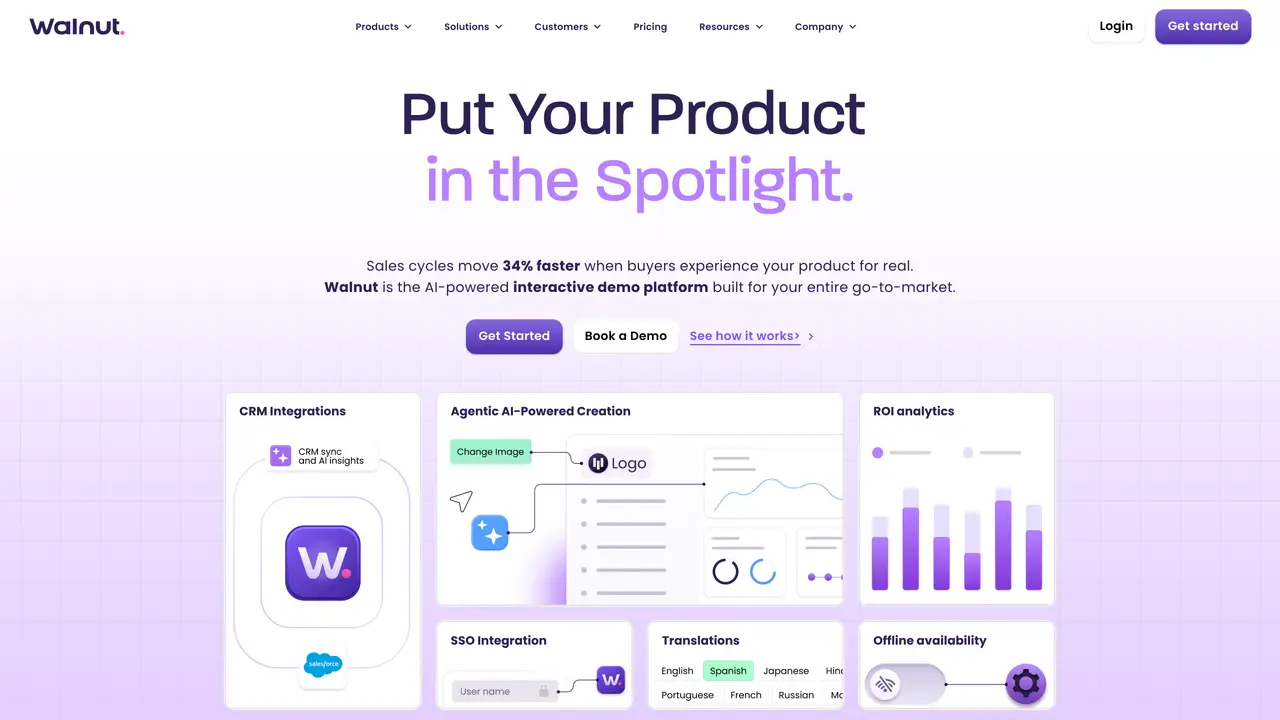
Walnut is a user-friendly and codeless platform for creating and presenting product demos. It features smart object inheritance and a sleek UI editor that can be easily adapted to different audiences, resulting in increased sales efficiency and improved conversion rates. The platform is designed for sales teams and can be used to create product demonstrations, onboarding large clients, and sales presentations. Walnut integrates with CRM and can be used on different systems. Users have reported positive results with Walnut, with no major complaints reported. The platform is suitable for Assistant, Designer, Manager, Marketer, Programmer, Real Estate Agent, and Sales Video professionals. Walnut is an efficient and effective way to illustrate value and can auto-align screenshots for easier processing. However, users have reported a slow learning curve and a lack of comprehensive documentation. Despite these limitations, Walnut is a valuable tool for sales teams looking to create engaging product demos.
An interactive demo platform lets users create self-guided, clickable product experiences that buyers can explore independently without accessing the live environment. Unlike static screenshots or screen recordings, these demos allow prospects to navigate the product as if they were using it in real time.
Walnut uses AI to automate demo creation through features like StoryCaptureAI, which assembles demos by clicking through the product and narrating, and AI Mode, which refines demos instantly with a single prompt. AI also provides insights into prospect engagement and suggests optimizations.
Walnut is designed for revenue teams, including marketing, sales, presales, customer success, and operations professionals. It supports teams in creating personalized product demos to accelerate deals, improve onboarding, and enhance customer engagement across the buyer's journey.
Yes, Walnut offers integrations with CRM systems and supports SSO for seamless workflows. These integrations help streamline demo creation and sharing within existing tech stacks.
Yes, Walnut supports offline availability, allowing users to access and present demos without requiring a constant internet connection.
Prospective users can get started by signing up on the Walnut website or booking a demo to explore the platform's features. The process typically involves creating an account, exploring the AI-powered tools, and beginning to build personalized product demos.
walnut.io · third-party estimates from Similarweb
Last 4 months · grows by one month every month
Share of visits · estimated visits
Other countries: 39.9%
How people reach this site from other AI tools
36 a month · 0.2% of all visits
Productivity & Office · Sep 2026
Traffic figures are third-party estimates, good for scale and trends; they can differ from a company's own numbers. Updated monthly.
We use essential cookies to run aitoolnavio™, and optional cookies to analyze traffic and measure our marketing. You choose what we use — optional cookies stay off unless you turn them on. See our Privacy Policy.
One short email a week: fresh tools worth trying, honest takes and the updates that actually matter. No spam, unsubscribe any time.
Create stunning visuals, develop ideas with AI-powered tools, and instantly share content without coding or formatting.
Create captivating, customizable presentations and easily share them across devices with a cloud-based platform.
Engage audience with interactive polls, quizzes, and surveys, and monitor responses with powerful analytics.
All-in-one AI workspace for creating presentations, essays, images, videos, podcasts, and AI-powered chat responses from a single platform.
Visual collaboration platform for creating diagrams, mind maps, wireframes, and workflows with real-time teamwork.
Skywork Super Agents: Workspace productivity suite with specialized AI for research-grade documents, slides & spreadsheets + multimedia tools.
AI-powered design tool that turns templates into professional presentations, infographics, and timelines with no graphic design skills required.
AI-powered platform for creating presentations, infographics, reports, and social media graphics from text prompts with built-in brand management and collaboration tools.
Visualize processes, design network diagrams, and collaborate in real-time with templates and easy-to-use interface.
AI-powered presentation tool that generates professional slides from text with a vast library of templates, images, and customization options.
AI-powered presentation maker that generates PowerPoint and Google Slides decks from prompts, documents, or URLs for professionals, educators, and students.
Generate presentations, create interactive slideshows, and customize with themes, fonts, and colors.
Matched on what this tool does — grouped by the job you would be replacing.
matches Codeless, user-friendly approach · Efficient and effective way to illustrate value · Auto-alignment of screenshots for easier processing
No-code platform for B2B teams to create interactive product demos, personalize buyer journeys, and track engagement without manual demo environments.
Multilingual product demos, global HR training, and e-learning course localization with accurate translations.
AI-powered interactive demo builder for B2B teams to record workflows, add voiceovers, and share trackable demos.
Chrome extension that turns screenshots into interactive product demos with AI-powered annotations and sharing options.